Main navagation - My signals -Submitted Signals - Deleted signals are visible #82

Description

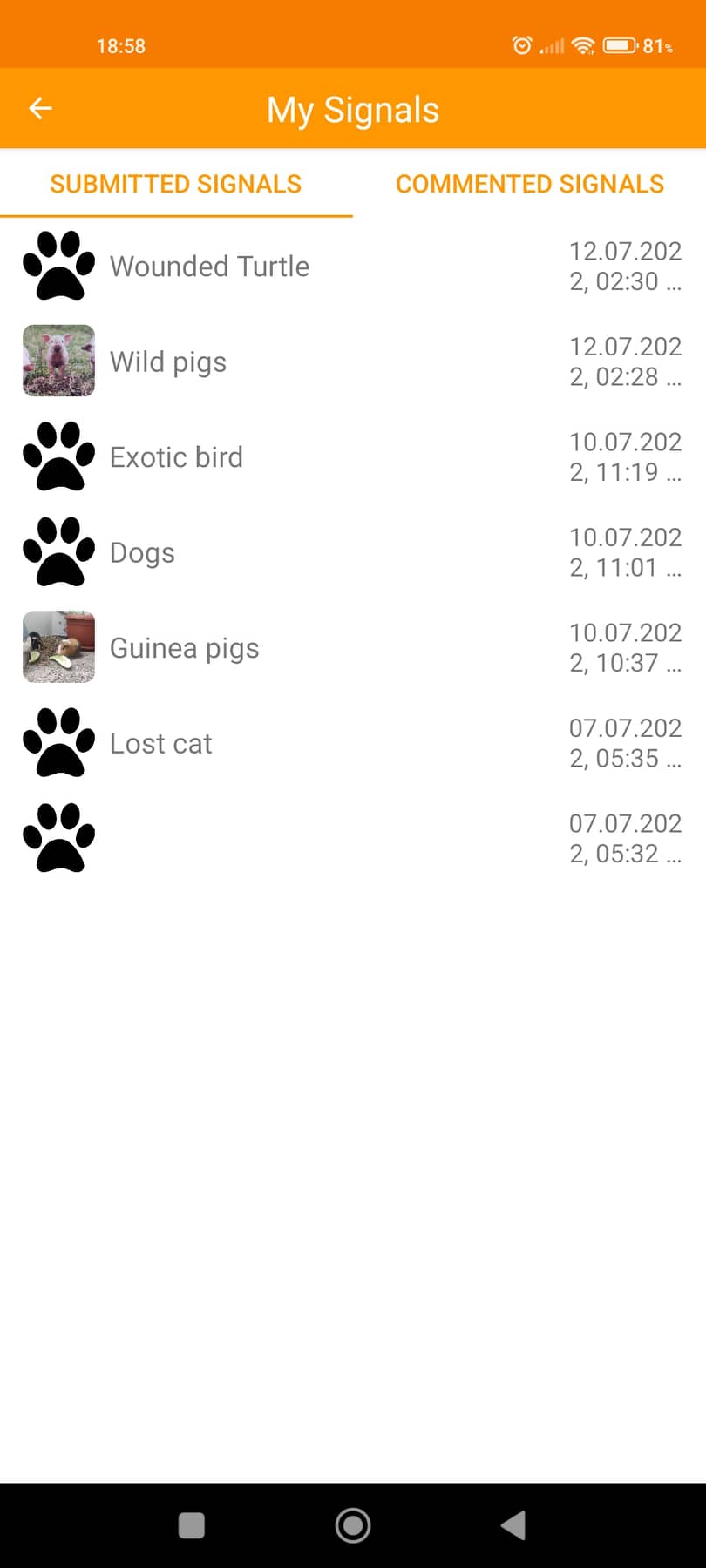
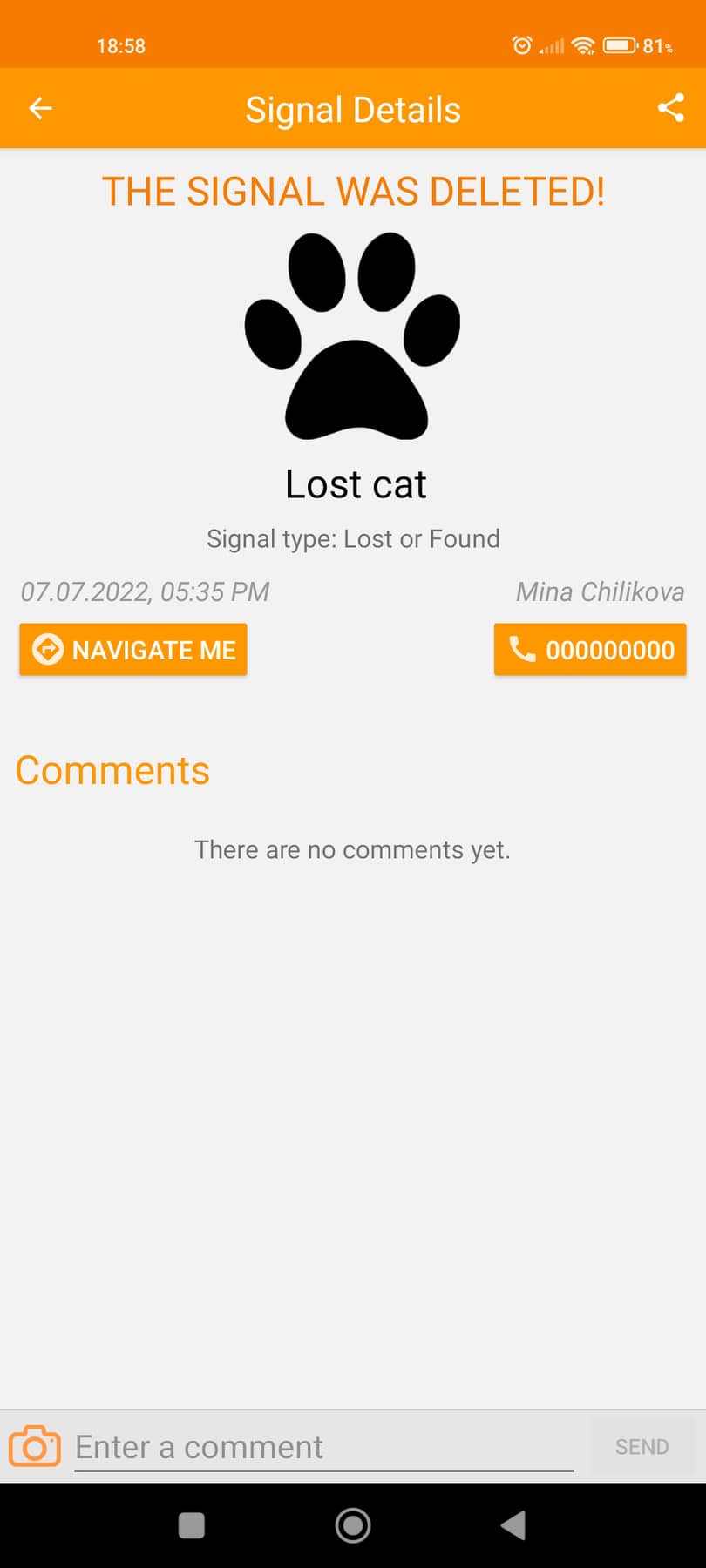
Deleted signals are visible
Steps to reproduce:
- Open the app and log in
- Submit a signal in the application
- Go to side menu > 'My Signals' > 'Submitted Signals'
- Open the signal created in step 2
- Go to the signal > Click on Delete (bin) button and delete the Signal
- Go back to the signal in My Signals and verify that the signal is no longer available in the menu
Expected result:
Deleted signals should not be visible in My Signals
Actual result:
Deleted signals are visible in My Signal
s