


繁體中文 | 日本語 | 한국어 | 简体中文 | English
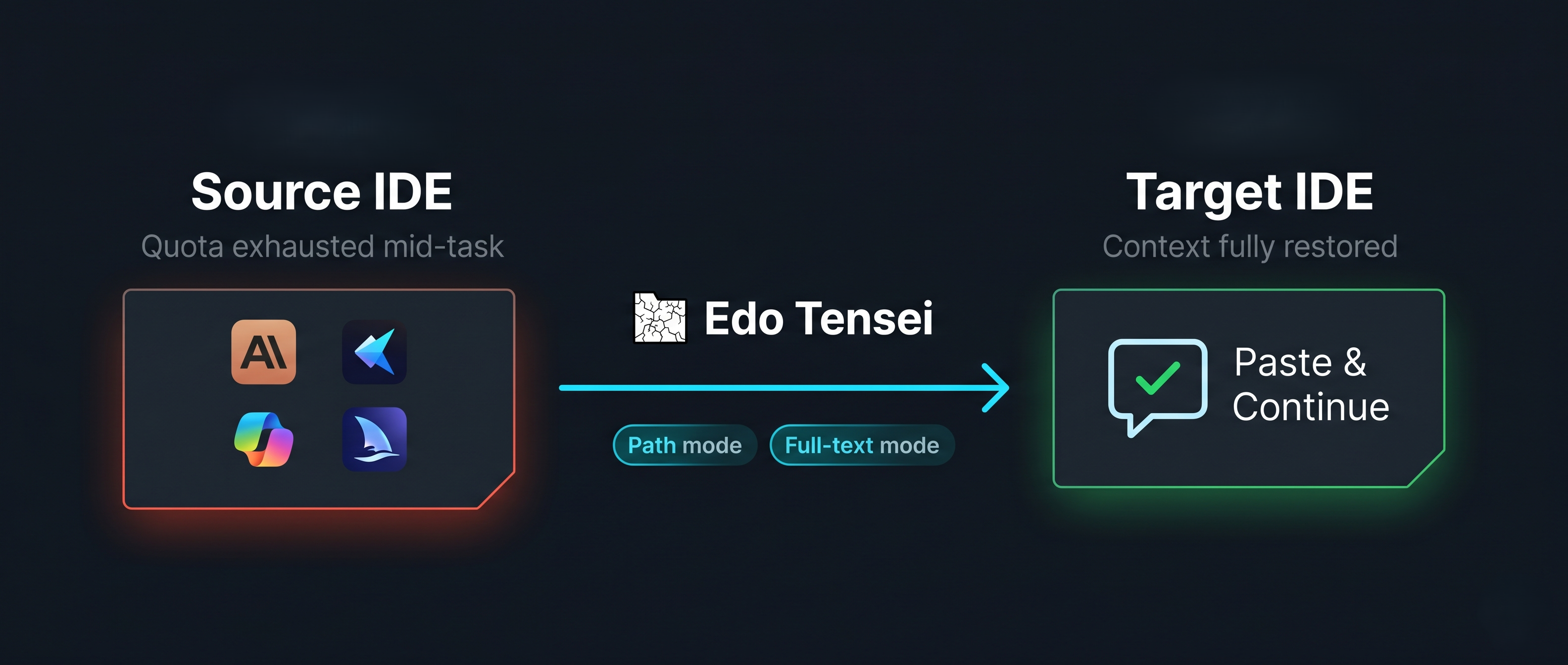
When your AI quota runs out mid-task, switching to another IDE shouldn't mean losing all your context.
Edo Tensei (穢土轉生, "Impure World Reincarnation") extracts local AI session histories from the IDEs installed on your machine and packages them into a ready-to-paste handoff prompt — so the next agent can pick up exactly where the last one left off.
In Naruto, Edo Tensei (Impure World Reincarnation) is a forbidden jutsu that summons the souls of the deceased back to the living world, binding them to a vessel to restore their memories and abilities.
This tool is named after this concept to symbolize "context reincarnation" in AI development:
- The Deceased: An interrupted AI session (due to quota limits, crashes, or switching tools).
- The Vessel: The Handoff Prompt extracted and packaged by this tool.
- The Reincarnation: Pasting the prompt into a new IDE/agent, allowing the "dead" development context to be perfectly reborn in a new AI entity.
Platform: Windows only. macOS and Linux support is not yet available.
| IDE / Agent | Local Storage | Notes |
|---|---|---|
| GitHub Copilot Chat | %APPDATA%/Code/User/…/chatSessions/ |
JSON & JSONL |
| Cursor | ~/.cursor/projects/ |
JSONL |
| Claude Code CLI | ~/.claude/projects/ |
JSONL |
| OpenAI Codex CLI | ~/.codex/ |
JSONL |
| Kiro | %APPDATA%/Kiro/…/kiroagent/ |
JSON (.chat) |
| Antigravity | ~/.gemini/antigravity/brain/ |
Preview log only — see Known Limitations |
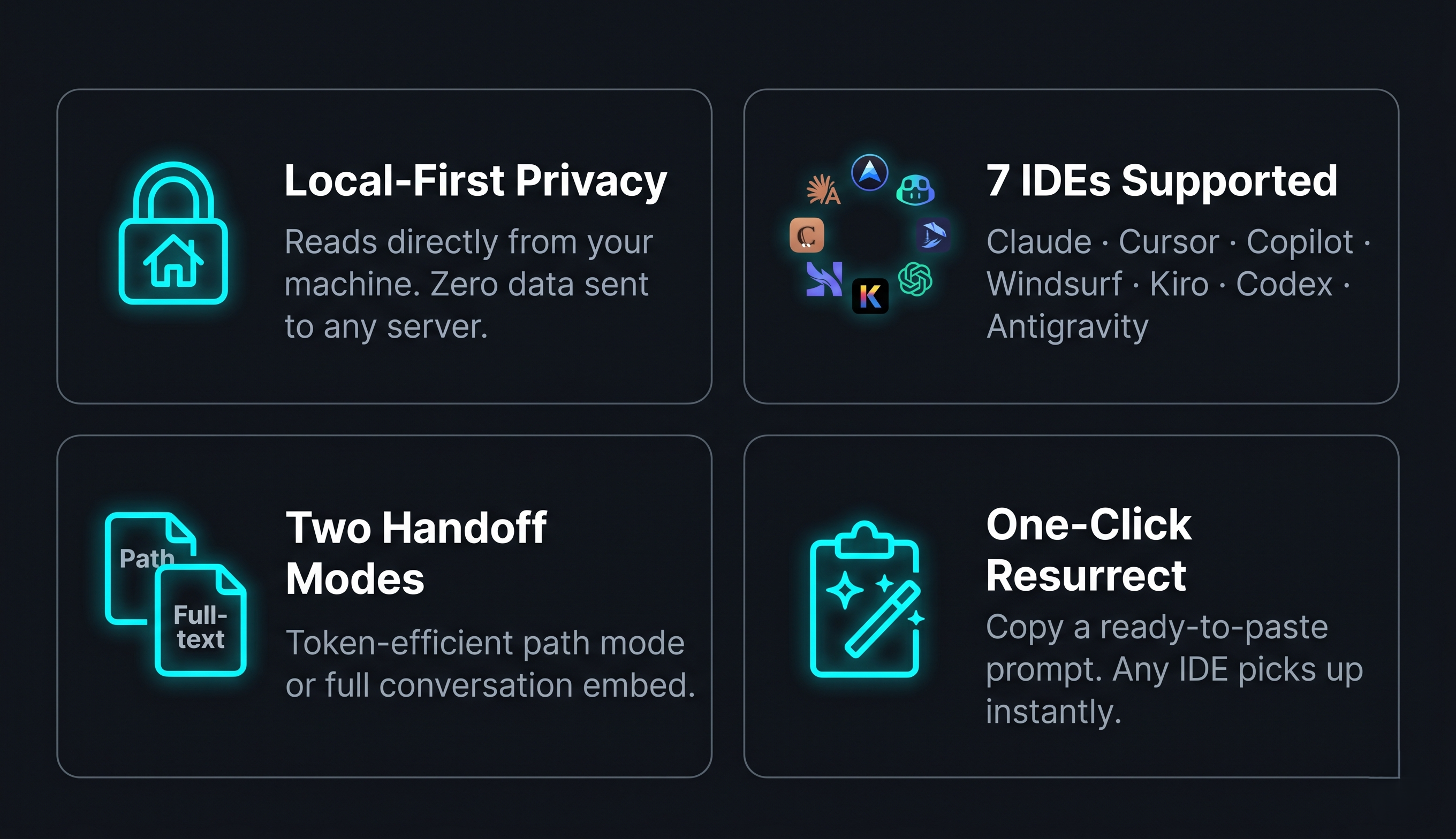
- Multi-IDE Extraction: Automatically scans all supported IDEs and surfaces sessions grouped by
IDE → Project → Session. - Project-Scoped Scan: "Scan Project Sessions" filters to only sessions that match your current workspace.
- Two Handoff Modes:
- Path mode (default): Outputs the session file path + a per-IDE reading guide. Token-efficient; the receiving agent reads only what it needs.
- Full-text mode: Embeds the complete conversation. Works everywhere, uses more tokens.
- One-Click Resurrect: Copies a formatted handoff prompt to clipboard — paste it into any new AI chat to restore context instantly.
- Export to
.edo_tensei/: Saves handoff prompts as Markdown files, organized byIDE/project/timestamp. - Raw File Preview: Opens the original session file directly in VS Code for manual inspection or editing.
- Agent Skill Generator: Generates reusable
edo-tenseiskill/rule files for Claude Code, GitHub Copilot, Kiro, Antigravity, Cline, and Cursor. - Model Context Protocol (MCP): Built-in MCP server allows AI agents (Cursor, Copilot, Claude, Kiro, Antigravity) to programmatically discover, read, and export Edo Tensei sessions. Use the "Show MCP Config" UI to easily configure your specific AI client.
.gitignoreHelper: Automatically prompts you to add.edo_tensei/to.gitignoreso local exports don't pollute your repo.
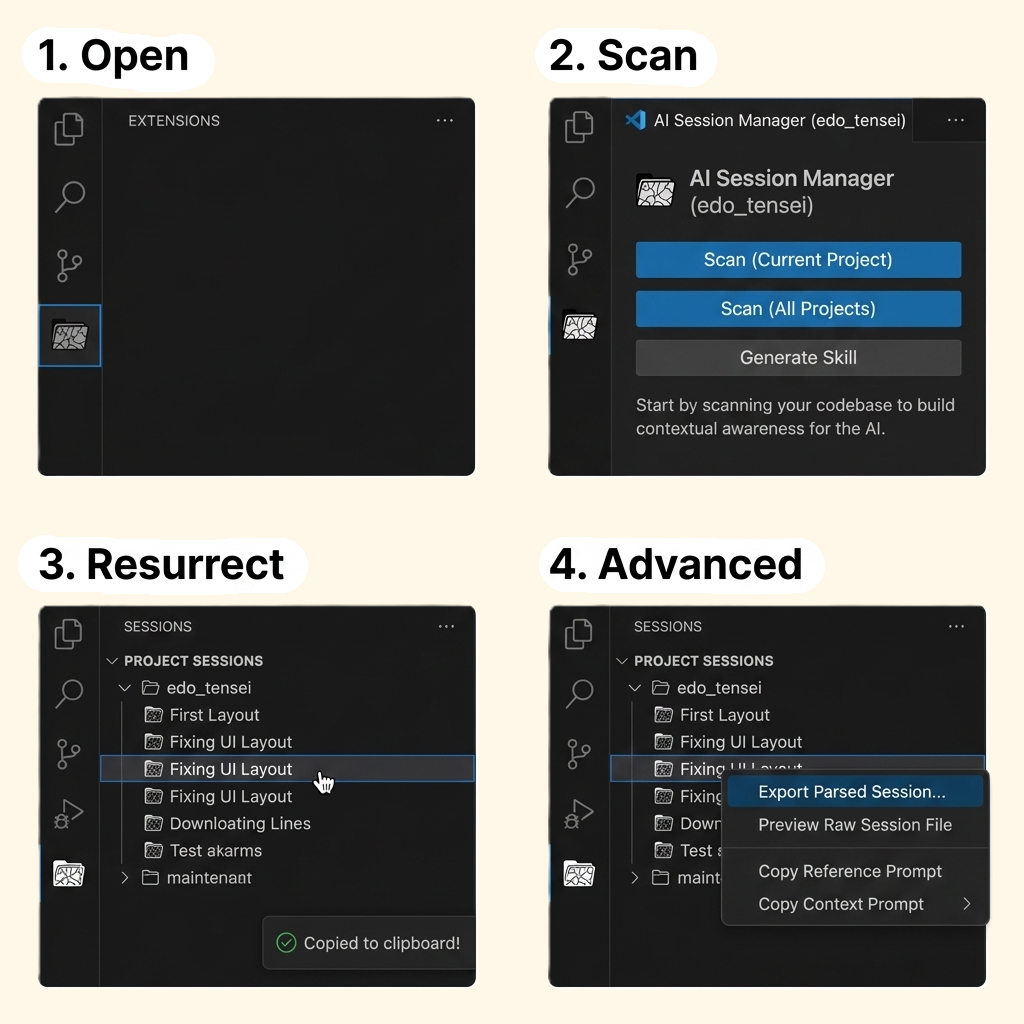
- Open the Edo Tensei view in the VS Code Activity Bar (cracked folder icon).
- Click Scan (Current Project) or Scan (All Projects) to find your session history.
- Click a session to instantly copy the handoff prompt to your clipboard.
- (Optional) Right-click a session for Advanced options like Export or Preview.
- Paste the prompt into your target IDE/Agent and continue.
Open VS Code Settings and search for edoTensei.
| Setting | Options | Default | Description |
|---|---|---|---|
edoTensei.handoffMode |
path / fullText |
path |
path is recommended for token efficiency. |
edoTensei.promptLanguage |
English / Traditional Chinese / Simplified Chinese / Japanese / Korean |
English |
Language of the generated handoff prompt. |
edoTensei.customScanPaths |
Object { "claude": [], … } |
{} |
Override the default scan directories for any IDE. |
{
  "edoTensei.customScanPaths": {
    "claude": ["D:/custom-claude-projects"],
    "copilot": ["E:/another-vscode-profile/chatSessions"]
  }
}All commands are available via the Command Palette (Ctrl+Shift+P) under the Edo Tensei category.
| Command | Description |
|---|---|
| Scan Project Sessions | Find sessions matching the current workspace |
| Fetch ALL Historical Sessions | Scan every IDE for all local sessions |
| Copy Handoff Prompt | Copy handoff prompt for the selected session |
| View Parsed Session | Open a rendered Markdown preview of the session |
| Preview Raw Session File | Open the original session file |
| Copy Raw File Path | Copy the session file path to clipboard |
| Export Session to .edo_tensei | Save handoff prompt as a Markdown file |
| Export All Sessions to .edo_tensei | Save all scanned sessions to .edo_tensei/ |
| Generate Agent Skill | Generate a reusable edo-tensei skill/rule file for another AI agent |
| Show MCP Config | Open UI panel to get copy-paste MCP server configuration for your AI client |
Edo Tensei includes a built-in Model Context Protocol server that allows AI agents to directly interact with your session history without leaving their chat interface.
Instead of manually exporting or copying prompts, your AI agent can automatically discover past sessions, read full conversation contexts, and resume interrupted workflows.
To set up the MCP server:
- Run the Edo Tensei: Show MCP Config command.
- Select your AI client (Cursor, GitHub Copilot, Claude Code, Kiro, or Antigravity).
- Choose your workspace configuration preference (Recommended, Selected, Variable, or All Workspaces).
- Copy the generated JSON snippet into your client's MCP configuration file.
For detailed documentation, see the MCP Server README.
Use Generate Agent Skill to create a reusable edo-tensei skill or rule for another AI tool. The generated asset is designed as a structured SOP instead of a loose note: it tells the receiving agent how to locate likely session files, read only the recent relevant portion, stop when confidence is low, and return a clean handoff summary.
Supported outputs:
- Claude Code:
.claude/skills/edo-tensei/SKILL.md - GitHub Copilot:
.github/skills/edo-tensei/SKILL.md - Kiro IDE:
.kiro/skills/edo-tensei/SKILL.md - Antigravity:
.agents/skills/edo-tensei/SKILL.md - Cline:
.cline/skills/edo-tensei/SKILL.md - Gemini CLI:
.gemini/skills/edo-tensei/SKILL.md - Cursor:
.cursor/rules/edo-tensei.mdc
Notes:
- Cursor uses a rule file, not a slash-command skill.
- The handoff prompt now includes a file-read fallback even when an
edo-tenseiskill/rule is present, so generated prompts stay usable across mixed toolchains.
Edo Tensei is completely local-first. All extraction and parsing runs on your machine, reading directly from local files (SQLite, JSONL, JSON, or text). No data is sent to any external server.
The .edo_tensei/ export folder is created inside your workspace. The extension will prompt you to add it to .gitignore on first use.
- macOS / Linux: Not yet supported. The extension is currently Windows-only.
- Trae: Not yet supported. Local databases use SQLCipher encryption; no public key is available.
- Windsurf: Session files are stored in a binary protobuf format. The previous path-only fallback is currently disabled, so Windsurf sessions do not appear in scan results until a reliable parser is available.
- Antigravity: Extracts from
overview.txt(preview log), which truncates messages at ~900 characters. Full conversation history is stored in Antigravity's cloud only and is not accessible locally.
Capture next tasks and reusable snippets while your AI agent is running — without switching windows.
VS Code Marketplace | Open VSX Registry
Organize files by task across any directory, persisted across sessions.
VS Code Marketplace | Open VSX Registry
Found a bug? Please open an issue and include:
- OS version (e.g., Windows 11 22H2)
- Source IDE and the session you were trying to extract
- Steps to reproduce
Contributions are welcome! Feel free to open a pull request or start a discussion in Issues.
Areas that would benefit from help:
- New IDE extractors — especially macOS / Linux path support
- Windsurf / Trae — if you have insights into their session formats
- Translations — improving or adding localized READMEs
See CHANGELOG.md for release history.