This guide will help you to set up a YubiHSM 2 and make it work with k8s-kms-plugin in a non production environment.
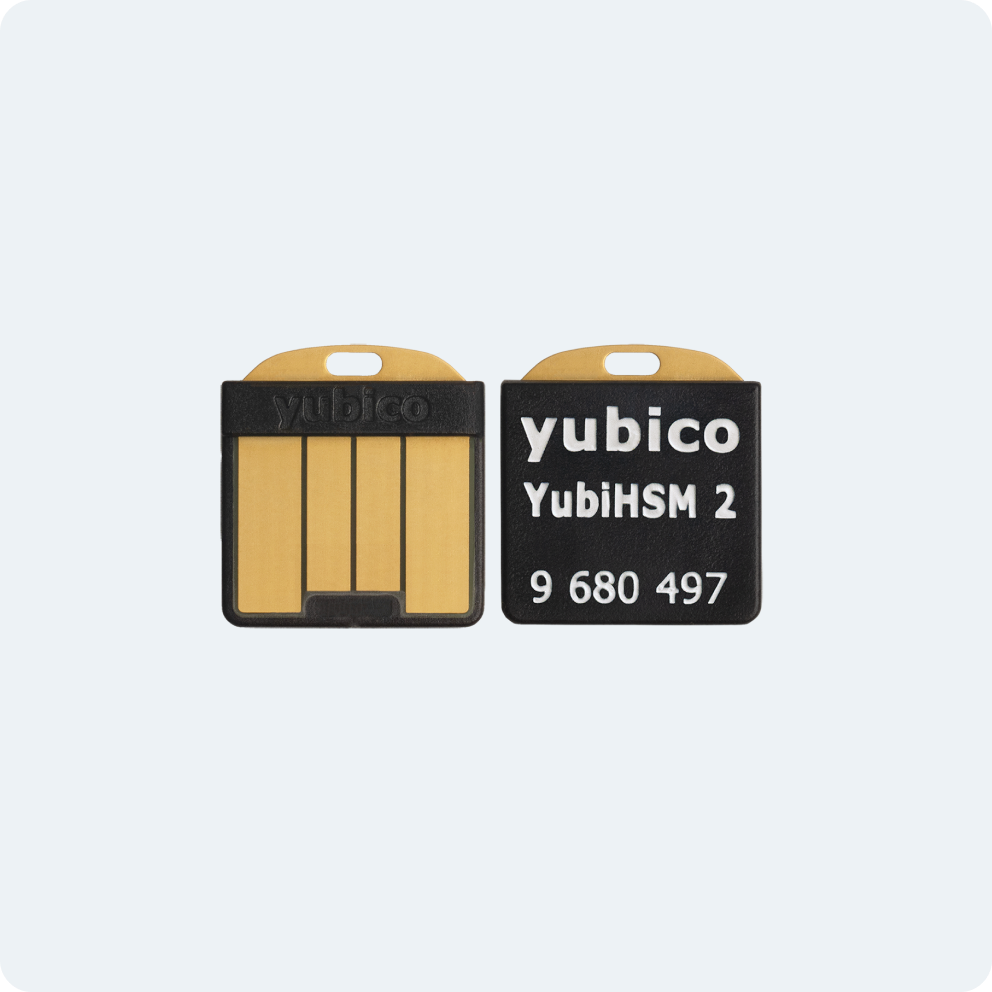
- 1. Before You Start: Read yubico YubiHSM 2 official documentation
- 2. Testbed Environment
- 3. YubiHSM 2 Deployment Scenarios
- 4. Seting Up the YubiHSM 2
You should read yubico YubiHSM 2 official documentation before reading this guide. https://docs.yubico.com/hardware/yubihsm-2/hsm-2-user-guide/index.html
The purpose of this guide is to help you to set up a YubiHSM 2 and make it work with k8s-kms-plugin.
Unless otherwise specified, the commands from this guide were tested on AlmaLinux 9.6 on an x86_64 platform.
cat /etc/os-release
NAME="AlmaLinux"
VERSION="9.6 (Sage Margay)"
ID="almalinux"
ID_LIKE="rhel centos fedora"
VERSION_ID="9.6"
PLATFORM_ID="platform:el9"
PRETTY_NAME="AlmaLinux 9.6 (Sage Margay)"
ANSI_COLOR="0;34"
LOGO="fedora-logo-icon"
CPE_NAME="cpe:/o:almalinux:almalinux:9::baseos"
HOME_URL="https://almalinux.org/"
DOCUMENTATION_URL="https://wiki.almalinux.org/"
BUG_REPORT_URL="https://bugs.almalinux.org/"

ALMALINUX_MANTISBT_PROJECT="AlmaLinux-9"
ALMALINUX_MANTISBT_PROJECT_VERSION="9.6"
REDHAT_SUPPORT_PRODUCT="AlmaLinux"
REDHAT_SUPPORT_PRODUCT_VERSION="9.6"
SUPPORT_END=2032-06-01
Read the YubiHSM 2 setup quick-start to install the necessary packages for YubiHSM 2.
To install yubihsm-shell and yubihsm-connector on AlmaLinux 9.6, you might need to add the EPEL repository first.
sudo dnf install epel-releasesudo dnf install yubihsm-shell
sudo dnf install yubihsm-connectorUnless otherwise specified, the commands from this guide was performed on yubihsm-connector v3.0.2 and yubihsm-shell v2.4.1 on AlmaLinux 9.6 (x86_64).
yubihsm-connector version
3.0.2
yubihsm-shell --version
yubihsm-shell 2.4.1
You might want to reset to Factory Settings your YubiHSM 2 before using it for this test.
Assuming your YubiHSM 2 has been reset and assuming your are not in production but in a testing environment, you can proceed with the following steps. Indeed for this guide, we will use the YubiHSM default session and domain with default passord password or 0001password. On a production environment, configure and manage your YubiHSM 2 in a secure way.
The YubiHSM 2 is a USB device. The YubiHSM 2 supports two different connection methods:
- Network/HTTP-based Connector (link):
yubihsm-connectorexpose an API accessible through the network. - USB Connector (link): Uses the HID raw USB interface directly. This uses the libusb backend instead of HTTP.
Note: The YubiHSM 2 corresponds to
k8s-kms-plugin's USB HSM and Network HSM scenarios, depending on which connection method is used.

This is not a production environment: we will use HTTP without TLS for the connector enpoint. Please read the Yubico document for how to configure and manage your YubiHSM 2 in a secure way.
We assume the YubiHSM 2 was reseted to factory settings.
Insert the YubiHSM 2 in one USB slot of your machine. In our case, we insert the YubiHSM 2 USB in our AlmaLinux 9.6 x86 machine, and we will start the yubihsm-connector -d and listen on localhost. For simplicity, the YubiHSM 2 is plugged on the same machine which will run the k8s-kms-plugin.
Start yubihsm-connector (network) which by default listen on localhost:12345.
sudo yubihsm-connector -d
Check the status and reachability of the yubihsm-connector endpoint by running:
curl http://localhost:12345/connector/status

status=NO_DEVICE
serial=*
version=3.0.2
pid=3304
address=localhost
port=12345
Note: But of course, you can plug the YubiHSM 2 and start the
yubihsm-connectoron another machine, as long as the client machine (the one on which thek8s-kms-pluginruns) can reach theyubihsm-connectorHTTP endpoint.You need to adjust the
yubihsm-connectorcommand to expose the port:sudo yubihsm-connector -d -l 0.0.0.0:9876On AlmaLinux, you might need to configured or disable
firewalld:# allow port 9876 sudo firewall-cmd --zone=public --add-port=9876/tcp# disable firewalld sudo systemctl stop firewalldYou can check the status and reachability of the
yubihsm-connectorendpoint by running:# assuming the yubihsm-connector is running on 10.0.0.10 or a fqdn curl http://10.0.0.10:9876/connector/status status=NO_DEVICE serial=* version=3.0.2 pid=3267 address=0.0.0.0 port=9876Read Yubico documentation for more details.
Open a yubihsm-shell:
yubihsm-shell
Using default connector URL: http://localhost:12345
yubihsm> connect
Session keepalive set up to run every 15 seconds
Open the default factory session (indeed since we are not in a production environment, we use the default session and domain):
yubihsm> session open 1 password
Created session 0
List objects: you will find a default factory-configured aes-128 authentication-key which is not visible from PKCS #11.
yubihsm> list objects 0
Found 1 object(s)
id: 0x0001, type: authentication-key, algo: aes128-yubico-authentication, sequence: 0, label: DEFAULT AUTHKEY CHANGE THIS ASAP
Generate an RSA key inside the YubiHSM 2 and visible from PKCS #11:
yubihsm> generate asymmetric 0 0xabcd "rsa4096n001" 1 "decrypt-oaep,decrypt-pkcs,sign-pkcs" rsa4096
Generated Asymmetric key 0xabcd
List objects: you will find a default factory-configured aes-128 authentication-key which is not visible from PKCS #11 and the newly created RSA key which should be visible from PKCS #11.
yubihsm> list objects 0
Found 2 object(s)
id: 0x0001, type: authentication-key, algo: aes128-yubico-authentication, sequence: 0, label: DEFAULT AUTHKEY CHANGE THIS ASAP
id: 0xabcd, type: asymmetric-key, algo: rsa4096, sequence: 0, label: rsa4096n001
Note: we can use
pkcs11-toolto create the RSA key instead of using theyubihsm-shell: https://docs.yubico.com/hardware/yubihsm-2/hsm-2-user-guide/hsm2-initial-provision-deploy-guide.html
TODO Investigate:
key_idmax length seems to be 2 bytes / 16 bits. You get an error if using0xabcd1234>Invalid argument 3: 0xabcd1234 (w:key_id).
Locate yubihsm_pkcs11.so on AlmaLinux:
rpm -ql yubihsm-shell | grep '\.so$'/usr/lib64/pkcs11/yubihsm_pkcs11.so
Locate
yubihsm_pkcs11.soon Debiandpkg -L yubihsm-pkcs11 | grep '\.so$' /usr/lib/x86_64-linux-gnu/pkcs11/yubihsm_pkcs11.so
You can test this pkcs11-tool command to get information about the Keys stored in the Y 2:
pkcs11-tool --module /usr/lib64/pkcs11/yubihsm_pkcs11.so --token-label YubiHSM --pin 0001password -OYou should see the rsa4096n001 keypair, but not the default factory-configured aes key.
Private Key Object; RSA
  label:      rsa4096n001
  ID:         abcd
  Usage:      decrypt, sign
  Access:     sensitive, always sensitive, never extractable, local
  Allowed mechanisms: RSA-PKCS,SHA1-RSA-PKCS,RSA-PKCS-OAEP,SHA256-RSA-PKCS,SHA384-RSA-PKCS,SHA512-RSA-PKCS
  uri:        pkcs11:model=YubiHSM;manufacturer=Yubico%20%28www.yubico.com%29;serial=13200103;token=YubiHSM;id=%abcd;object=rsa4096n001;type=private
Public Key Object; RSA 4096 bits
  label:      rsa4096n001
  ID:         abcd
  Usage:      encrypt, verify
  Access:     local
  uri:        pkcs11:model=YubiHSM;manufacturer=Yubico%20%28www.yubico.com%29;serial=13200103;token=YubiHSM;id=%abcd;object=rsa4096n001;type=public
Note: default password is the word
password. In theyubihsm-shell, you can usepassword. But the password policy of the YubiHSM need 10 or 12 character minimum. Adding 0001 seems to work. But of course in production environment, you need to change it. Refer to Yubico's documentation for details.
Make sure you have a configuration file yubihsm_pkcs11.conf or its env variable YUBIHSM_PKCS11_CONF pointing to it.
cat yubihsm_pkcs11.conf
# URL of the YubiHSM connector to use. This can be a comma-separated list
connector = http://127.0.0.1:12345
Now you have everything to run k8s-kms-plugin serve with the YubiHSM 2 using the network connector:
k8s-kms-plugin
  serve \
    --log-level=trace \
    --p11-lib /usr/lib64/pkcs11/yubihsm_pkcs11.so  \
    --p11-label YubiHSM \
    --p11-pin  0001password \
    --kek-id  abcd \
    --algorithm  rsa-oaep \
    --socket /run/user/1000/k8s-kms-plugin.sock
Now fetch the protobuf API file api.proto from https://github.com/kubernetes/kms:
wget https://raw.githubusercontent.com/kubernetes/kms/refs/tags/v0.34.1/apis/v2/api.protoNow you can test a StatusRequest with grpcurl:
grpcurl \
    -plaintext \
    -proto api.proto \
    -d '{}' \
    -unix \
    unix:///run/user/1000/k8s-kms-plugin.sock \
    v2.KeyManagementService.Status
You should get the following response:
{
  "version": "v2",
  "healthz": "ok",
  "keyId": "abcd"
}
Test an EncryptRequest:
grpcurl \
    -plaintext \
    -proto api.proto \
    -d '{"plaintext": "aGVsbG8gd29ybGQ=", "uid": "mock-123"}' \
    -unix \
    unix:///run/user/1000/k8s-kms-plugin.sock \
    v2.KeyManagementService.Encrypt
{
"ciphertext": "ZXlKaGJHY2lPaUpTVTBFdFQwRkZVQ0lzSW10cFpDSTZJamd3TkRFME1qQTFaR05qT1dKbU9XUTRaV1prWkdRMk5XUmpPVE15TWpnM1lURm1aamRsTUdZd1pUTmlNRGxqTldWaE1UWmpPVEU1TW1FMU1HVXdOellpTENKMGVYQWlPaUpLVjFRaUxDSmpkSGtpT2lKS1YxUWlMQ0psYm1NaU9pSkJNalUyUjBOTkluMC5yR3pHMmhJekVUN3IybHBTZk9hZUdZem93U3JsbjlfblBkZGdGTjFYZFFUc3VLUmE3U1JtRW9hQTBsSjE3UDYwQ2NZYWRCbWNvM1M3a2gxMG1nMmVSXzhTeDlkNElKcWRTX1RzVC00OFhQcklUYkNVcTRnTHh5dXhRcTVoREYxOFVwdFFxWmxUdFlMM3FKRjNHd2toUVNBS2stQVBFWXdGcUpfT0Z3NllxcU00YllyYlMtRVhMRllSUnVYWVM3VlJ0Y2VPdEFJUVJkLXFFdFVVc2ZPU19FZFdfdDBxS244aVdEb2FDSDNLUFZlZzB1MHg4ZUI0WjJ0bW1KRDRYeGZ2dlZNQm1XZXdYTTg3QldBTkh6TjNIU1FOc0FTQm9RcWxBLU04b0lIbWdXb1l6TUNqTTVkNkVJR3pkWmRSRmpQdnA2bGRucGJMUGNmeHZwUWxMM254dHlPaFRRd3JpclNhZ2Y1Wk1UcDVrRU94bXNoamQ5Vnc5SFFJM2NBc0JPSDBZblBacXlrM1U1UGU1a3h1RTU5M1dhM2JxMmRDQTNLaGxIYzRpQkRLWms3RUMtMERVYU5MU0ZIdzdtZFFDVy04d1YxV2tlWS14SjNtYUZUVC1XU1RxYkhyQXFyV29vakhITmo3QmRZNmxEcHVWT2FkU283R19naW1UWXlXc3dvcEhJem9jLVJaaFJCR1RPTU1HWXRmTUR4NkhtVmJpV1AxWVZnd0JVZzNnZWtMQ2NJYmxRQmdNczY5aXhRNWN2eDQxY25fR055aUNmVXQzTFlkUjF6Tl9FZnNicWFiVDZiS3JFaTlmbG9EeFh6YWIweC1qR3NjSm1ycEF4ZkJ1R3hpQk9VMzctMXViNDJmOUtsSzV3LW4tbm84UDZHcWdXMkx6UGxqM05NTmlXYy5fOExFeElZYXc3bV9fbWh6LkF4ZVFZRGx2ZlZwUFBFdy5mVlgzVDdER3I0TzVGRDRaX1lORUhR",
"keyId": "abcd"
}Test a DecryptRequest:
grpcurl \
    -plaintext \
    -proto api.proto \
    -d '{"ciphertext": "ZXlKaGJHY2lPaUpTVTBFdFQwRkZVQ0lzSW10cFpDSTZJamd3TkRFME1qQTFaR05qT1dKbU9XUTRaV1prWkdRMk5XUmpPVE15TWpnM1lURm1aamRsTUdZd1pUTmlNRGxqTldWaE1UWmpPVEU1TW1FMU1HVXdOellpTENKMGVYQWlPaUpLVjFRaUxDSmpkSGtpT2lKS1YxUWlMQ0psYm1NaU9pSkJNalUyUjBOTkluMC5yR3pHMmhJekVUN3IybHBTZk9hZUdZem93U3JsbjlfblBkZGdGTjFYZFFUc3VLUmE3U1JtRW9hQTBsSjE3UDYwQ2NZYWRCbWNvM1M3a2gxMG1nMmVSXzhTeDlkNElKcWRTX1RzVC00OFhQcklUYkNVcTRnTHh5dXhRcTVoREYxOFVwdFFxWmxUdFlMM3FKRjNHd2toUVNBS2stQVBFWXdGcUpfT0Z3NllxcU00YllyYlMtRVhMRllSUnVYWVM3VlJ0Y2VPdEFJUVJkLXFFdFVVc2ZPU19FZFdfdDBxS244aVdEb2FDSDNLUFZlZzB1MHg4ZUI0WjJ0bW1KRDRYeGZ2dlZNQm1XZXdYTTg3QldBTkh6TjNIU1FOc0FTQm9RcWxBLU04b0lIbWdXb1l6TUNqTTVkNkVJR3pkWmRSRmpQdnA2bGRucGJMUGNmeHZwUWxMM254dHlPaFRRd3JpclNhZ2Y1Wk1UcDVrRU94bXNoamQ5Vnc5SFFJM2NBc0JPSDBZblBacXlrM1U1UGU1a3h1RTU5M1dhM2JxMmRDQTNLaGxIYzRpQkRLWms3RUMtMERVYU5MU0ZIdzdtZFFDVy04d1YxV2tlWS14SjNtYUZUVC1XU1RxYkhyQXFyV29vakhITmo3QmRZNmxEcHVWT2FkU283R19naW1UWXlXc3dvcEhJem9jLVJaaFJCR1RPTU1HWXRmTUR4NkhtVmJpV1AxWVZnd0JVZzNnZWtMQ2NJYmxRQmdNczY5aXhRNWN2eDQxY25fR055aUNmVXQzTFlkUjF6Tl9FZnNicWFiVDZiS3JFaTlmbG9EeFh6YWIweC1qR3NjSm1ycEF4ZkJ1R3hpQk9VMzctMXViNDJmOUtsSzV3LW4tbm84UDZHcWdXMkx6UGxqM05NTmlXYy5fOExFeElZYXc3bV9fbWh6LkF4ZVFZRGx2ZlZwUFBFdy5mVlgzVDdER3I0TzVGRDRaX1lORUhR", "uid": "test-dec-1", "key_id":"abcd"}' \
    -unix \
    unix:///run/user/1000/k8s-kms-plugin.sock \
    v2.KeyManagementService.Decrypt
{
"plaintext": "aGVsbG8gd29ybGQ="
}You can also test a full Status, Encryption and Decryption roundtrip using the script grpcurl-roundtrip-test.sh.
- Insert the YubiHSM 2 in one USB slot of your machine.
- Use
lsusbto get the bus and device ID of the YubiHSM 2.
lsusb | grep YubiHSMBus 002 Device 005: ID 1050:0030 Yubico.com YubiHSM
- Find the serial number of the YubiHSM 2.
Use
udevadm info --name=/dev/bus/usb/002/005 | grep SERIALE: ID_SERIAL=Yubico_YubiHSM_0013200103
E: ID_SERIAL_SHORT=0013200103
E: ID_USB_SERIAL=Yubico_YubiHSM_0013200103
E: ID_USB_SERIAL_SHORT=0013200103
Or use:
sudo lsusb -d 1050:0030 -v | grep iSerial

iSerial 3 0013200103- Use the value of
ID_USB_SERIAL_SHORTas serial number:
For example using the yubihsm-shell:
sudo yubihsm-shell -C yhusb://serial=0013200103

yubihsm> connect
Session keepalive set up to run every 15 seconds
You might need to run this command with sudoer privileges to access the USB.
Commands with the USB connector should work the same way as with the HTTP connector. Refer to the HTTP connector session.
yubihsm> session open 1 password
Created session 0

yubihsm> list objects 0
Found 2 object(s)
id: 0x0001, type: authentication-key, algo: aes128-yubico-authentication, sequence: 0, label: DEFAULT AUTHKEY CHANGE THIS ASAP
id: 0xabcd, type: asymmetric-key, algo: rsa4096, sequence: 0, label: rsa4096n001- Now configure
yubihsm_pkcs11.confwith the USB connector:
cat yubihsm_pkcs11.conf

# URL of the connector to use. This can be a comma-separated list
connector = yhusb://serial=0013200103- Use
pkcs11-toolto list the token and its objects:
You might need to be sudoer or adjust the permissions of the USB.
Assuming yubihsm_pkcs11.conf is configured, you should get this result:
sudo pkcs11-tool --module /usr/lib64/pkcs11/yubihsm_pkcs11.so --token-label YubiHSM --pin 0001password -OPrivate Key Object; RSA
label: rsa4096n001
ID: abcd
Usage: decrypt, sign
Access: sensitive, always sensitive, never extractable, local
Allowed mechanisms: RSA-PKCS,SHA1-RSA-PKCS,RSA-PKCS-OAEP,SHA256-RSA-PKCS,SHA384-RSA-PKCS,SHA512-RSA-PKCS
uri: pkcs11:model=YubiHSM;manufacturer=Yubico%20%28www.yubico.com%29;serial=13200103;token=YubiHSM;id=%abcd;object=rsa4096n001;type=private
Public Key Object; RSA 4096 bits
label: rsa4096n001
ID: abcd
Usage: encrypt, verify
Access: local
uri: pkcs11:model=YubiHSM;manufacturer=Yubico%20%28www.yubico.com%29;serial=13200103;token=YubiHSM;id=%abcd;object=rsa4096n001;type=public
- Use
k8s-kms-pluginto test the connection:
Again you might need to be sudoer or adjust the permissions of the USB.
sudo k8s-kms-plugin \
      serve \
        --log-level=trace \
        --socket /run/user/1000/k8s-kms-plugin.sock \
        --p11-lib /usr/lib64/pkcs11/yubihsm_pkcs11.so \
        --p11-label YubiHSM \
        --p11-pin 0001password \
        --p11-key-label rsa4096n001 \
        --algorithm rsa-oaep
Verbose output from k8s-kms-plugin
``` DEBU[0000] logrus log-level is set to: trace line="cmd/root.go:160" TRAC[0000] cobra command path: k8s-kms-plugin serve cobra-cmd=serve line="cmd/viper-patch-sub.go:104" TRAC[0000] section path: k8s-kms-plugin.serve cobra-cmd=serve line="cmd/viper-patch-sub.go:110" TRAC[0000] new viper env prefix: K8S_KMS_PLUGIN_SERVE cobra-cmd=serve line="cmd/viper-patch-sub.go:115" TRAC[0000] UnmarshalSubMerged: no config file loaded line="cmd/viper-patch-sub.go:63" INFO[0000] k8s-kms-plugin version: v0.6.0-alpha-14-g0bb7a2d line="version/version.go:167" DEBU[0000] k8s-kms-plugin version details build-date="2025-07-31T15:02:26+00:00" build-platform=x86_64 commit=0bb7a2d4e777da331b8a15fb2764cbd616c78b0f go-version="go version go1.23.9 linux/amd64" is-git-dirty=true line="version/version.go:176" raw-git-describe=v0.6.0-alpha-14-g0bb7a2d short-commit=0bb7a2d4 DEBU[0000] initProvider: case p11 or softhsm line="cmd/serve.go:272" TRAC[0000] NewP11: kek key id (CKA_ID) is empty. Find CKA_ID by CKA_LABEL rsa4096n001 line="providers/p11.go:286" TRAC[0000] grpcServe line="cmd/serve.go:325" INFO[0000] Serving on socket: /run/user/1000/k8s-kms-plugin.sock line="cmd/serve.go:338" DEBU[0000] grpcServe: value of grpcPort user input: 31400 line="cmd/serve.go:339" ```- Use
grpcurlto test the connection This is similar to the networl connector.