by Kan Deng, Yuejie Wang, Nov 2, 2024
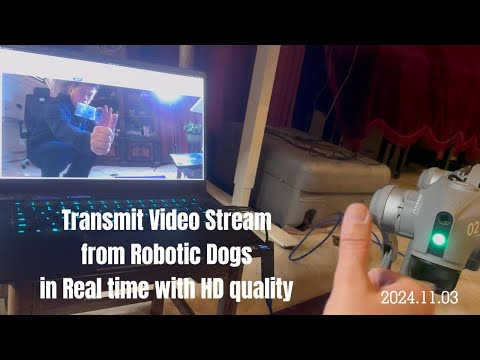
The objectives of this article is to push video stream from unitree Go2 robotic dog to a video streaming server, then human viewers can view the video in a browser, in real-time.
In more details, the dataflow consists of 3 phases.
-
We develop a python script that pushes the video stream captured by unitree Go2 robotic dog's camera, via RTMP protocol, to a remote video streaming server.
-
We use Simple Realtime Server (SRS) as the video streaming server, that collects multiple video streams from multiple robots, and sends those video streams to multiple browsers, via WebRTC protocol.
-
We also develop a website using VUE framework, so that human viewers can view the video streams in real-time via WebRTC.
The dataflow is illustrated in the following diagram.

For the convenience of development, we deployment the python script that sends RTMP video stream on a computer, which is connected to the unitree Go2 robotic dog with an ethernet cable, rather than deploying it to the Go2 dog.
Hence, in the development mode, the dataflow looks like the following diagram.

To implement this video streaming system, we need to accomplish the following tasks,
-
Get the video stream, that is originally captured by the unitree Go2 robotic dog's camera, using unitree's python APIs.
-
Convert the raw video data into H.264, using ffmpeg-python package.
-
Push out the H.264 video stream via RTMP protocol, using ffmpeg-python package.
-
Install a Simple Realtime Server (SRS).
-
Use VUE framework to construct a website, and use javascript to get video stream from SRS, via WebRTC protocol.
On the robot side, we developed a system consisting of 3 tiers, up_tier, core_tier and down_tier.
In the up_tier, so far we implemented rtmp_sender.py and webrtc_send.py, that push the video stream from robot to remote video streaming servers.
For the time being, we use rtmp_sender.py to push the video stream.
class RtmpSender:
    def __init__(self):
        self.ip_addr = "127.0.0.1"
        self.port = 1935
        self.rtmp_server_url = f"rtmp://{self.ip_addr}:{self.port}/live/livestream"
Notice, in rtmp_server_url, /live is mandatory, while /livestream is self-defined. For example, you can replace /live/livestream with /live/go2_stream/456/789.
But we also implemented webrtc_send.py as well as webrtc_receiver.py for testing purpose.
The scripts in the up_tier are shared by various robots, to provide communication service.
In the future, we will add more shareable services to the up_tier.
In the down_tier, so far we implemented go2_channel.py, that initializes the channel to communicate with unitree Go2 robotic dog.
With this communication channel, go2_media.py read video stream from Go2 dog, and decode the stream into numpy array.
For the time being, go2_media.py only reads and decodes video stream. And in the future, we will add more functions to go2_media.py, to enable reading and decoding, encoding and writing audio stream.
In addition, we will add more scripts into the down_tier to provide motion control and other functionalities.
Besides unitree's Go2 robotic dog, we will provide services for other robots, and all those specific robot related scripts will be added into the down_tier.
In the core_tier, so far we implemented go2_core.py, and in the future we will implement more scripts to serve other robots.
go2_core.py behaves as an workflow and dataflow organizer. It reads video stream from down_tier/unitree_go2/go2_media.py which is specific for go2 robotic dog, and sends the stream to up_tier/rtmp_sender.py which is shareable among various robots.
In addition to organize the video dataflow, go2_core.py will integrate other data and organize them into more complex workflow.
Simple Realtime Server (SRS) is one of the top open source video streaming server in the world.
SRS supporting RTMP, WebRTC, HLS, HTTP-FLV, SRT, MPEG-DASH, and GB28181.
SRS media server works with clients like FFmpeg, OBS, VLC, and WebRTC to provide the ability to receive and distribute streams in a typical publish (push) and subscribe (play) server model.
SRS supports widely used internet audio and video protocol conversions, such as converting RTMP or SRT to HLS, HTTP-FLV, or WebRTC.
SRS is primarily used in the Live streaming and WebRTC fields.
In the live streaming domain, SRS supports typical protocols such as RTMP, HLS, SRT, MPEG-DASH, and HTTP-FLV.
In the WebRTC field, SRS supports protocols like WebRTC, WHIP, and WHEP. SRS facilitates protocol conversion for both Live streaming and WebRTC.
The most convenient way to run SRS is to use docker.
$ docker run --rm -it -p 1935:1935 -p 1985:1985 -p 8080:8080 \ registry.cn-hangzhou.aliyuncs.com/ossrs/srs:6
We used VUE3 framework to construct a sample website robodog, which used webrtc-player to display the video stream from SRS server.
The most important code in robodog is src/robodog/VideoWebRtc.vue
...
<script>
import WebRtcStreamer from "./webrtcstreamer.js";
import WebrtcPlayer from "../components/jswebrtc/webrtcPlayer.vue";

export default {
  name: "VideoWebRtc",
  components: {
    WebrtcPlayer
  },
  data() {
    return {
      easyPlayerFlag: "webrtcplayer",
      webRtcServer: null,
      camera_ip: "127.0.0.1:8000", //  depends on your need, can be this local machine, or a remote different computer.
      ifeData: "",
      videoSrc: "webrtc://127.0.0.1:1935/live/livestream",
    };
  },
  ...
</script>
...
Notice,
videoSrc: "webrtc://127.0.0.1:1935/live/livestream" must be consistent with the URL in self.rtmp_server_url = f"rtmp://{self.ip_addr}:{self.port}/live/livestream"
-
Open a CLI termina in ubuntu computer, execute the following command to startup the SRS streaming server,
$ docker run --rm -it -p 1935:1935 -p 1985:1985 -p 8080:8080 \ registry.cn-hangzhou.aliyuncs.com/ossrs/srs:6 -
Connect an ethernet cable from a ubuntu computer to the Go2 robot dog, and open another CLI termina in the ubuntu computer, execute the following command to push the video stream from the Go2 dog to the SRS streaming server,
$ cd /home/robot/unitree/unitree_sdk2_python

$ python3 example/robot_side/core_tier/go2_core.py
Notice that we must run
go2_core.pyin the specific directory for the time being, in order to useunitree_sdk2_python. -
Open a chrome browser, and visit the following URL, to use SRS's
rtc_playerto display the video stream,http://127.0.0.1:8080/players/rtc_player.htmlIn the rare case that you need to input the webrtc source URL, type in the following URL into the input box in the
RTC playertab,webrtc://127.0.0.1/live/livestreamThe following image is a screen snapshot of the WebRTC player's webpage

-
Startup the VUE website, either in a CLI terminal or VSCode,
$ npm install // Setup the website $ npm run serve // Startup the website. -
Open a chrome browser, and visit the following URL, to see the entire
robodogsample VUE website,http://127.0.0.1:8080The following image is a screen snapshot of the
robodogwebpage


Finally, click the following image to view the video of the entire process.