 Concourse

Replies: 5 comments 9 replies

-
|
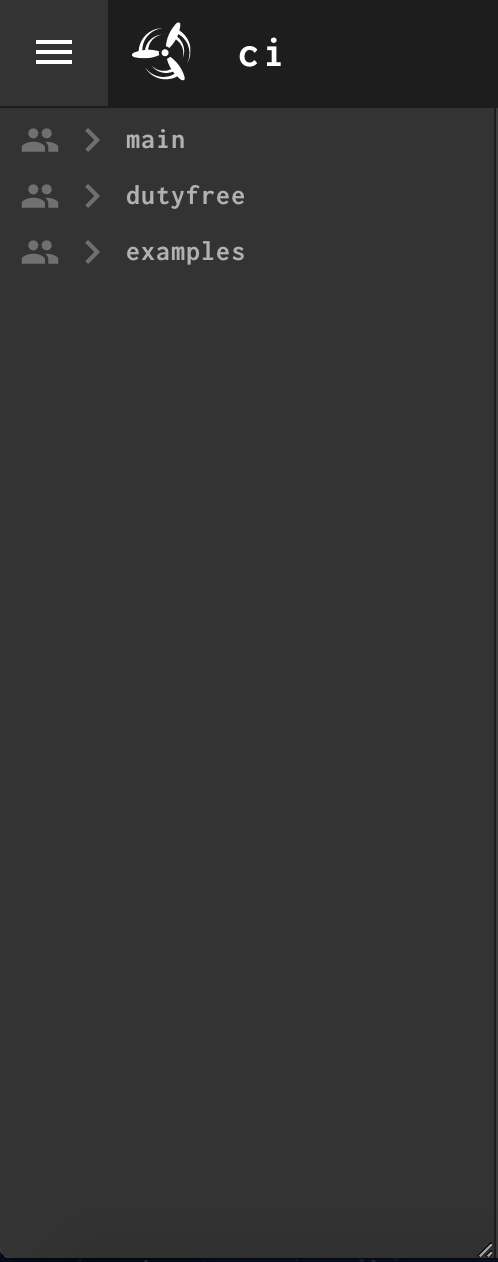
This could pretty trivially be implemented by adding the following CSS to the Additionally, we'd need to handle the sidebar's concourse/web/elm/src/Dashboard/Dashboard.elm Lines 396 to 397 in 77ab1d1 The downside to this approach is that using CSS'
Additionally, Another approach is to port something like this over to Elm (https://stackoverflow.com/a/53220241/9994448). Slightly more work, but would give us more control over the UX. |
Beta Was this translation helpful? Give feedback.

-
|
Hm, looks like I was wrong about |
Beta Was this translation helpful? Give feedback.
-
|
Actually, looking a bit closer, it seems like the CSS We may have to have a resize handle on the side edge |
Beta Was this translation helpful? Give feedback.

-
|
@aoldershaw , |
Beta Was this translation helpful? Give feedback.
-
|
@rohithmn3 currently, this isn't prioritized, so I'm not sure when we'll be able to get to it. If I get the chance, I'll be happy to work on it, but no guarantees on when that will be. With that said, I'd be happy if you (or anyone else who comes across this thread) is interested in implementing it! The Elm codebase can be a bit daunting at first if you've never used Elm, but it's really not that bad! I'll try to give a brief summary of roughly what needs to change to implement this feature: Rendering the SidebarUnfortunately, the approach I initially mentioned that just uses CSS Most of the files of interest reside in
On our Currently, we our view model currentPipeline =
...
Html.div
(id "side-bar" :: Styles.sideBar)
...(by the way, the way we create divs in Elm is We'll want to wrap the sidebar element in a parent div so we can have a handle element: view model currentPipeline =
...
Html.div
[]
[ Html.div (id "side-bar" :: Styles.sideBar model.width) ...
, Html.div (id "side-bar-handle" :: Styles.sideBarHandle) []
]
...This brings us to sideBar : Float -> List (Html.Attribute msg)
sideBar width =
[ ...
, style "width" <| String.fromFloat width ++ "px"
...
]Here, we set the width of the sidebar to whatever width is passed in from the We'll also want to add a function for the styles of the sidebar handle, like so: sideBarHandle : List (Html.Attribute msg)
sideBarHandle =
[ style "position" "absolute"
, style "width" "5px"
, style "height" "100%"
, style "top" "0"
, style "right" "0"
, style "cursor" "ew-resize"
]Resizing the SidebarThis part I haven't fully figured out, but found a helpful discussion on: https://discourse.elm-lang.org/t/resizable-element-events/3999/5. The approach here is to listen for Every DOM event in Elm produces a message of some kind that we have to define ourselves. We have all the message types in I mentioned earlier that the Html.div ([ id "side-bar-handle"
, Html.Events.onMouseDown (MouseDown SideBarHandle)
, Html.Events.onMouseUp (MouseUp SideBarHandle)
] ++ Styles.sideBarHandle)
[]We need something on our update : Message -> Model m -> ( Model m, List Effects.Effect )
update message model =
case message of
MouseDown SideBarHandle ->
( { model | isResizing = True }, [])
MouseUp _ ->
( { model | isResizing = False }, [])
...To handle the ... Sorry, this explanation took longer than I was hoping. I'll try to finish this up soon. Hopefully this gives a decent starting point to whoever's interested |
Beta Was this translation helpful? Give feedback.

-
|
@aoldershaw It would be a great help if we get this feature soon. |
Beta Was this translation helpful? Give feedback.

-
|
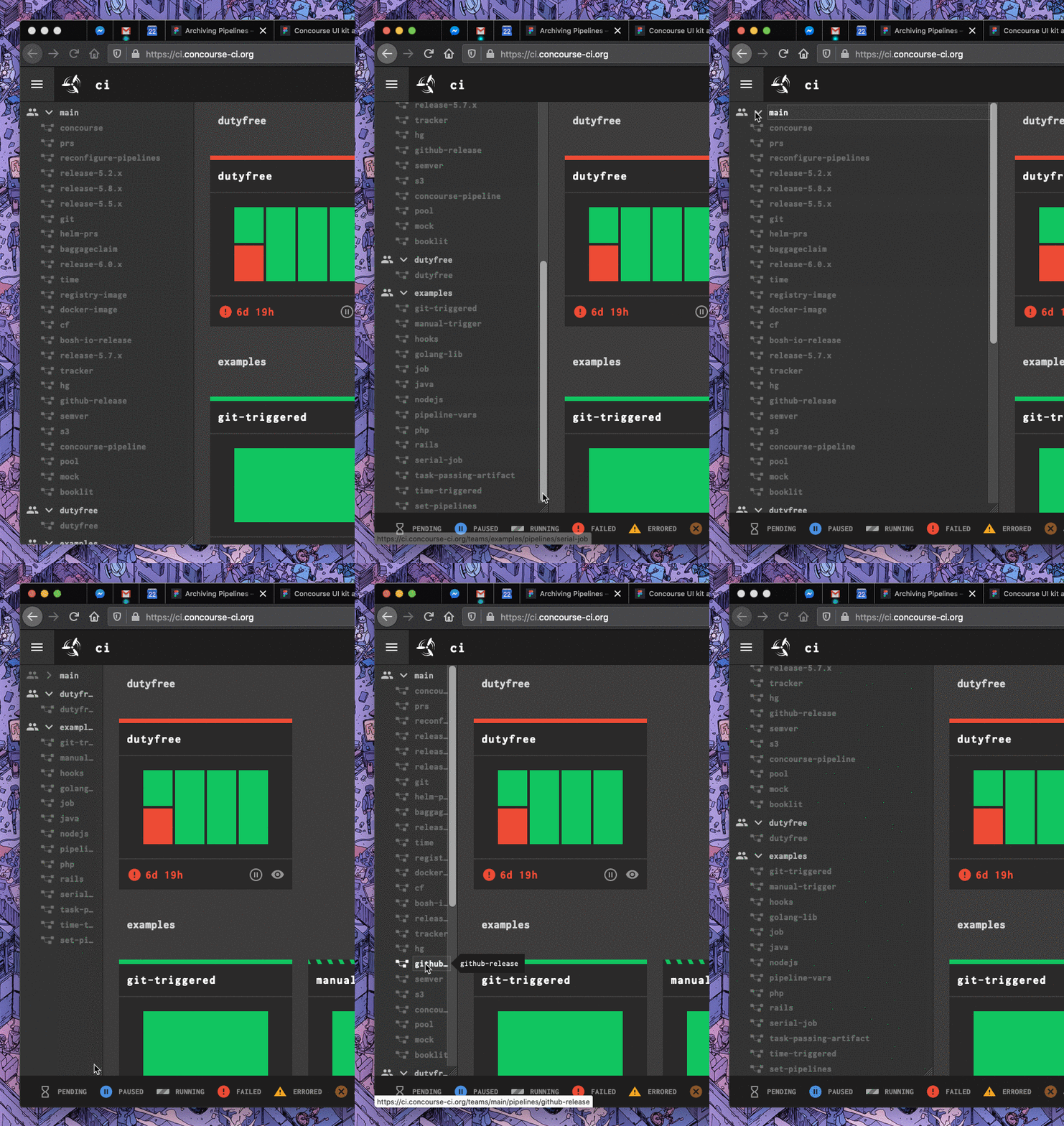
I actually think @aoldershaw 's suggestion would make a great first pass. I agree that being able to grab anywhere along the sidebar's edge would be preferable, but you don't actually have to scroll to access the UI 'handle' that allows you to resize the sidebar:
This would let us get this functionality into production a lot faster, and we can iterate to improve the experience over time. In our MVP I'd also like to see this enhanced with a bit of javascript to record the user's preferred sidebar width to a cookie or local storage, to negate the need to adjust it every single time you load Concourse. |
Beta Was this translation helpful? Give feedback.
-
|
PS I had only thought about it from the perspective of the dashboard...I'm not sure what else (if anything) is required to get this to work on other pages (though I'm guessing the dashboard may be the only special case due to the lazy-rendering of pipeline cards) |
Beta Was this translation helpful? Give feedback.

-
|
We'd probably have to recompute things on the pipeline page, but that's an easily solved problem! |
Beta Was this translation helpful? Give feedback.
-
|
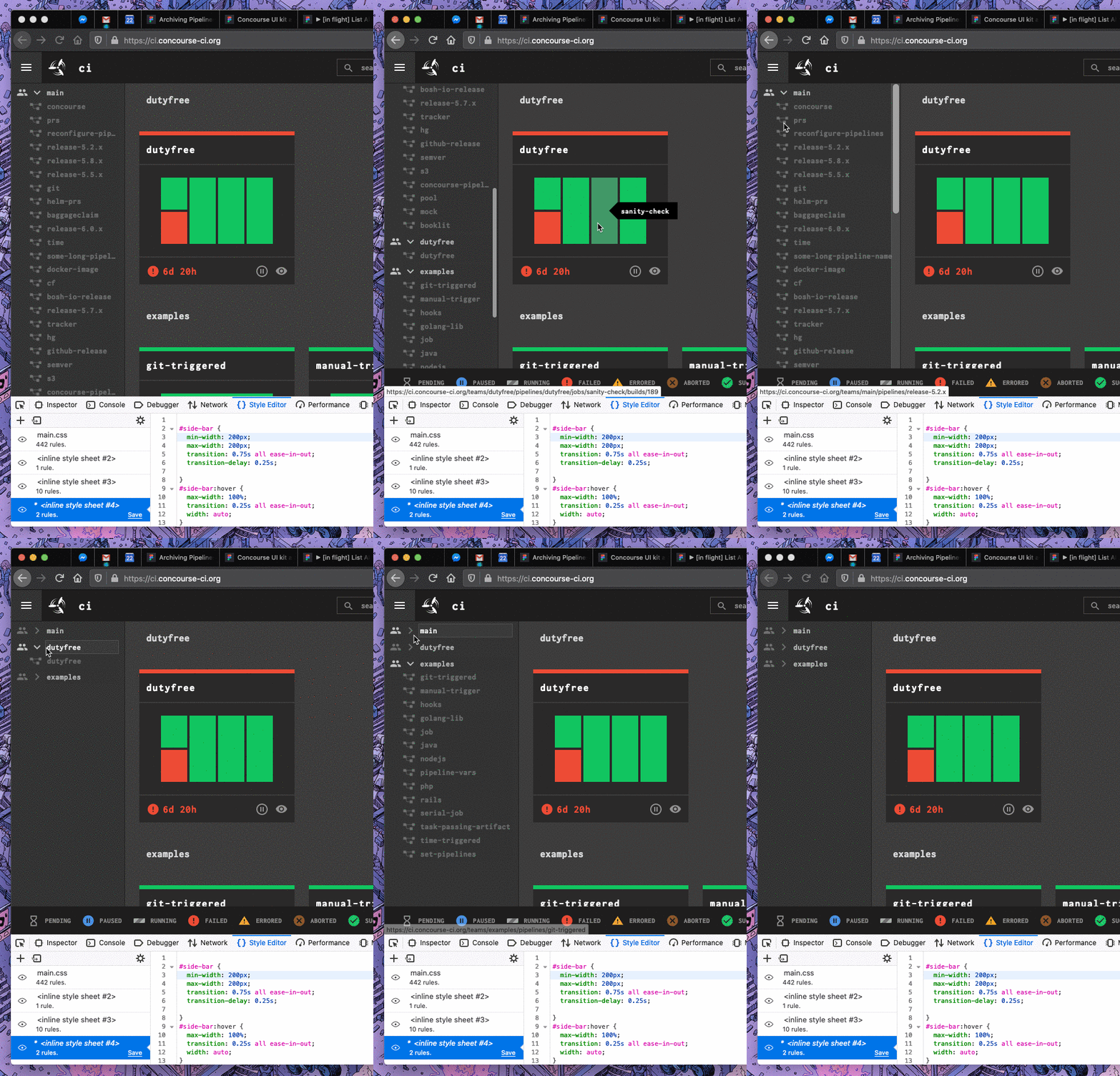
I get the impression that manual intervention is the best solution, but I did think of another more semi-automatic solution. Just posting to get it out of my head and onto the page: Setting some minimum and maximum widths might allow us to automatically expand the sidebar to fit the visible pipeline names on hover, and shrink it down to a less obtrusive list while the user is interacting with the rest of the dashboard:
This was obviously hacked together really quickly, so it's not the smartest CSS. I've set some really arbitrary and not totally beautiful widths here just for the sake of explaining, and the .gif doesn't show how smooth it can be in the actual browser, but basically the sidebar expands and contracts, adjusting its maximum width to the longest pipeline name in view. It would require a lot more careful thought and testing to get the timing and interaction right. Just food for thought! |
Beta Was this translation helpful? Give feedback.
-
|
I imagine this could lead to some undesirable behaviour where expanding the sidebar causes the pipelines to shuffle around if expanding/contracting the sidebar changes the number of pipeline cards that can fit in a given row |
Beta Was this translation helpful? Give feedback.
-
|
I agree; I was thinking that since this is more on-demand only when a user is intentionally interacting with the sidebar by hovering it, we wouldn't necessarily need to reflow the pipeline tiles each time. And I think it's just a more finicky solution in general. :\ |
Beta Was this translation helpful? Give feedback.
-
|
@rohithmn3 This was tackled in #5782, so the next release should allow you to enlarge the sidebar. |
Beta Was this translation helpful? Give feedback.
-
|
@aoldershaw Thank you so much for this. |
Beta Was this translation helpful? Give feedback.


Uh oh!
There was an error while loading. Please reload this page.
-
Hi Team,
on the concourse UI dashboard, on the left top corner, we have the hamburger menu to view all the teams and we could expand each team to view the pipelines in them. But the problem is "the opened hamburger menu is of fixed size, and if our pipeline name is a bit long we have to hover the mouse on the pipeline name to view the full name of the pipeline". This is not good user experience. So could you please make that left panel is adjustable so that one can see the full pipeline names.
Please find the attachment where I cannot see the full name of my pipelines.
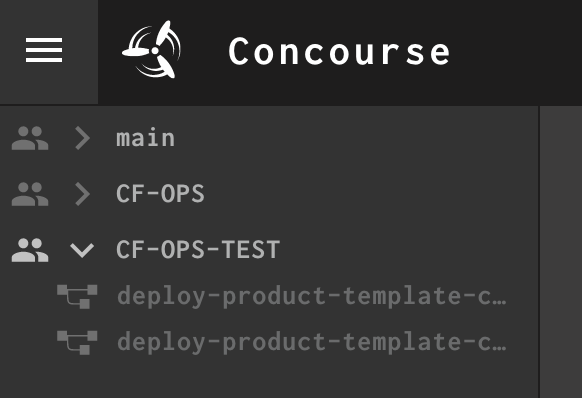
Below screenshot points that we cannot enlarge the panel.
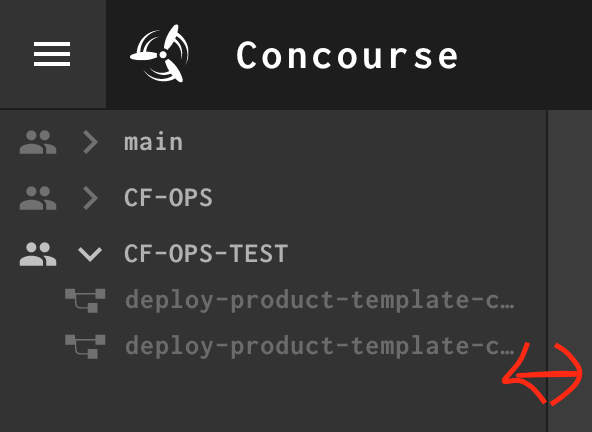
Regards,
Rohith
Beta Was this translation helpful? Give feedback.
All reactions