Building a project usually includes dependency management, testing, compilation, packaging, and release. Build tools can automate these operations, reducing this tedious work.
Dependency management provided by build tools can automatically handle dependency relationships. For example, if a project needs dependency A, and A depends on B, the build tool can import B for us without requiring us to find and import it manually.
In Java projects, packaging usually means packaging the project into a Jar file. Without build tools, we need to package manually with command-line tools or an IDE. The release process usually uploads the Jar file to a server.
Ant provides compilation, testing, and packaging. Maven later added dependency management on top of Ant's capabilities, and Gradle further added support for the Groovy language on top of Maven's capabilities.
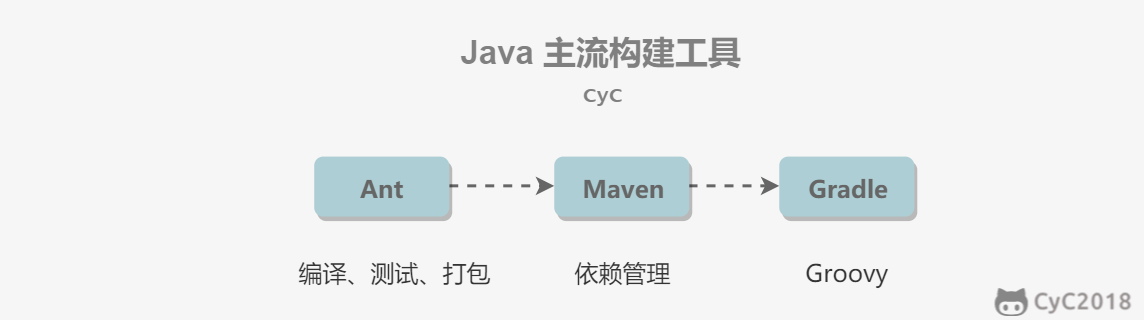
The difference between Gradle and Maven is that Gradle uses Groovy, a domain-specific language (DSL), to manage build scripts instead of XML. For large projects, XML can easily become bloated.
For example, to introduce JUnit into a project, the Maven code is as follows:
<?xml version="1.0" encoding="UTF-8"?>
<project xmlns="http://maven.apache.org/POM/4.0.0" xmlns:xsi="http://www.w3.org/2001/XMLSchema-instance"
  xsi:schemaLocation="http://maven.apache.org/POM/4.0.0 http://maven.apache.org/xsd/maven-4.0.0.xsd">
   <modelVersion>4.0.0</modelVersion>

   <groupId>jizg.study.maven.hello</groupId>
   <artifactId>hello-first</artifactId>
   <version>0.0.1-SNAPSHOT</version>

   <dependencies>
          <dependency>
               <groupId>junit</groupId>
               <artifactId>junit</artifactId>
               <version>4.10</version>
               <scope>test</scope>
          </dependency>
   </dependencies>
</project>
With Gradle, only a few lines of code are needed:
dependencies {
    testCompile "junit:junit:4.10"
}It provides a Project Object Model (POM) file to manage project builds.
The repository search order is: local repository, central repository, remote repository.
- The local repository stores project dependency libraries;
- The central repository is the default location for downloading dependency libraries;
- Remote repositories supplement the central repository because not all dependency libraries are in the central repository, or access to the central repository may be slow.
POM stands for Project Object Model. It is an XML file saved as pom.xml in the project root directory.
<dependency>
    <groupId>junit</groupId>
    <artifactId>junit</artifactId>
    <version>4.12</version>
    <scope>test</scope>
</dependency>
[groupId, artifactId, version, packaging, classifier] are called a project's coordinates. groupId, artifactId, and version must be defined; packaging is optional and defaults to Jar; classifier cannot be defined directly and must be used together with plugins.
- groupId: project group ID, which must be globally unique;
- artifactId: project ID, namely the project name;
- version: project version;
- packaging: project packaging method.
A -> B -> C -> X(1.0)
A -> D -> X(2.0)
Because the path to X(2.0) is shortest, X(2.0) is used.
A -> B -> X(1.0)
A -> C -> X(2.0)
The dependency declared first in the POM takes priority. For the two dependencies above, if B is declared first, X(1.0) is used in the end.
Dependencies declared in a child POM take priority over dependencies declared in a parent POM.
Find the Jar version loaded by Maven, use mvn dependency:tree to view the dependency tree, and adjust the declaration order of dependencies in the POM file according to dependency rules.