


Dima tesme3 bil term "contribute to open source" ama mata3rech kifh tebda? Houni bch tel9a bil 5otwa bil 5otwa kifh tebda wtkonlek awel contribution ta3melha 3al github bch tkon pratique tjareb wtchof kolchy b3inik.
Ken mat7ebech tesa3mel el cmd, hedhom tutorials o5rin testa3mel fihom des logiciles.
Edhaken moch sabeb git 3andek fil pc, sobo mil lien hedha.
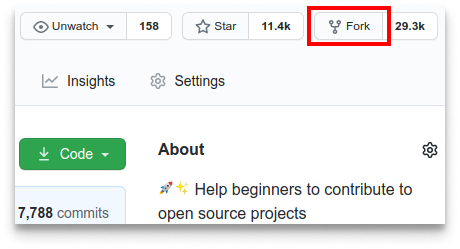
Inzel 3ala "Fork" mil fo9 bch tforki el repository. Haka iwali 3andek copie f compte mt3ek tejem tebedel fiha kima t7eb.
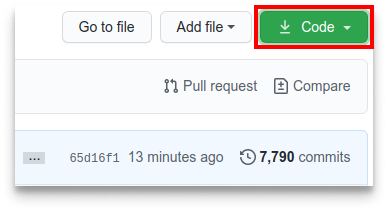
Tw cloni el repo li 3meltelha fork lil machine mte3ek. Imchi lil compte github 7el el forked repo inzel 3al button "code" b3d el ssh b3d copi lien el mawjoud.
Tw 7el terminal wekteb el commande hedhi
git clone "lien li copito"Win "lien li copito" (m8ir el quotation marks) 7ot lien lil repo li 3meltelha fork. chof steps li t3adew bch te5o el lien.
Par exemple:
git clone git@github.com:this-is-you/first-contributions.gitWin this-is-you edheka nom mte3 el github mte3ek. honi 9e3ed tcopi el contenu mta3 the first-contributions repo 3al github lil pc mte3ek.
Badel lil directory mta3 el repo fil pc mte3ek (edhaken moch deja 8ad):
cd first-contributionsTw a3mel branch bil command git switch:
git switch -c your-new-branch-namePar exemple:
git switch -c awel-contribution-githubEdhaken jek error wenti testa3mel fil git switch, Inzel lena:
Edhaken lerror "Git: switch is not a git command. See git –help" dhohret, yomken 5tr testa3mel fi version 9dima mta3 git.
Fil 7ala hedhi, jareb ista3mel git checkout:
git checkout -b your-new-branch-nameTw 7el el file Contributors.md fil editor, zid ismek fiha. Mat7otoch milowel wala filo5er mta3 el file. 7ot fi plasa fil west. Tw, a3melo save.
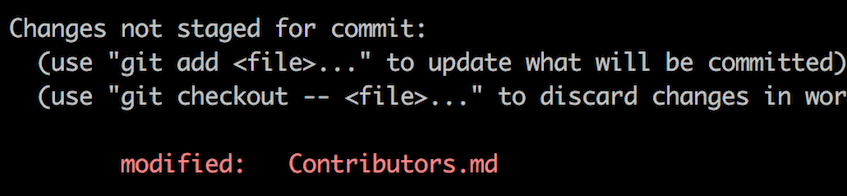
Ken temchi lil directory mta3 repo wtekteb el command git status, tw tchof fama changements saret.
Zid les changements hedhom lil branch eli 3meltha bil command git add:
git add Contributors.mdTw a3mel commit lil les changements bil commande git commit:
git commit -m "Add your-name to Contributors list"Badel your-name bismek.
A3mel push lil les changements bi ista3mel el command git push:
git push -u origin your-branch-nameBadel your-branch-name bi isem lbranch l3meltha se3a.
Edhaken jek error w9t tpushu, inzel lena:
-
remote: Support for password authentication was removed on August 13, 2021. Please use a personal access token instead.
remote: Please see https://github.blog/2020-12-15-token-authentication-requirements-for-git-operations/ for more information.
fatal: Authentication failed for 'https://github.com//first-contributions.git/'
imchi el GitHub's tutorial kifh tgeneri wtconfiguri SSH key el compte mte3ek.
Zeda, tejem t5adem 'git remote -v' bch tchof remote address mte3ek.
Edhaken dhohretlek 7aja haka:
origin	https://github.com/your-username/your_repo.git (fetch)
origin	https://github.com/your-username/your_repo.git (push)
bedelha bil command hedhi:
git remote set-url origin git@github.com:your-username/your_repo.git
Sinon bch yo93ed ijik el error mta3 el username wel password wel get authentication.
Ken temchi lil repo mte3ek 3al github, tw tchof button Compare & pull request. Enzel 3lih.
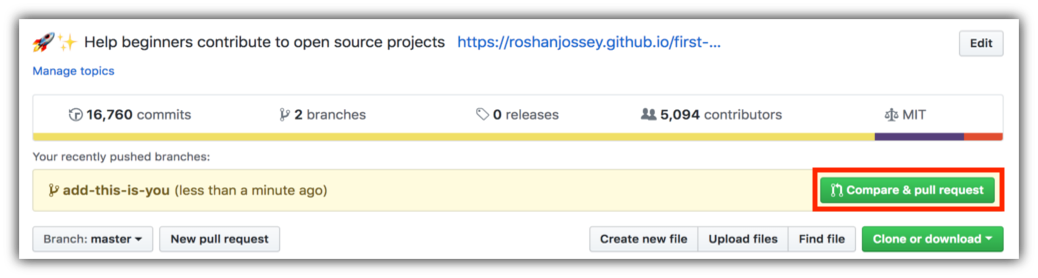
Tw a3mel sumbit lil pull request.
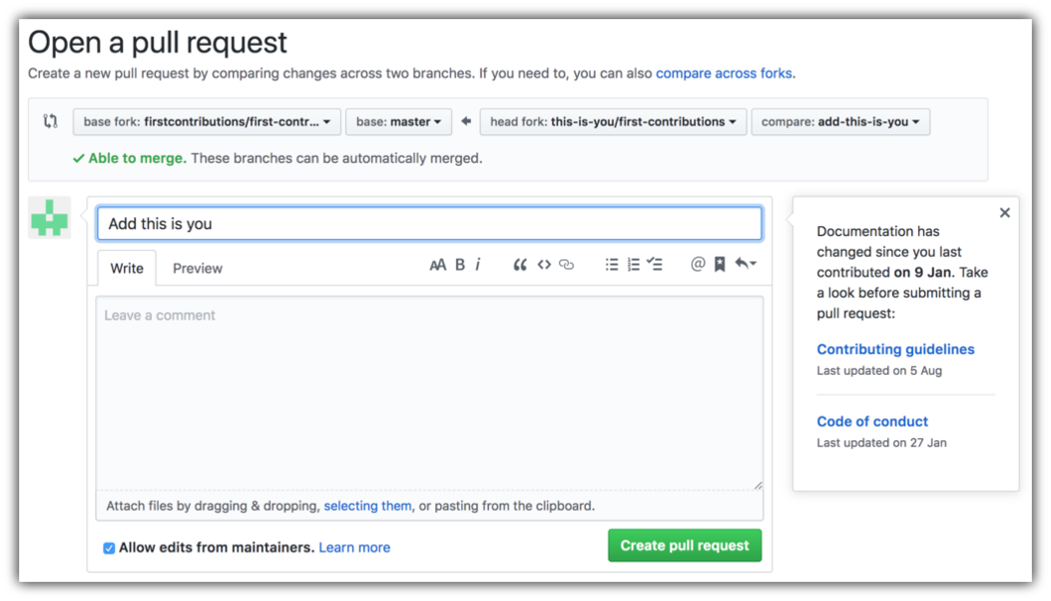
3ala 9rib tw na3mel merge lil les changements mete3ek lil main branch mta3 lprojet hedha. Tw tjik notification email ki tsir merge lil les changements.
Mabrouk! kamelt el workflow standard mta3 fork -> clone -> edit -> pull request eli 3al a8leb yete7seblek ka contributor!
I7tefel w Cherek el contribution hedhi m3a s7abek wel followers 3al site web app.
Edhaken t7eb practice akther, chof code contributions.
Tw 5al nebdew ncontributiw fi des projets o5rin. a3melna list fiha des projets fihom error sehlin tejem tebda bihom. Chof the list of projects in the web app.
 |
 |
 |
 |
 |
 |
|---|---|---|---|---|---|
| GitHub Desktop | Visual Studio 2017 | GitKraken | Visual Studio Code | Atlassian Sourcetree | IntelliJ IDEA |
This project is supported by:
