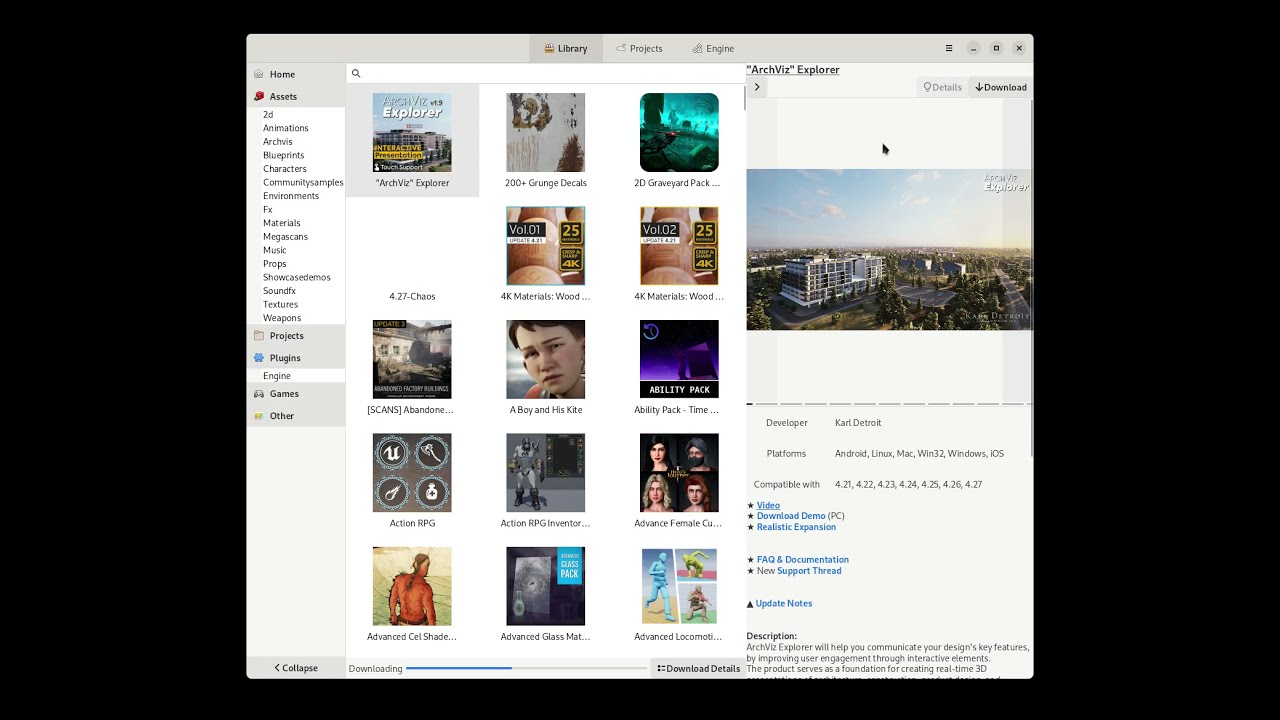
An unofficial client to install Unreal Engine, download and manage purchased assets, projects, plugins and games from the Epic Games Store.
- Asset Library Management - Browse, search, and filter your Epic Games Store assets
- Download Progress Indicators - Real-time progress bars on asset tiles showing download percentage and speed
- Create Project - Create new Unreal Engine projects directly from downloaded asset templates
- Add to Project - Add assets to existing Unreal Engine projects with one click
- Engine Management - Install and manage multiple Unreal Engine versions
- Project Browser - View and launch your Unreal Engine projects
- Dark Theme - Epic Games Launcher-inspired dark theme with square corners
- Marketplace Integration - Quick access to the Unreal Engine Marketplace


Install the package from Flathub
Use the AUR package
flatpak run io.github.achetagames.epic_asset_manager
Open from your favorite application tray or run the following in a terminal
epic_asset_manager
See Building
Log output is controlled by the EAM_LOG environment variable using env_logger syntax. The default is warn,epic_asset_manager=debug which shows only application logs.
# Default (app logs only)
flatpak run io.github.achetagames.epic_asset_manager

# Include egs-api HTTP debug output
EAM_LOG="warn,epic_asset_manager=debug,egs_api=debug" flatpak run io.github.achetagames.epic_asset_manager

# Full trace (all crates)
EAM_LOG=trace flatpak run io.github.achetagames.epic_asset_manager
Note: RUST_LOG is intentionally ignored to avoid noise from the Flatpak development environment.