Version 0.1
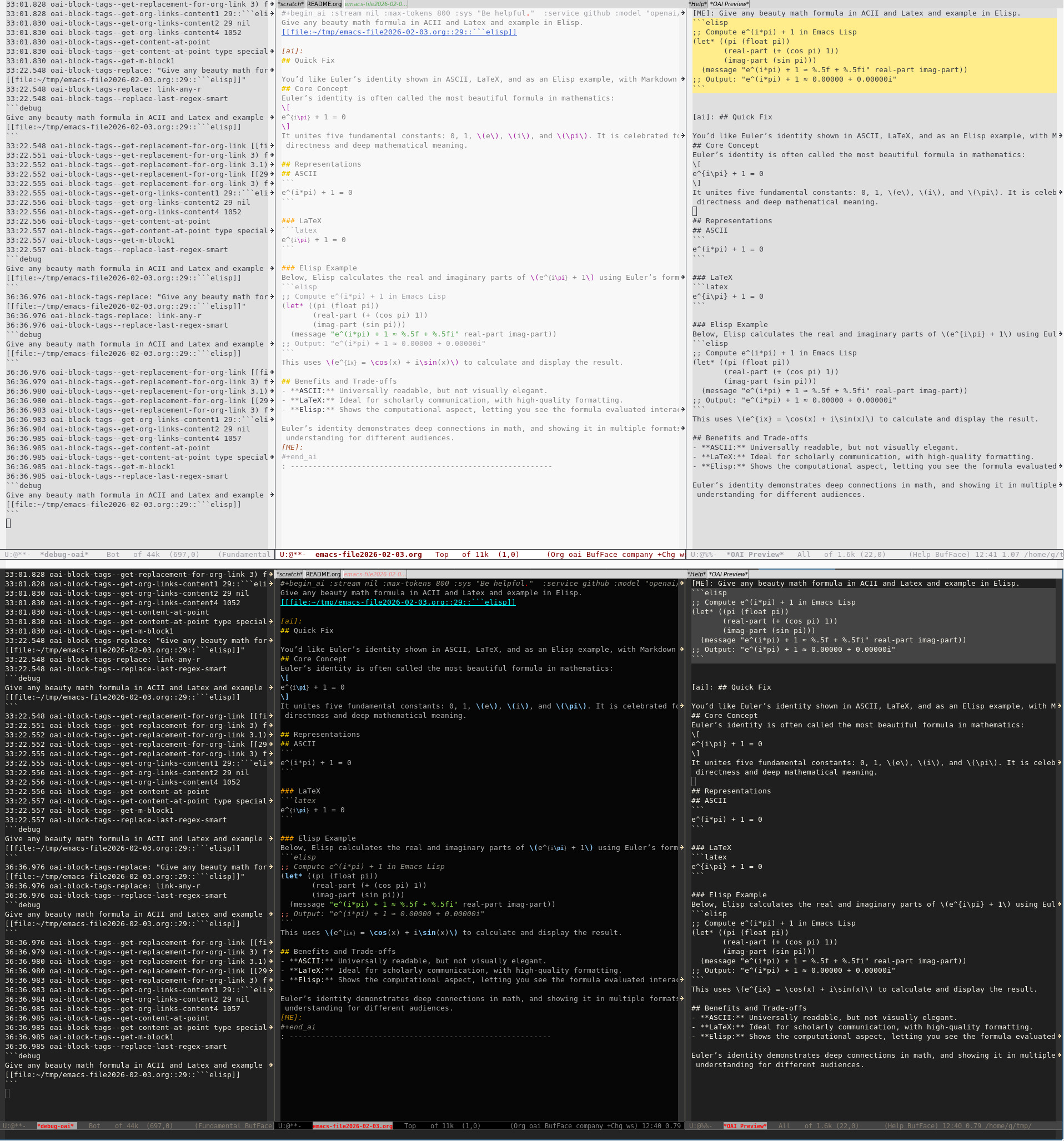
Emacs package, provide blocks #+begin_ai in Org mode for communication with LLMs APIs. Inspired by Robert Krahn’s org-ai package
Protocol: “OpenAI like” HTTP REST API. (url.el)
Core principle: for text, extensibility and comfort.
O is Org-mode, ai is AI. Don’t confuse with “OpenAPI Initiative” (OAI) organization, Open Archives Initiative, Object-action interface, Shorthand for OpenAI.
- Tags: expansion of links in block
- Do parallel request in the same or different buffer without waiting
- Highlighting: markdown block, Org tables, links.
- Commands to inspect raw data, jumping
- Autofilling, hooks, powerful debugger
- Provide prompt engineering tools, there is
:chainof calls out-of-the-box
Emacs 29.1+, 30.2
Token API for remove LLM.
Optional: org-links, available at MELA and at https://github.com/Anoncheg1/emacs-org-links
| File | Purpose |
|---|---|
| oai.el | minor Org oai-mode and C-c C-c request activation command |
| oai-restapi.el | Connection to REST API (OpenAI-compatible) |
| oai-block.el | handling ai block |
| oai-block-tags.el | Expand tags and links |
| oai-timers.el | Managing requests, buffers and notifications |
| oai-prompt.el | (optional) Working with prompt-engineering, :chain parameter |
| oai-async1.el | (optional) Solve “callback hell” for url.el, used by oai-prompt.el |
| oai-optional.el | (optional) Hooks functions for postprocessing |
oai-restapi-con-token - “token-string” or token per service: '(:openai "token-string1" :deepseek "token-string2") or nil for reading from “~/.authinfo” or “~/.authinfo.gpg”
oai-restapi-con-service - ‘openai or ‘deepseek or use parameter at block like this: #+begin_ai :service openai
- OpenAI
- Azure-OpenAI
- Perplexity.ai
- Anthropic
- DeepSeek
- Github
- Together
oai-restapi-con-service ./oai-restapi.el
(add-to-list 'load-path "path/to/oai")
(require 'oai)
(add-hook 'org-mode-hook #'oai-mode) ; oai.el
(setq oai-restapi-con-token "xxx") ; oai-restapi.el(plist-put oai-restapi-con-endpoints :local "http://localhost:8000/v1/chat/completions")
;; Optionally, set it as default
(setq oai-restapi-con-service 'local)Redefine:
oai-restapi--get-headers- If you need some special HTTP headers.oai-restapi--get-single-response-textandoai-restapi--normalize-response- if HTTP responses is not standard for"stream":falseand"stream":truerespectively.
To enable all Org fintifications in ai blocks:
(setq org-protecting-blocks (delete "ai" org-protecting-blocks))
(org-restart-font-lock)
To disable all fontifications:
(setopt oai-fontification-flag nil)
or
(advice-add 'oai-block--set-ai-keywords :override (lambda () t))
To set use custom function or disable auto-fill by setting it to nil:
M-x customize-variable RET oai-restapi-fill-function
- Simplies way to set in .emacs (same with “M-x customize”):
(setq oai-restapi-con-token "xxx")
- Next level is to keep token in separate Elisp file:
~/.emacs.d/oai-tokens.el
(setq oai-restapi-con-token "xxx")
.emacs
(add-to-list 'load-path "~/.emacs.d/oai-tokens.el")
(require 'oai-tokens)
- Keep token in separate ”auth-source” file in plain text
To get more infomration use Shell commnd:
$ info auth-source
Secret should be stored in the format:
machine openai password <your token>
or
machine openai--0 password <your token>
machine openai--1 password <your token>
- Keep token in encrypted “auth-source” file. Full decription will be provided later…
- SYS-EVERYWHERE
- SYS - role: system
- AI - role: assistant
- AI_REASON - excluded
- ME - role: user
- :model “meta-llama/Llama-3.3-70B-Instruct-Turbo-Free” - string
- :service <service> - string symbol/string (oai-restapi-con-service)
- :max-tokens 150 - int
- :stream - bool
- :top-p float
- :temperature float
- :frequency-penalty float
- :presence-penalty float
- :sys-everywhere - string (persistant-sys-prompts) ./oai-block.el
- :chat :completion - bool
- :chain - bool ./oai-prompt.el
To get full request body and more information set:
(setopt oai-debug-buffer "*debug-oai*")
(setq debug-on-error t) ; optional
Built-in url.el have ability to output request and resonse headers, for that you need to set
(setq url-debug '(http))
There are a hook oai-restapi-after-chat-insertion-hook that accpet two arguments (par1 par2)
- type
- simbol \=’role, \=’text or’end.
- role-text
- text or role name.
- pos
- position before text insertion.
- stream
- stream mode or a single insertion.
There is two implementations for hook in oai-optional.el:
- oai-optional-remove-distant-empty-lines-hook-function
- oai-optional-remove-headers-hook-function
Example to remove empty lines after AI answer:
(require 'oai-optional) ; for `oai-optional-remove-distant-empty-lines'

(defun my/ai-postprocess (type _content _pos _stream)
  (ignore _content _pos)
    (when (equal type 'end)
      (save-excursion
        (let* ((context (oai-block-p))
               (con-beg (org-element-property :contents-begin context))
               (con-end (org-element-property :contents-end context)))
          (oai-optional-remove-distant-empty-lines con-beg con-end)))))

(add-hook 'oai-restapi-after-chat-insertion-hook #'my/ai-postprocess)There are two hooks for that:
- before any - raw text level: as `oai-block-parse-part-hook’ in oai-block.el
- after all - vector level: as `oai-restapi-after-prepare-messages-hook’ in oai-restapi.el
More info: Main path of JSON decoding
There are `oai-block-roles’ variable that allow to customize roles at step of parsing messages from ai block.
For oai-restapi.el uses symbols as in `oai-block-roles’.
- org-in-src-block-p = oai-block-p
- oai-block-insert-result = oai-block-insert-result
- org-babel-where-is-src-block-result = oai-block-where-is-result
- org-fill-paragraph = oai-block-fill-paragraph
- Navigation in Dired, Packages, Buffers modes https://github.com/Anoncheg1/firstly-search
- Search with Chinese https://github.com/Anoncheg1/pinyin-isearch
- Ediff fix https://github.com/Anoncheg1/ediffnw
- Dired history https://github.com/Anoncheg1/dired-hist
- Selected window contrast https://github.com/Anoncheg1/selected-window-contrast
- Copy link to clipboard https://github.com/Anoncheg1/emacs-org-links
- Solution for “callback hell” https://github.com/Anoncheg1/emacs-async1
- Restore buffer state https://github.com/Anoncheg1/emacs-unmodified-buffer1
- outline.el usage https://github.com/Anoncheg1/emacs-outline-it
You can sponsor author crypto money directly with crypto currencies:
- BTC (Bitcoin) address: 1CcDWSQ2vgqv5LxZuWaHGW52B9fkT5io25
- USDT (Tether) address: TVoXfYMkVYLnQZV3mGZ6GvmumuBfGsZzsN
- TON (Telegram) address: UQC8rjJFCHQkfdp7KmCkTZCb5dGzLFYe2TzsiZpfsnyTFt9D