Config
Below you can find an image of the default config
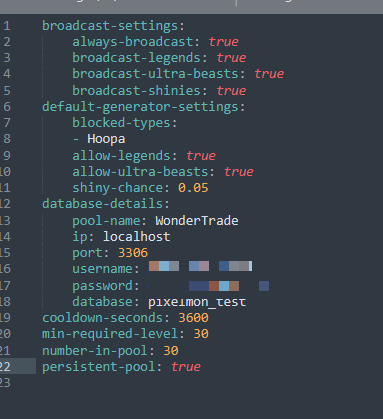
Default config text with explanatory comments
broadcast-settings:
    always-broadcast: true # Always broadcast regardless of what the pokemon specs are
    broadcast-legends: true # Broadcast if the pokemon is a legend (will broadcast anyway if aways-broadcast is true)
    broadcast-ultra-beasts: true # Broadcast if the pokemon is an ultra beast (will broadcast anyway if aways-broadcast is true)
    broadcast-shinies: true # Broadcast if the pokemon is shiny (will broadcast anyway if aways-broadcast is true)
default-generator-settings:
    blocked-types: # List of blocked pokemon
    - Hoopa
    allow-legends: true # should legends generate in the pool
    allow-ultra-beasts: true # Should ultra beasts generate in the pool
    shiny-chance: 0.05 # chance of a shiny appearing in the pool
database-details: # SQL database login for saving user data
    pool-name: WonderTrade
    ip: localhost
    port: 3306
    username: username
    password: password
    database: database
cooldown-seconds: 3600 # The user cooldown in seconds
min-required-level: 30 # The min level required to trade with WonderTrade
number-in-pool: 30 # Number of pokemon in pool
persistent-pool: true # If the pool should stay after server reboots
Default config text
broadcast-settings:
    always-broadcast: true
    broadcast-legends: true
    broadcast-ultra-beasts: true
    broadcast-shinies: true
default-generator-settings:
    blocked-types:
    - Hoopa
    allow-legends: true
    allow-ultra-beasts: true
    shiny-chance: 0.05
database-details:
    pool-name: WonderTrade
    ip: localhost
    port: 3306
    username: username
    password: password
    database: database
cooldown-seconds: 3600
min-required-level: 30
number-in-pool: 30
persistent-pool: true