

Cat requests allows you to both get the HTTP response code of the website you wish and it displays it to your screen as a cat picture, which also explains what this particular HTTP code means
This repository uses the http://http.cat API in order to work
Clone the repo to your computer, cd to the folder and run python3 -m pip install -r requirements.txt for Linux and pip install -r requirements.txt for Windows
Run main.pyw and a window should open up. On the input box enter the URL you wanna see it's status (Don't forget adding the schema to it, for example http://). When you have inputed your URL, either press the "Send Request" button on hit "Enter". Depending on the HTTP response code, a different cat will appear
Under Debug Output, errors will appear (Invalid schema, timeout error, etc.)
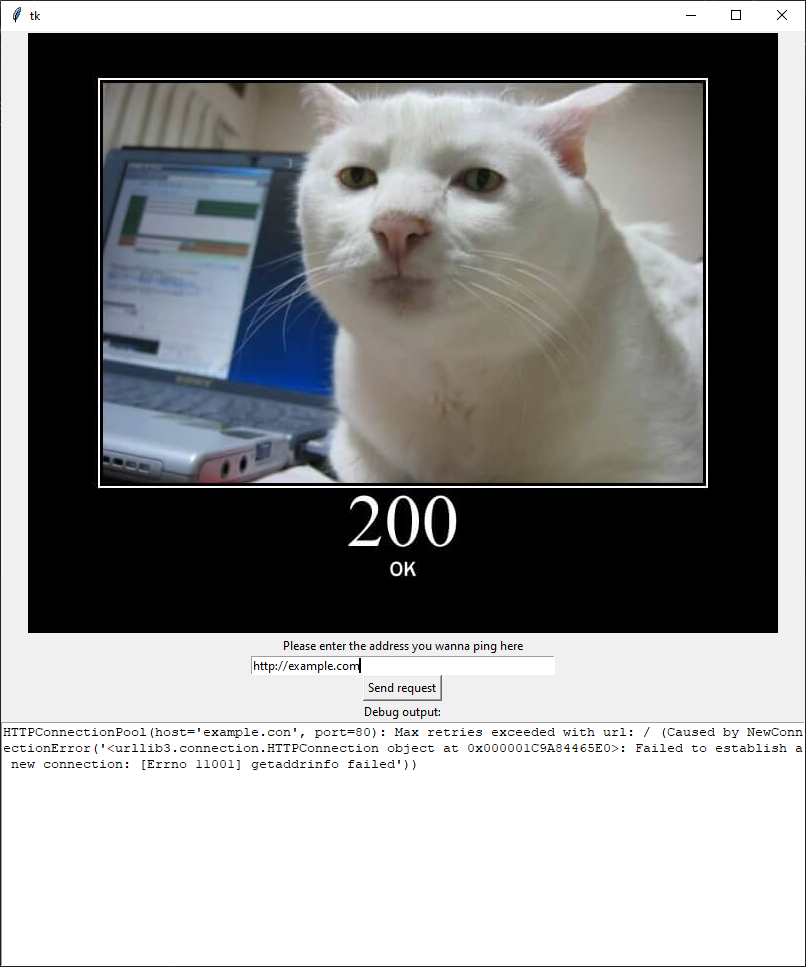
An example of the program when a 200 OK HTTP code is received.