





A simple, lightweight tool to convert markdown-formatted resumes into beautiful, print-ready HTML documents styled with Tailwind CSS.
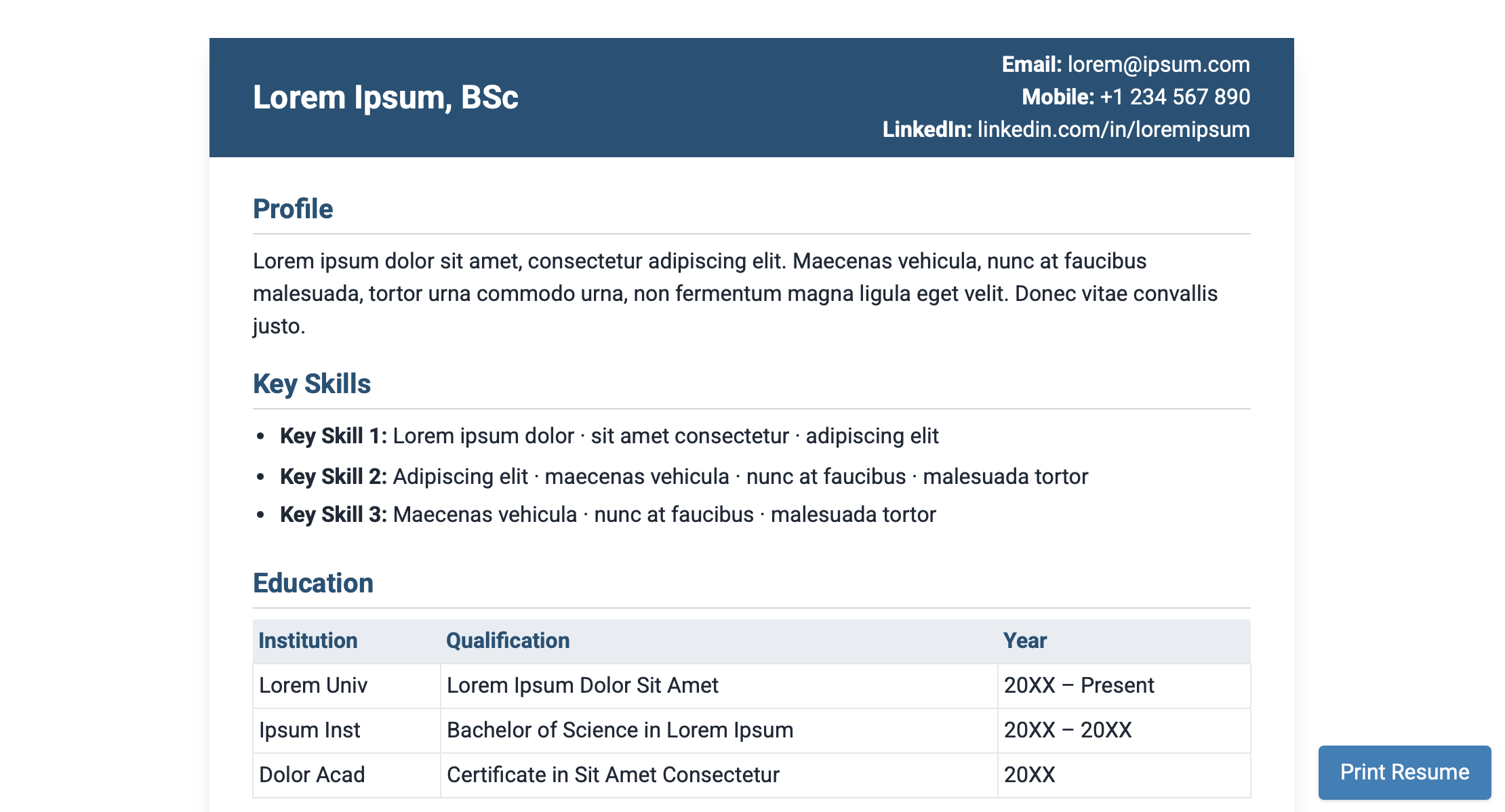
- Convert Markdown to styled HTML resumes
- Modern design with Tailwind CSS
- Automatic header detection for contact information
- ATS-friendly hidden information for keyword optimization
- Print-optimized layout with page break support
- No external dependencies (Python standard library only)
- Responsive design for both screen and print
pip install resume-mdgit clone git@github.com:SamCullin/resume-md.git
cd resume-md
pip install -e .To set up the development environment:
git clone git@github.com:SamCullin/resume-md.git
cd resume-md
pip install -e ".[dev]"resume-md --input your_resume.mdThis will generate an HTML file with the same name as your input file (e.g., your_resume.html).
resume-md --helpAvailable options:
--input,-i: Path to input markdown file (default: resume.md)--output,-o: Path to output HTML file (default: <input_name>.html)--template,-t: Path to HTML template file (use built-in template if not specified)--version,-v: Show version information and exit
from resume_md.tokenizer import MarkdownTokenizer, read_markdown_file
from resume_md.component_factory import tokens_to_components
from resume_md.renderer import Renderer

# Read and tokenize markdown
markdown_text = read_markdown_file("resume.md")
tokenizer = MarkdownTokenizer(markdown_text)
tokens = tokenizer.tokenize()

# Convert tokens to components and render to HTML
components = tokens_to_components(tokens)
renderer = Renderer()
rendered = renderer.render_components(components)

# Access the header and content HTML
header_html = rendered["header"]
content_html = rendered["content"]The resume-md tool supports a specific markdown format designed for resumes. For examples, see:
- Example 1 - Basic resume format with tables
- Example 2 - Alternative resume format with lists
- Page Break Example - Example showing page break usage
- ATS-Info Example - Example showing ATS-specific information usage
You can force a page break in your resume using the special markdown comment syntax:
This is content on the first page.

[page-break]: #

This content will appear on a new page.
When the document is printed, a page break will be inserted at this location.
You can include ATS (Applicant Tracking System) specific information that will be hidden from the visual display but accessible to text extraction systems. This is useful for including additional keywords, skills, or metadata that ATS systems can parse.
[ats-info]: # Skills: Python, JavaScript, TypeScript, React, Node.js
[ats-info]: # + Tools: Git, GitHub, VS Code, Docker, Kubernetes


[ats-info]: # + Certifications: AWS Certified Solutions Architect
[ats-info]: # + Languages: English (Native), Spanish (Fluent)
ATS Export Example:
Skills: Python, JavaScript, TypeScript, React, Node.js + Tools: Git, GitHub, VS Code, Docker, Kubernetes + Certifications: AWS Certified Solutions Architect + Languages: English (Native), Spanish (Fluent)The ATS-info comments follow the format: [ats-info]: # Content
This information will be rendered as hidden HTML elements that are:
- Invisible to users viewing the resume
- Accessible to ATS systems for keyword extraction
Note
The ATS-info comments once exported to pdf will collapse to a single line. This is because the pdf format cannot support fonts below 1.5pt and sees these smaller lines as a single line. Keep this in mind when formatting your ats-info comments.
Example usage in a resume:
# John Doe
Email: john@example.com | Phone: (555) 123-4567

[ats-info]: # Skills: Python, JavaScript, Machine Learning, Data Analysis
[ats-info]: # Tools: Git, Docker, AWS, Jenkins, Terraform
[ats-info]: # Frameworks: React, Django, Flask, Express.js

## Professional Experience
...pytest
# With coverage
pytest --cov=resume_mdblack resume_md
isort resume_mdresume_md/: Main package__init__.py: Package initializationmain.py: CLI entry pointtokenizer.py: Markdown tokenizercomponents.py: Component data classescomponent_factory.py: Converts tokens to componentsrenderer.py: Renders components as HTMLtemplate.html: HTML template
tests/: Test cases.github/workflows/: CI/CD workflows
- GitHub: https://github.com/SamCullin/resume-md
- SSH:
git@github.com:SamCullin/resume-md.git
MIT