A premium, full-stack blog platform built with Next.js 16, Supabase, and Redux Toolkit. SimplyBlog combines a stunning, modern aesthetic with robust features for creators and readers.
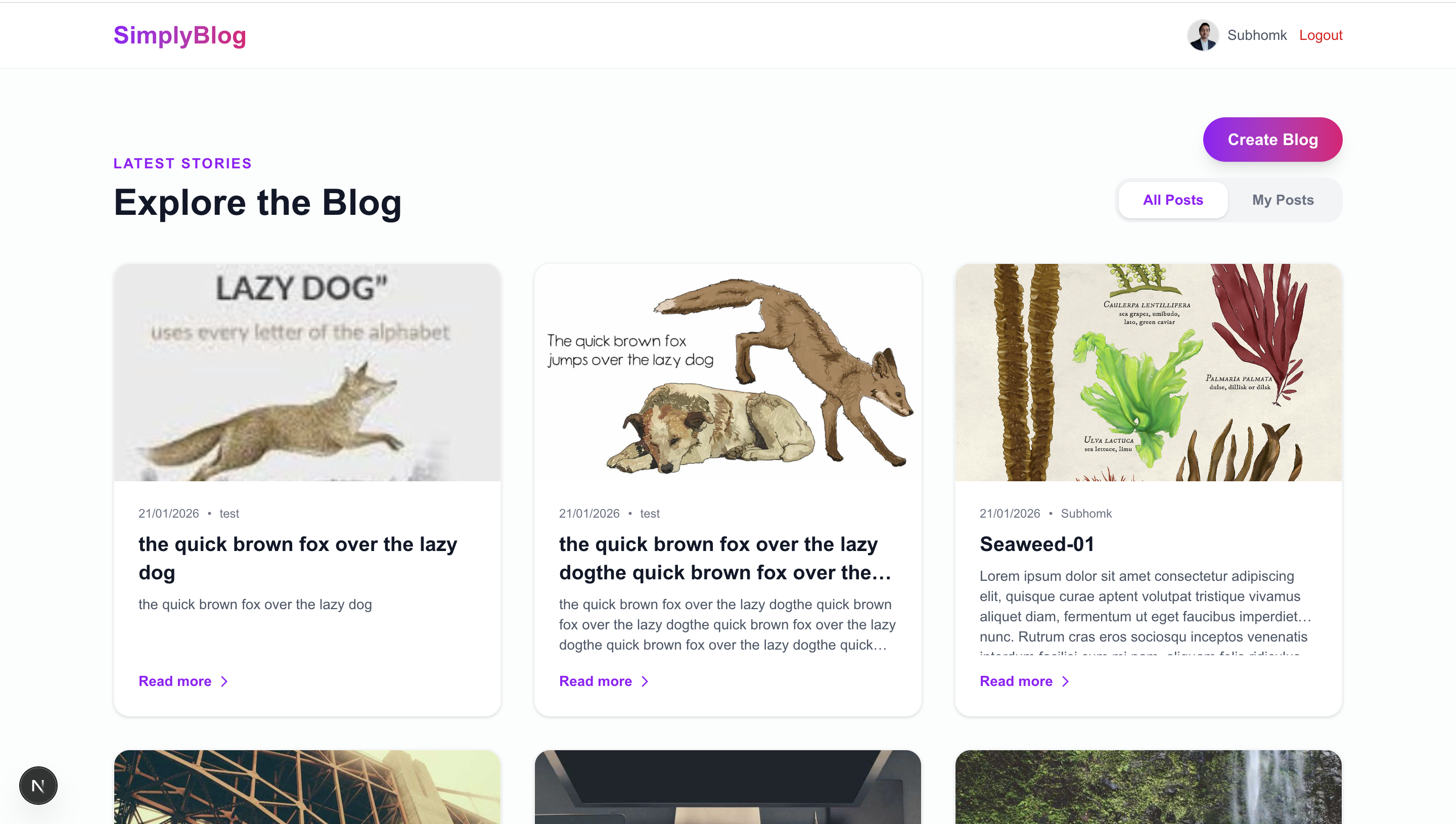
- Glassmorphism UI: Beautiful, semi-transparent components with backdrop-blur effects.
- Vibrant Gradients: Sleek purple-to-pink signature color palette.
- Dark Mode First: Intelligent design that looks stunning in both light and dark themes.
- Responsive & Dynamic: Smooth micro-animations and perfectly responsive layouts for mobile and desktop.
- Secure Auth: Powered by Supabase Auth with secure session management.
- User Profiles: Automatic creation of public user profiles on signup.
- Custom Avatars: Users can upload and manage their own profile pictures.
- Premium Blog Creation: Elegant form with real-time image preview and optimization.
- Image Optimization: Automatic client-side image resizing and compression using Canvas API to save storage and improve performance.
- Smart Pagination: Paginated blog feed (6 posts/page) with smooth navigation and scroll-to-top behavior.
- Detailed View: Immersive, full-screen reading experience for every story.
- Next.js 16 (App Router): Utilizing the latest React features and optimized routing.
- Supabase: Harnessing PostgreSQL and Storage for real-time data and file management.
- Redux Toolkit: Centralized state management for auth, blogs, and UI states.
- Tailwind CSS 4: Utilizing the cutting-edge utility-first CSS framework for ultra-fast styling.
| Layer | Technology |
|---|---|
| Frontend | React 19, Next.js 16, Tailwind CSS 4 |
| State Management | Redux Toolkit, React-Redux |
| Backend / DB | Supabase (PostgreSQL) |
| Auth / Storage | Supabase Auth & Storage |
| Tools | TypeScript, ESLint, Jest |
- Node.js (Latest LTS version)
- A Supabase account
git clone <repository-url>
cd simply-blog
npm installCreate a .env.local file in the root directory:
NEXT_PUBLIC_SUPABASE_URL=your_supabase_project_url
NEXT_PUBLIC_SUPABASE_ANON_KEY=your_supabase_anon_key- Go to your Supabase SQL Editor.
- Run the contents of supabase_schema.sql to set up tables and RLS policies.
- (Optional) Run seed_dummy_blogs.sql to generate 20 sample blogs.
npm run devVisit http://localhost:3000 to see your app in action!
simply-blog/
├── app/                  # Next.js App Router (blog view, auth, profile)
├── components/           # UI, Blog, Header, and Layout components
├── types/                # TypeScript interfaces and types
├── utils/                # Supabase client, Redux store, and API services
├── public/               # Static assets
└── supabase_schema.sql  # Database schema and policies