-
This is a course project (Applied Deep Learning) provided by LMU, supervised by Emilio Dorigatti.
-
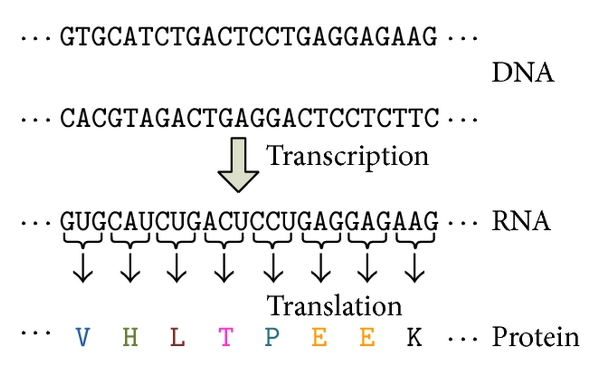
New proteins are continuously being discovered in the 21st century, and machine learning methods can save us efforts in protein classification. This is because the protein sequence order determines their properties. Therefore, we can use sequential information to classify the proteins. If we treat each component as the letter/word in texts, the protein classification is similar to the text classification problem.
-
In this project, we applied a well-known NLP model, BERT (https://arxiv.org/abs/1810.04805), to dig information from protein sequences and predict their types. We mask the protein sequence the same way as in BERT, and we have two goals in model training:
- Reduce the error in predicting the masked token;
- Reduce the loss in protein type prediction.
-
We use 15% of the data for testing, in the rest 85%, we use 80% for model training, and 20% for model validation. We also visualize the BERT embedding by reducing dimensions with the UMAP method.
-
How to run the model:
- set up the virtual environment (python version: 3.9.*);
- open the terminal and change to folder: cd src;
- in the terminal, enter: python main.py --help, you will see the parameters definition;
- all parameters have default values, in case you want to modify the parameter value, please enter: python main.py --<param name> <param value>;
- for example, to pass values for learning rate and number of batches, enter: python main.py --lr 0.005 --num_epochs 100;
- to keep the default values, simply enter: python main.py;
-
After the run is finished, the model performance and the umap clustering plots are under folder /results, and the trained model is saved under folder /models.
├── LICENSE
├── Makefile           <- Makefile with commands like `make data` or `make train`
├── README.md          <- The top-level README for developers using this project.
├── data
│   ├── external       <- Data from third-party sources.
│   ├── interim        <- Intermediate data that has been transformed.
│   ├── processed      <- The final, canonical data sets for modeling.
│   └── raw            <- The original, immutable data dump.
│
├── models             <- Trained and serialized models, model predictions, or model summaries
│
├── results            <- the model train/validation/test results, umap plot.
│
├── notebooks          <- Jupyter notebooks. Naming convention is a number (for ordering),
│                         the creator's initials, and a short `-` delimited description, e.g.
│                         `1.0-jqp-initial-data-exploration`.
│
├── requirements.txt   <- The requirements file for reproducing the analysis environment, e.g.
│                         generated with `pip freeze > requirements.txt`
│
├── setup.py           <- makes project pip installable (pip install -e .) so src can be imported
├── src                <- Source code for use in this project.
│   ├── __init__.py    <- Makes src a Python module
│   │
│   ├── train.py       <- train the whole model
│   │
│   ├── data           <- data preprocessing
│   │
│   ├── models         <- Scripts to train models and then use trained models to make
│   │                     predictions
│
└── tox.ini            <- tox file with settings for running tox; see tox.readthedocs.io
Project based on the cookiecutter data science project template. #cookiecutterdatascience