Skip to content
This repository was archived by the owner on Dec 19, 2017. It is now read-only.

Animation for expanding/collapsing toolbar#3680

Open
designedbyscience wants to merge 1 commit intomasterfrom
designedbyscience/animate-toolbar
Open

Animation for expanding/collapsing toolbar#3680
designedbyscience wants to merge 1 commit intomasterfrom
designedbyscience/animate-toolbar

Conversation

@designedbyscience
Copy link
Copy Markdown
Contributor

Another review only animation, this time for the toolbar. If an experimental flag is incoming, I can update this and my other animation PR to respect that.

@iwehrman
Copy link
Copy Markdown
Contributor

iwehrman commented Feb 7, 2016

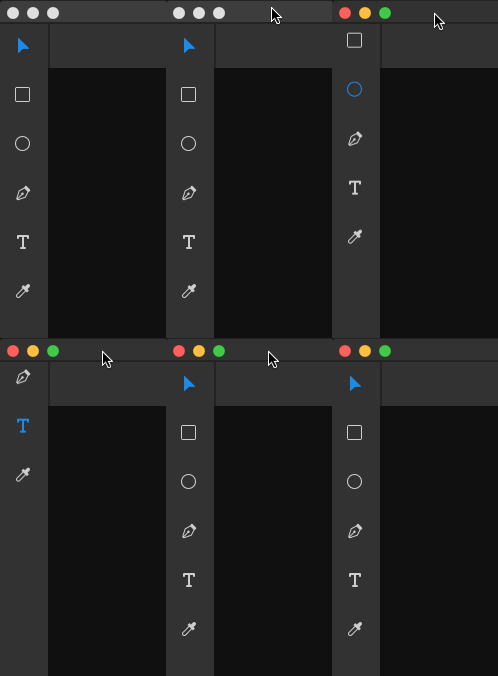
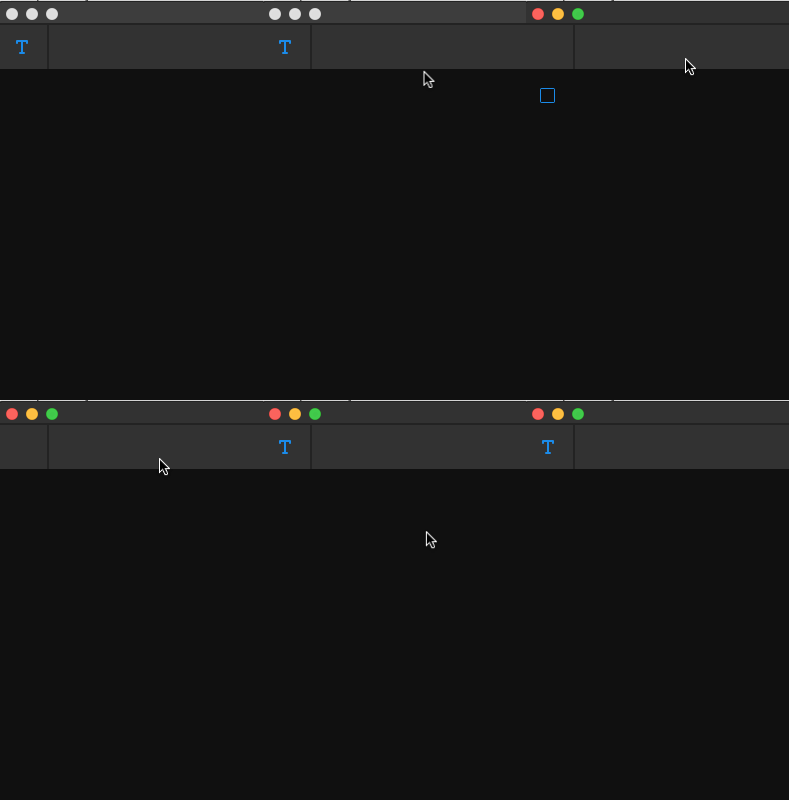
The active-tool animation should probably be disabled when the toolbar is open:
img

@iwehrman
Copy link
Copy Markdown
Contributor

iwehrman commented Feb 7, 2016

The pin/unpin toolbar animation is definitely another very bad case for the Spaces plugin because of the large amount of pixels that need to be painted in each frame, but I guess that's kind of the point...

@iwehrman
Copy link
Copy Markdown
Contributor

iwehrman commented Feb 7, 2016

It's easy to catch the animating icon rendering outside of the panel borders, which feels broken:
img

@iwehrman
Copy link
Copy Markdown
Contributor

iwehrman commented Feb 7, 2016

Gripes: you asked for 'em, you got 'em.

Comment thread src/style/toolbar.less Outdated

.toolbar-button, .zoom {
display: none;
// display: none;
Copy link
Copy Markdown
Contributor

Choose a reason for hiding this comment

The reason will be displayed to describe this comment to others. Learn more.

Stale comment.

@designedbyscience designedbyscience force-pushed the designedbyscience/animate-toolbar branch from 68410dd to be734da Compare February 11, 2016 16:07
@designedbyscience
Copy link
Copy Markdown
Contributor Author

Updated, addressed gripes. Open question for @placegraphichere: How do you feel about the little animation that occurs now when the toolbar is NOT pinned and you switch tools via keyboard shortcuts?

@iwehrman
Copy link
Copy Markdown
Contributor

It's working better now. I wouldn't say I love these animations overall. I guess it bothers me least when changing the pinned status of the toolbar. The animations that happen when switching tools in collapsed mode seem kind of busy and confusing to me.

@placegraphichere
Copy link
Copy Markdown
Contributor

With the toolbar NOT pinned, it's only the selected tool that is visible, what I see when switching tools using the keyboard is that we're getting this little bounce when the tool is changed. But the results are not the same, since it depends whether the next tool is above or below the current one. So we get a bounce that could be higher in vertical, or lower. I think that seems odd.

In this tool selection state, referencing which direction the tool is coming from is not important. I think we should just assign a position to all non-selected tools (above or below the toolbar visible area), so the animation when changing tools is consistent.

Right now we're animating the UL into an index position, I think we should animate each tool individually. I took a quick stab at doing this, and the CSS is a little chunky, but I think it feels better.

toolbar-tool-animation2

ul {        
        transition: transform 0.1s linear;
        &.tool0 li:nth-child(1) {
            transform: translateY(0px);
        }
        &.tool1 li:nth-child(2) {
            transform: translateY(0);
        }
        &.tool2 li:nth-child(3) {
            transform: translateY(0);
        }
        &.tool3 li:nth-child(4) {
            transform: translateY(0);
        }
        &.tool4 li:nth-child(5) {
            transform: translateY(0);
        }
        &.tool5 li:nth-child(6) {
            transform: translateY(0);
        }
        &.tool6 li:nth-child(7) {
            transform: translateY(0);
        } 
        li {
            transition: transform 0.2s linear;
            transform: translateY(-4.8rem);
            position: absolute;
        }
}
&.expanded {
        height: 100%;
        color: @bg-alt;

        li {
            transform: translateY(0);
            position: relative;
        }
        .toolbar-button, .zoom {
            display: flex;
            opacity: 1;
        }        
    } 

var ulStyle,
                toolbarClassName = classnames({
                    "expanded": this.state.pinned || this.state.expanded,
                    "toolbar": true
                }),
                ulClassName;

            if (this.state.expanded || this.state.pinned) {

            } else {
                ulClassName = classnames({
                    "tool0": selectedToolIndex === 0,
                    "tool1": selectedToolIndex === 1,
                    "tool2": selectedToolIndex === 2,
                    "tool3": selectedToolIndex === 3,
                    "tool4": selectedToolIndex === 4,
                    "tool5": selectedToolIndex === 5,
                    "tool6": selectedToolIndex === 6
                });
            }

            return (
                <div className={toolbarClassName}>
                    <ul style={ulStyle} className={ulClassName}>
                        {tools}
                    </ul>
                    <Zoom />
                </div>
            );

@designedbyscience
Copy link
Copy Markdown
Contributor Author

Okay...I think I can clean that up some, but keep the general premise of that animation

Sign up for free to subscribe to this conversation on GitHub. Already have an account? Sign in.

Projects

None yet

Development

Successfully merging this pull request may close these issues.

3 participants