XKB layout for Apple's Czech keyboard:
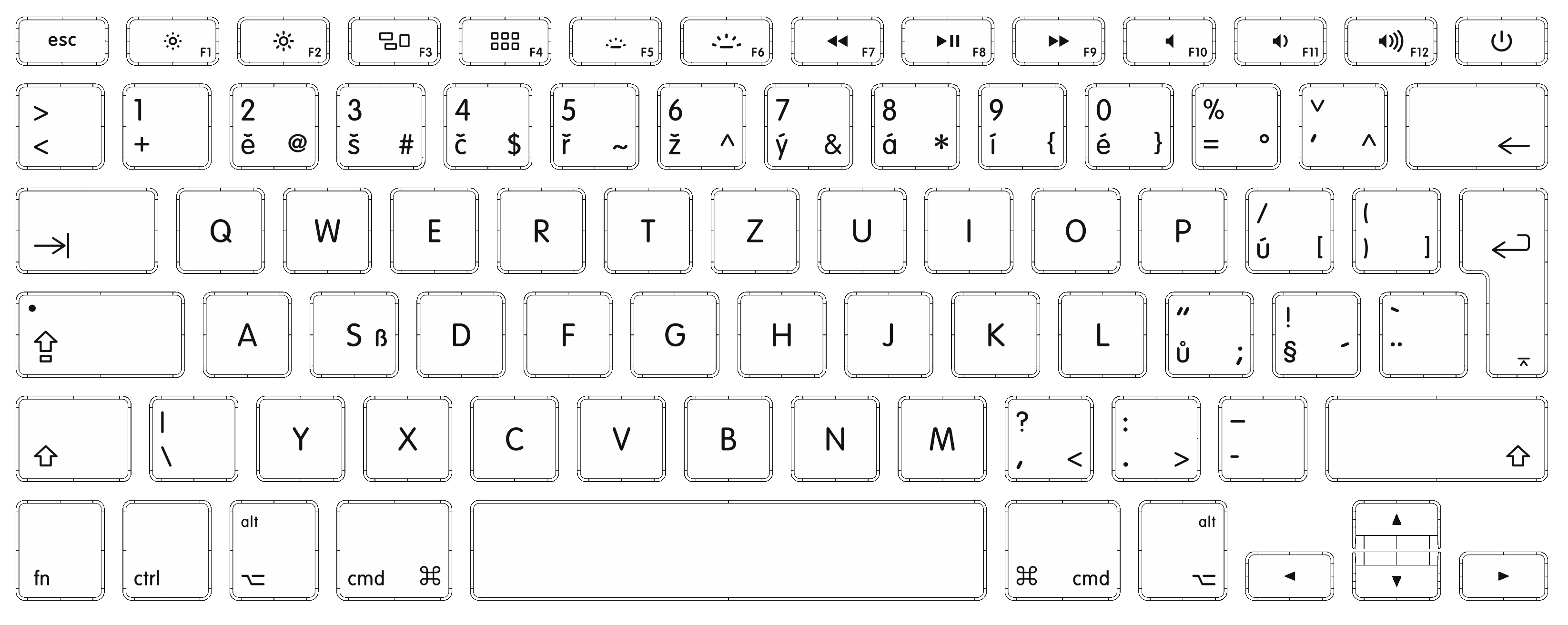
-
Replace the default Czech layouts with the modified one:
sudo cp /path/to/file/cz /usr/share/X11/xkb/symbols/ -
Add the layout to option list:
- Assuming you haven't done any previous modifications to your
evdev.xmlfile, replace the layout options list:sudo cp /path/to/file/evdev.xml /usr/share/X11/xkb/rules/ - Alternatively, add the following code next to other Czech layouts in your
evdev.xmlfile :<variant> <configItem> <name>qwertz-mac</name> <description>Czech (Apple QWERTZ)</description> </configItem> </variant>
- Assuming you haven't done any previous modifications to your
-
Activate the layout in your keyboard settings.
This keyboard layout does not affect modifier keys (Function, Control, Option/Alt, Command/Super).