Cordova plugin that allows you to update your app remotely in real-time without requiring users to download a new version from the app store, also known as Over-the-Air (OTA) updates.

- 🔋 Supports Android and iOS
- ⚡️ Works with stock Cordova WebView — does not require
cordova-plugin-ionic-webview - 📦 Bundle Management — download, set, and delete bundles
- ☁️ Cloud Support — manage updates via Capawesome Cloud
- 📺 Channel Support — set a channel for the app to manage different versions
- 🔄 Auto Update — background update strategy with 15-minute throttle
- 🛟 Rollback — automatic revert to the default bundle on failed updates
- 🔁 Delta Updates — manifest mode downloads only changed files
- ⚙️ Runtime Configuration — update plugin configuration at runtime
- 📡 Update Lifecycle Events — track download progress, react to bundle changes, detect reloads
- 🏷️ Custom Properties — associate custom key-value metadata with bundles via Capawesome Cloud
- 🔒 Security — verify authenticity and integrity of bundles via RSA signature
- 🌐 Open Source — MIT licensed
Stay up to date with the latest news and updates about the Capawesome, Capacitor, and Ionic ecosystem by subscribing to our Capawesome Newsletter.
| Plugin Version | Cordova Android Version | Cordova iOS Version | Status |
|---|---|---|---|
| 0.1.x | >=13.0.0 | >=7.0.0 | Active support |
This plugin swaps the files served to the WebView by hooking into Cordova's official plugin extension points (CordovaPluginPathHandler on Android, CDVPluginSchemeHandler on iOS). These hooks only fire when the WebView loads content via a custom scheme, which is the default for modern Cordova:
- Android (cordova-android ≥10): loads from
https://localhost/viaWebViewAssetLoader. - iOS (cordova-ios ≥7): loads from
app://localhost/viaWKURLSchemeHandler.
The plugin does NOT work if your app forces the WebView back to the legacy file:// scheme, for example:
<preference name="AndroidInsecureFileModeEnabled" value="true" /><preference name="Scheme" value="file" />
cordova-plugin-ionic-webview is not compatible with this plugin. It replaces the WebView with its own local server that serves content directly and never calls the extension points above, so downloaded bundles are silently ignored — sync() and reload() appear to succeed, but the WebView keeps showing the content shipped in the app binary. This affects both Android and iOS.
If your app uses cordova-plugin-ionic-webview, remove it:
cordova plugin remove cordova-plugin-ionic-webviewIt is no longer maintained and is no longer needed: modern Cordova serves the WebView through WKWebView on iOS and the system WebView on Android out of the box, with the same custom-scheme behavior this plugin relies on.
Install the plugin by running the following command and follow the platform-specific instructions below:
cordova plugin add @capawesome/cordova-live-update --variable APP_ID=<your-app-id>For a static default channel, use the DEFAULT_CHANNEL plugin variable — no native config required.
If you are using Versioned Channels, the channel value needs to be interpolated from the build's versionCode, which can't be expressed via a plugin variable. Use Cordova's build-extras.gradle mechanism instead. In your app's config.xml, add:
<platform name="android">
    <resource-file src="build-extras.gradle" target="app/build-extras.gradle"/>
</platform>
Then create build-extras.gradle next to config.xml:
android {
    applicationVariants.all { variant ->
        variant.resValue "string", "capawesome_live_update_default_channel", "production-${variant.versionCode}"
    }
}For a static default channel, use the DEFAULT_CHANNEL plugin variable — no native config required.
If you are using Versioned Channels, use Cordova's <config-file> mechanism in your app's config.xml:
<platform name="ios">
    <config-file target="*-Info.plist" parent="CapawesomeLiveUpdateDefaultChannel">
        <string>production-$(CURRENT_PROJECT_VERSION)</string>
    </config-file>
</platform>
Xcode resolves $(CURRENT_PROJECT_VERSION) at build time.
Starting with cordova-ios 7.1.0, the iOS Privacy Manifest is configured via a <privacy-manifest> element inside the <platform name="ios"> section of your app's config.xml. Add an NSPrivacyAccessedAPICategoryUserDefaults entry for this plugin:
<platform name="ios">
    <privacy-manifest>
        <key>NSPrivacyAccessedAPITypes</key>
        <array>
            <!-- Add this dict entry to the array if the key already exists. -->
            <dict>
                <key>NSPrivacyAccessedAPIType</key>
                <string>NSPrivacyAccessedAPICategoryUserDefaults</string>
                <key>NSPrivacyAccessedAPITypeReasons</key>
                <array>
                    <string>CA92.1</string>
                </array>
            </dict>
        </array>
    </privacy-manifest>
</platform>
We recommend to declare CA92.1 as the reason for accessing the UserDefaults API.
These map to Cordova <preference> entries in config.xml. Set them at install time with --variable, or edit config.xml directly:
| Variable | Default | Description |
|---|---|---|
APP_ID |
(empty) | Capawesome Cloud app ID (a UUID). |
DEFAULT_CHANNEL |
(empty) | Default channel name. Overridden by native config or setChannel(). |
AUTO_UPDATE_STRATEGY |
none |
none or background. background runs sync() on cold start and foreground (15-minute throttle). |
HTTP_TIMEOUT |
60000 |
HTTP request timeout in milliseconds. |
PUBLIC_KEY |
(empty) | PEM-encoded RSA public key for signature verification. When set, all bundle downloads must include a valid signature. |
READY_TIMEOUT |
0 |
Milliseconds to wait for ready() before automatic rollback. Set to e.g. 10000 to enable rollback. 0 disables it. |
SERVER_DOMAIN |
api.cloud.capawesome.io |
Capawesome Cloud API host (no scheme/path). |
AUTO_DELETE_BUNDLES |
false |
Whether to delete unused bundles when ready() is called. |
AUTO_BLOCK_ROLLED_BACK_BUNDLES |
false |
Whether to block bundles that caused a rollback. No effect if READY_TIMEOUT=0. |
<plugin name="@capawesome/cordova-live-update" spec="0.1.0">
  <variable name="APP_ID" value="6e351b4f-69a7-415e-a057-4567df7ffe94" />
  <variable name="AUTO_UPDATE_STRATEGY" value="background" />
  <variable name="DEFAULT_CHANNEL" value="production" />
  <variable name="READY_TIMEOUT" value="10000" />
  <variable name="PUBLIC_KEY" value="-----BEGIN PUBLIC KEY-----MIGfMA0GCSqGSIb3DQEBAQUAA4GNADCBiQKBgQDDodf1SD0OOn6hIlDuKBza0Ed0OqtwyVJwiyjmE9BJaZ7y8ZUfcF+SKmd0l2cDPM45XIg2tAFux5n29uoKyHwSt+6tCi5CJA5Z1/1eZruRRqABLonV77KS3HUtvOgqRLDnKSV89dYZkM++NwmzOPgIF422mvc+VukcVOBfc8/AHQIDAQAB-----END PUBLIC KEY-----" />
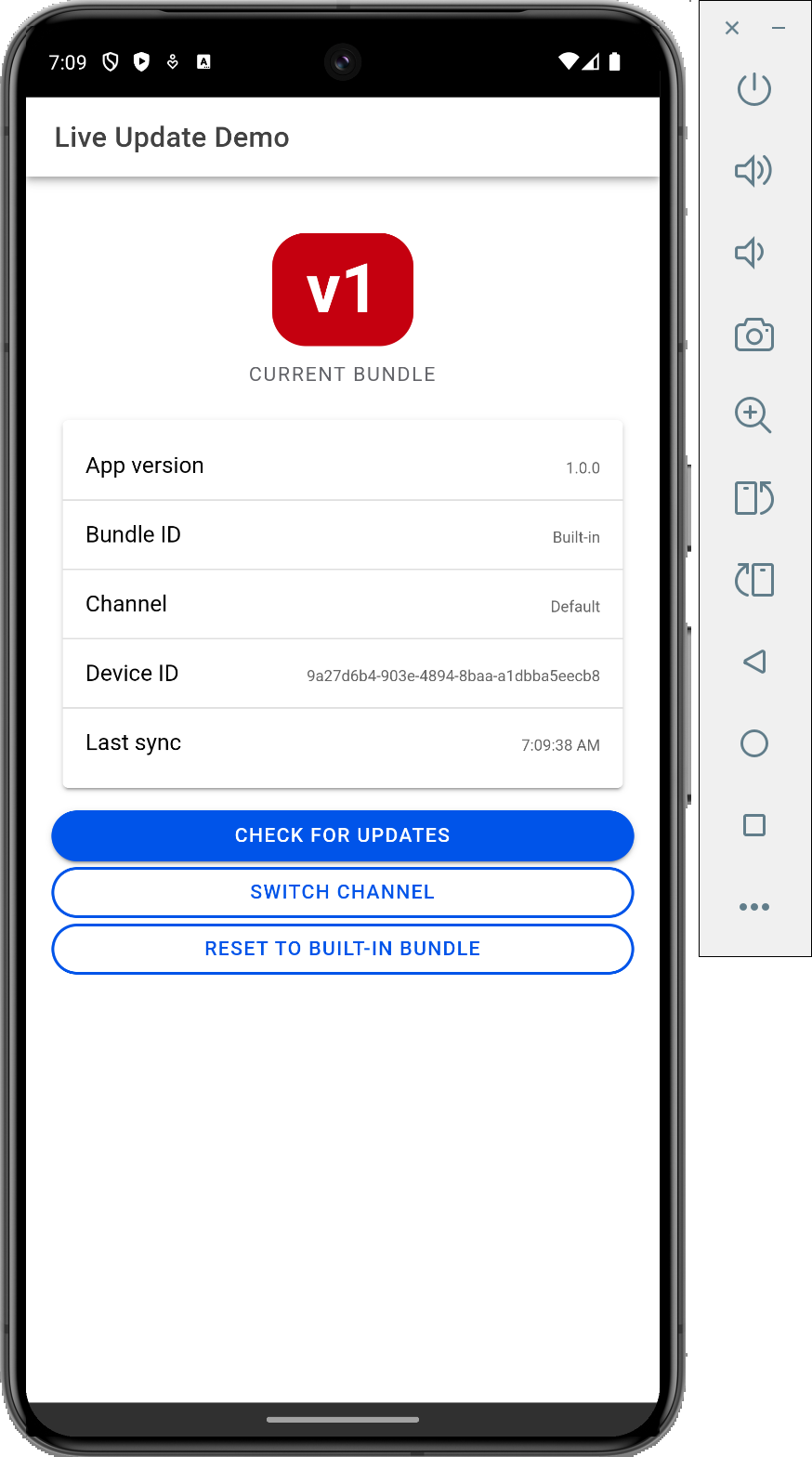
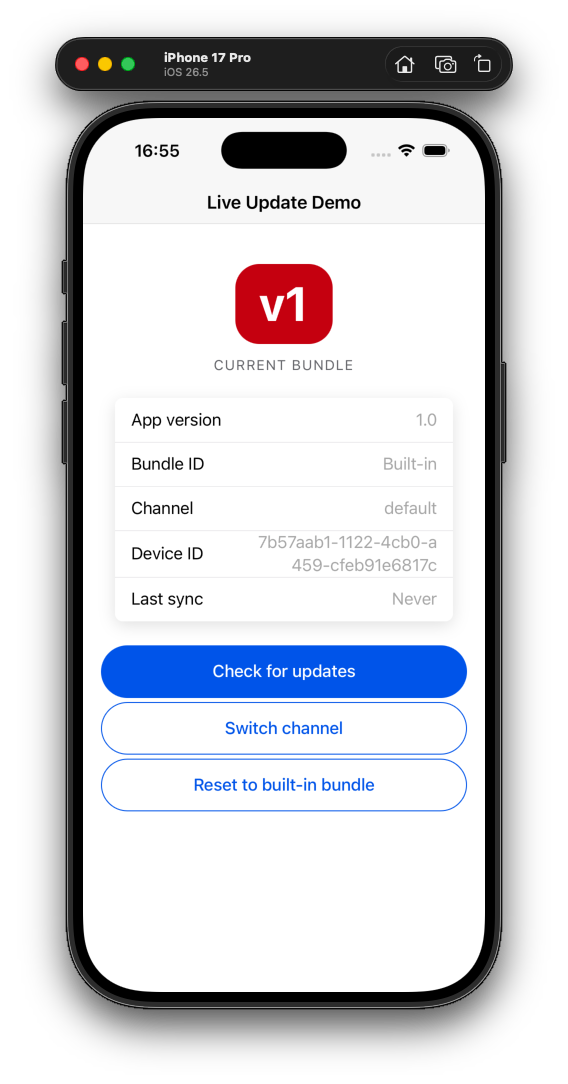
</plugin>A working example can be found here: capawesome-team/cordova-live-update-demo
| Android | iOS |
|---|---|
 |
 |
The plugin attaches to cordova.plugins.LiveUpdate once deviceready fires.
If you use TypeScript, type definitions are available from the npm package:
import type { LiveUpdatePlugin } from '@capawesome/cordova-live-update';

declare const cordova: { plugins: { LiveUpdate: LiveUpdatePlugin } };
const { LiveUpdate } = cordova.plugins;
const deleteBundle = async () => {
await LiveUpdate.deleteBundle({ bundleId: 'my-bundle' });
};
const downloadBundle = async () => {
await LiveUpdate.downloadBundle({ url: 'https://example.com/1.0.0.zip', bundleId: '1.0.0' });
};
const fetchChannels = async () => {
const result = await LiveUpdate.fetchChannels();
return result.channels;
};
const fetchLatestBundle = async () => {
await LiveUpdate.fetchLatestBundle();
};
const getBundles = async () => {
const result = await LiveUpdate.getBundles();
return result.bundleIds;
};
const getChannel = async () => {
const result = await LiveUpdate.getChannel();
return result.channel;
};
const getCurrentBundle = async () => {
const result = await LiveUpdate.getCurrentBundle();
return result.bundleId;
};
const getCustomId = async () => {
const result = await LiveUpdate.getCustomId();
return result.customId;
};
const getDeviceId = async () => {
const result = await LiveUpdate.getDeviceId();
return result.deviceId;
};
const getNextBundle = async () => {
const result = await LiveUpdate.getNextBundle();
return result.bundleId;
};
const getVersionCode = async () => {
const result = await LiveUpdate.getVersionCode();
return result.versionCode;
};
const getVersionName = async () => {
const result = await LiveUpdate.getVersionName();
return result.versionName;
};
const ready = async () => {
const result = await LiveUpdate.ready();
if (result.currentBundleId) {
console.log(`The app is now using the bundle with the identifier ${result.currentBundleId}.`);
}
if (result.previousBundleId) {
console.log(`The app was using the bundle with the identifier ${result.previousBundleId}.`);
}
if (result.rollback) {
console.log('The app was reset to the default bundle.');
}
};
const reload = async () => {
await LiveUpdate.reload();
};
const reset = async () => {
await LiveUpdate.reset();
};
const setChannel = async () => {
await LiveUpdate.setChannel({ channel: 'production-5' });
};
const setCustomId = async () => {
await LiveUpdate.setCustomId({ customId: 'my-custom-id' });
};
const setNextBundle = async () => {
await LiveUpdate.setNextBundle({ bundleId: '7f0b9bf2-dff6-4be2-bcac-b068cc5ea756' });
};
const sync = async () => {
const result = await LiveUpdate.sync({
channel: 'production-5',
});
return result.nextBundleId;
};
const isNewBundleAvailable = async () => {
const { bundleId: latestBundleId } = await LiveUpdate.fetchLatestBundle({
channel: 'production-5',
});
if (latestBundleId) {
const { bundleId: currentBundleId } = await LiveUpdate.getCurrentBundle();
return latestBundleId !== currentBundleId;
} else {
return false;
}
};clearBlockedBundles()deleteBundle(...)downloadBundle(...)fetchChannels(...)fetchLatestBundle(...)getBlockedBundles()getBundles()getChannel()getConfig()getDownloadedBundles()getCurrentBundle()getCustomId()getDeviceId()isSyncing()getNextBundle()getVersionCode()getVersionName()ready()reload()reset()resetConfig()setChannel(...)setConfig(...)setCustomId(...)setNextBundle(...)sync(...)addListener('downloadBundleProgress', ...)addListener('nextBundleSet', ...)removeAllListeners()- Interfaces
- Type Aliases
clearBlockedBundles() => anyClear all blocked bundles from the blocked list.
This removes all bundle identifiers that were automatically blocked
due to rollbacks when autoBlockRolledBackBundles is enabled.
Returns: any
Since: 0.1.0
deleteBundle(options: DeleteBundleOptions) => anyDelete a bundle from the app.
| Param | Type |
|---|---|
options |
DeleteBundleOptions |
Returns: any
Since: 0.1.0
downloadBundle(options: DownloadBundleOptions) => anyDownload a bundle.
| Param | Type |
|---|---|
options |
DownloadBundleOptions |
Returns: any
Since: 0.1.0
fetchChannels(options?: FetchChannelsOptions | undefined) => anyFetch channels from Capawesome Cloud.
This is primarily intended for development and QA purposes.
It allows you to retrieve a list of available channels so you can
dynamically switch between them using setChannel(...).
Attention: Only works for apps with public channels enabled.
If channels are private, they can still be set using setChannel(...)
but won't be returned by this method.
| Param | Type |
|---|---|
options |
FetchChannelsOptions |
Returns: any
Since: 0.1.0
fetchLatestBundle(options?: FetchLatestBundleOptions | undefined) => anyFetch the latest bundle using the Capawesome Cloud.
| Param | Type |
|---|---|
options |
FetchLatestBundleOptions |
Returns: any
Since: 0.1.0
getBlockedBundles() => anyGet all blocked bundle identifiers.
Returns the list of bundle identifiers that were automatically blocked
due to rollbacks when autoBlockRolledBackBundles is enabled.
Returns: any
Since: 0.1.0
getBundles() => anyGet all identifiers of bundles that have been downloaded.
Returns: any
Since: 0.1.0
getChannel() => anyGet the channel that is used for the update.
The channel is resolved in the following order (highest priority first):
setChannel()(SharedPreferences on Android / UserDefaults on iOS)- Native config (
CapawesomeLiveUpdateDefaultChannelinInfo.pliston iOS orcapawesome_live_update_default_channelinstrings.xmlon Android) - The
DEFAULT_CHANNELpreference inconfig.xml
Note: The channel parameter of sync() takes the highest priority
but is not persisted and therefore not returned by this method.
Returns: any
Since: 0.1.0
getConfig() => anyGet the runtime configuration.
Returns the current plugin configuration including any runtime
overrides set via setConfig().
Returns: any
Since: 0.1.0
getDownloadedBundles() => anyGet all identifiers of bundles that have been downloaded.
Returns: any
Since: 0.1.0
getCurrentBundle() => anyGet the bundle identifier of the current bundle. The current bundle is the bundle that is currently used by the app.
Returns: any
Since: 0.1.0
getCustomId() => anyGet the custom identifier of the device.
Returns: any
Since: 0.1.0
getDeviceId() => anyGet the unique device identifier.
Returns: any
Since: 0.1.0
isSyncing() => anyCheck whether a sync operation is currently in progress.
Returns: any
Since: 0.1.0
getNextBundle() => anyGet the bundle identifier of the next bundle.
The next bundle is the bundle that will be used after calling reload()
or restarting the app.
Returns: any
Since: 0.1.0
getVersionCode() => anyGet the version code of the app.
On Android, this is the versionCode from PackageInfo.
On iOS, this is the CFBundleVersion from the Info.plist file.
Returns: any
Since: 0.1.0
getVersionName() => anyGet the version name of the app.
On Android, this is the versionName from PackageInfo.
On iOS, this is the CFBundleShortVersionString from the Info.plist file.
Returns: any
Since: 0.1.0
ready() => anyNotify the plugin that the app is ready to use and no rollback is needed.
Attention: This method should be called as soon as the app is ready to use to prevent the app from being reset to the default bundle.
Returns: any
Since: 0.1.0
reload() => anyReload the app to apply the new bundle.
Returns: any
Since: 0.1.0
reset() => anyReset the app to the default bundle.
Call reload() or restart the app to apply the changes.
Returns: any
Since: 0.1.0
resetConfig() => anyReset the runtime configuration to the values from config.xml.
This clears any runtime configuration set via setConfig().
The changes take effect immediately.
Returns: any
Since: 0.1.0
setChannel(options: SetChannelOptions) => anySet the channel to use for the update.
| Param | Type |
|---|---|
options |
SetChannelOptions |
Returns: any
Since: 0.1.0
setConfig(options: SetConfigOptions) => anySet the runtime configuration.
This allows updating plugin configuration options at runtime. The changes are persisted across app restarts and take effect immediately.
Important: Runtime configuration is automatically reset to default values whenever the native app is updated to a new version. This ensures that configuration from previous versions doesn't persist after an app update.
| Param | Type |
|---|---|
options |
SetConfigOptions |
Returns: any
Since: 0.1.0
setCustomId(options: SetCustomIdOptions) => anySet the custom identifier of the device.
| Param | Type |
|---|---|
options |
SetCustomIdOptions |
Returns: any
Since: 0.1.0
setNextBundle(options: SetNextBundleOptions) => anySet the next bundle to use for the app.
Call reload() or restart the app to apply the changes.
| Param | Type |
|---|---|
options |
SetNextBundleOptions |
Returns: any
Since: 0.1.0
sync(options?: SyncOptions | undefined) => anyAutomatically download and set the latest bundle for the app using the Capawesome Cloud.
Call reload() or restart the app to apply the changes.
| Param | Type |
|---|---|
options |
SyncOptions |
Returns: any
Since: 0.1.0
addListener(eventName: 'downloadBundleProgress', listenerFunc: DownloadBundleProgressListener) => anyListen for the download progress of a bundle.
| Param | Type |
|---|---|
eventName |
'downloadBundleProgress' |
listenerFunc |
DownloadBundleProgressListener |
Returns: any
Since: 0.1.0
addListener(eventName: 'nextBundleSet', listenerFunc: NextBundleSetListener) => anyListen for when a bundle is set as the next bundle.
This event is triggered whenever a bundle is set to be used on the next app restart,
either through automatic updates or manual calls to setNextBundle().
| Param | Type |
|---|---|
eventName |
'nextBundleSet' |
listenerFunc |
NextBundleSetListener |
Returns: any
Since: 0.1.0
removeAllListeners() => anyRemove all listeners for this plugin.
Returns: any
Since: 0.1.0
| Prop | Type | Description | Since |
|---|---|---|---|
bundleId |
string |
The unique identifier of the bundle to delete. | 0.1.0 |
| Prop | Type | Description | Default | Since |
|---|---|---|---|---|
artifactType |
'manifest' | 'zip' |
The artifact type of the bundle. | 'zip' |
0.1.0 |
bundleId |
string |
The unique identifier of the bundle. Attention: The value public is reserved and cannot be used as a bundle identifier. |
0.1.0 | |
checksum |
string |
The checksum of the self-hosted bundle as a SHA-256 hash in hex format to verify the integrity of the bundle. Attention: Only supported for the zip artifact type. |
0.1.0 | |
signature |
string |
The signature of the self-hosted bundle as a signed SHA-256 hash in base64 format to verify the integrity of the bundle. Attention: Only supported for the zip artifact type. |
0.1.0 | |
url |
string |
The URL of the bundle to download. For the zip artifact type, the URL must point to a ZIP file. For the manifest artifact type, the URL serves as the base URL to download the individual files. For example, if the URL is https://example.com/download, the plugin will download the file with the href index.html from https://example.com/download?href=index.html. To verify the integrity of the file, the server should return a X-Checksum header with the SHA-256 hash in hex format. To verify the signature of the file, the server should return a X-Signature header with the signed SHA-256 hash in base64 format. |
0.1.0 |
| Prop | Type | Description | Default | Since |
|---|---|---|---|---|
limit |
number |
The maximum number of channels to return. | 50 |
0.1.0 |
offset |
number |
The number of channels to skip. | 0 |
0.1.0 |
query |
string |
The query to filter channels by name. | 0.1.0 |
| Prop | Type | Description | Since |
|---|---|---|---|
channels |
{} |
The list of channels. | 0.1.0 |
| Prop | Type | Description | Since |
|---|---|---|---|
id |
string |
The unique identifier of the channel. | 0.1.0 |
name |
string |
The name of the channel. | 0.1.0 |
| Prop | Type | Description | Since |
|---|---|---|---|
channel |
string |
The name of the channel where the latest bundle is fetched from. | 0.1.0 |
| Prop | Type | Description | Since |
|---|---|---|---|
artifactType |
'manifest' | 'zip' |
The artifact type of the bundle. | 0.1.0 |
bundleId |
string | null |
The unique identifier of the latest bundle. On Capawesome Cloud, this is the ID of the app build artifact. If null, no bundle is available. |
0.1.0 |
checksum |
string |
The checksum of the latest bundle if the bundle is self-hosted. If the bundle is hosted on Capawesome Cloud, the checksum will be returned as response header when downloading the bundle. | 0.1.0 |
customProperties |
{ [key: string]: string; } |
Custom properties that are associated with the latest bundle. | 0.1.0 |
downloadUrl |
string |
The URL of the latest bundle to download. Pass this URL to the downloadBundle(...) method to download the bundle. |
0.1.0 |
signature |
string |
The signature of the latest bundle if the bundle is self-hosted. If the bundle is hosted on Capawesome Cloud, the signature will be returned as response header when downloading the bundle. | 0.1.0 |
| Prop | Type | Description | Since |
|---|---|---|---|
bundleIds |
{} |
An array of unique identifiers of all blocked bundles. | 0.1.0 |
| Prop | Type | Description | Since |
|---|---|---|---|
bundleIds |
{} |
An array of unique identifiers of all available bundles. | 0.1.0 |
| Prop | Type | Description | Since |
|---|---|---|---|
channel |
string | null |
The channel name. If null, the app is using the default channel. |
0.1.0 |
| Prop | Type | Description | Since |
|---|---|---|---|
appId |
string | null |
The app ID used to identify the app. If null, no app ID is configured. |
0.1.0 |
autoUpdateStrategy |
'none' | 'background' |
The auto-update strategy for live updates. | 0.1.0 |
| Prop | Type | Description | Since |
|---|---|---|---|
bundleIds |
{} |
An array of unique identifiers of all downloaded bundles. | 0.1.0 |
| Prop | Type | Description | Since |
|---|---|---|---|
bundleId |
string | null |
The unique identifier of the current bundle. If null, the default bundle is being used. |
0.1.0 |
| Prop | Type | Description | Since |
|---|---|---|---|
customId |
string | null |
The custom identifier of the device. If null, no custom identifier is set. |
0.1.0 |
| Prop | Type | Description | Since |
|---|---|---|---|
deviceId |
string |
The unique identifier of the device. On iOS, identifierForVendor is used. The value of this property is the same for apps that come from the same vendor running on the same device. |
0.1.0 |
| Prop | Type | Description | Since |
|---|---|---|---|
syncing |
boolean |
Whether a sync operation is currently in progress. | 0.1.0 |
| Prop | Type | Description | Since |
|---|---|---|---|
bundleId |
string | null |
The unique identifier of the next bundle. If null, the default bundle is being used. |
0.1.0 |
| Prop | Type | Description | Since |
|---|---|---|---|
versionCode |
string |
The version code of the app. On Android, this is the versionCode from PackageInfo. On iOS, this is the CFBundleVersion from the Info.plist file. |
0.1.0 |
| Prop | Type | Description | Since |
|---|---|---|---|
versionName |
string |
The version name of the app. On Android, this is the versionName from PackageInfo. On iOS, this is the CFBundleShortVersionString from the Info.plist file. |
0.1.0 |
| Prop | Type | Description | Since |
|---|---|---|---|
previousBundleId |
string | null |
The identifier of the previous bundle used. If null, the default bundle was used. |
0.1.0 |
currentBundleId |
string | null |
The identifier of the current bundle used. If null, the default bundle is being used. |
0.1.0 |
rollback |
boolean |
Whether or not the app was reset to the default bundle. | 0.1.0 |
| Prop | Type | Description | Since |
|---|---|---|---|
channel |
string | null |
The channel name. Set null to remove the channel. |
0.1.0 |
| Prop | Type | Description | Since |
|---|---|---|---|
appId |
string | null |
The app ID used to identify the app. Set null to reset to the value from the APP_ID preference in config.xml. |
0.1.0 |
| Prop | Type | Description | Since |
|---|---|---|---|
customId |
string | null |
The custom identifier of the device. Set null to remove the custom identifier. |
0.1.0 |
| Prop | Type | Description | Since |
|---|---|---|---|
bundleId |
string | null |
The unique identifier of the bundle to use. Set null to use the default bundle (same as calling reset()). |
0.1.0 |
| Prop | Type | Description | Since |
|---|---|---|---|
channel |
string |
The name of the channel where the latest bundle is fetched from. | 0.1.0 |
| Prop | Type | Description | Since |
|---|---|---|---|
nextBundleId |
string | null |
The identifier of the next bundle to use. If null, the app is up-to-date and no new bundle is available. |
0.1.0 |
Event that is triggered when the download progress of a bundle changes.
| Prop | Type | Description | Since |
|---|---|---|---|
bundleId |
string |
The unique identifier of the bundle that is being downloaded. | 0.1.0 |
downloadedBytes |
number |
The number of bytes that have been downloaded. | 0.1.0 |
progress |
number |
The progress of the download in percent as a value between 0 and 1. |
0.1.0 |
totalBytes |
number |
The total number of bytes to download. | 0.1.0 |
Handle returned from addListener(...). Call remove() to detach the
listener.
| Prop | Type |
|---|---|
remove |
() => any |
Event that is triggered when a bundle is set as the next bundle.
| Prop | Type | Description | Since |
|---|---|---|---|
bundleId |
string | null |
The unique identifier of the bundle that is set as the next bundle. If null, the default bundle will be used. |
0.1.0 |
Listener for the download progress of a bundle.
(event: DownloadBundleProgressEvent): void
Listener for when a bundle is set as the next bundle.
(event: NextBundleSetEvent): void
See CHANGELOG.md.
See LICENSE.