


A json pretty printer for Python 🐍.
Install with the standard json JSON encoder
$ pip install pprintjsonInstall with the premier simplejson JSON encoder
$ pip install pprintjson[simplejson]
usage: pprintjson.py [-h] [-i num] [-o file] [-c cmd] [-v] [file]

A pretty-printing function for json.

positional arguments:
  file                    json <file> to pretty-print

optional arguments:
  -h, --help              show this help message and exit
  -i num, --indent num    indent <num> number of spaces at each level (default: 4)
  -o file, --output file  write output to <file> instead of stdout (default: stdout)
  -c cmd, --command cmd   json <cmd> to pretty-print
  -v, --version           show program's version number and exit
Pretty print JSON from a file using the pprintjson CLI.
$ pprintjson "./path/to/file.json"Pretty print JSON from a stdin using the pprintjson CLI.
$ echo '{ "a": 1, "b": "string", "c": true }' | pprintjsonPretty print JSON from a string using the pprintjson CLI.
$ pprintjson -c '{ "a": 1, "b": "string", "c": true }'Pretty print JSON from a string with an indent of 1.
$ pprintjson -c '{ "a": 1, "b": "string", "c": true }' -i 1Pretty print JSON from a string and save output to a file output.json.
$ pprintjson -c '{ "a": 1, "b": "string", "c": true }' -o ./output.jsonPretty print JSON from a dict using the pprintjson module.
# 1. import the "pprintjson" function.
from pprintjson import pprintjson as ppjson

# 2. pretty print JSON.
obj = { "a": 1, "b": "string", "c": True }

ppjson(obj)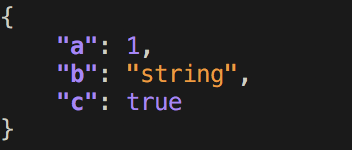
MIT © Travis Clarke