Skip to content

Eagle 4.0 插件,从Stable Diffusion/NovelAI生成的图片中读取元数据。Extract metadata from images generated by Stable Diffusion/NovelAI.

License

Notifications You must be signed in to change notification settings

cpuopt/eagle-plugin-stable-diffusion-png-extractor

Repository files navigation

eagle.png

eagle-plugin-stable-diffusion-png-extractor

Eagle 4.0 Beta 插件,从 Stable Diffusion / NovelAI 生成的图片读取 prompt ✨

Extract prompts from images generated by Stable Diffusion / NovelAI
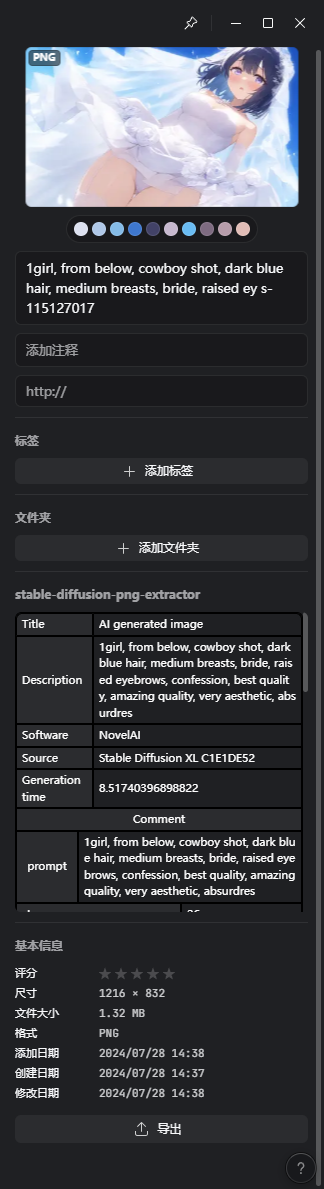

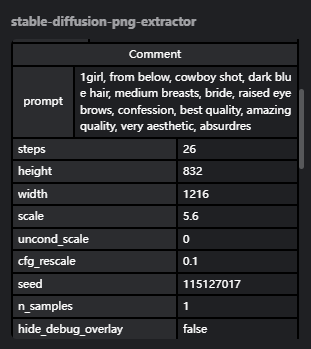
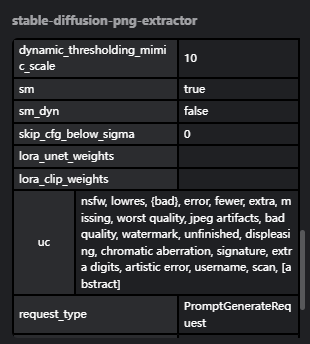
screenshot1
screenshot2 screenshot3

一、安装 Install

Releases下载打包好的 eagleplugin 文件,双击打开即可自动安装。

Download the packaged eagleplugin file from Releases and double-click to install it automatically.

二、构建 & 开发 Construction & development

克隆项目到本地,进入项目文件夹。执行 npm install 安装依赖。

执行 npm build 后,插件所需的全部文件生成在/dist 文件夹中

Clone the project to your local machine and navigate to the project folder. Run npm install to install dependencies.

After running npm build, all the necessary files for the plugin will be generated in the /dist folder.

About

Eagle 4.0 插件,从Stable Diffusion/NovelAI生成的图片中读取元数据。Extract metadata from images generated by Stable Diffusion/NovelAI.

Topics

Resources

License

Stars

Watchers

Forks

Packages

No packages published