Welcome! This is a simple and customizable template for building your own academic website using Quarto. You can easily fork, edit, and publish your site with just a few steps.
- Star this repository to bookmark it for future reference.
- Fork this repository and rename it to
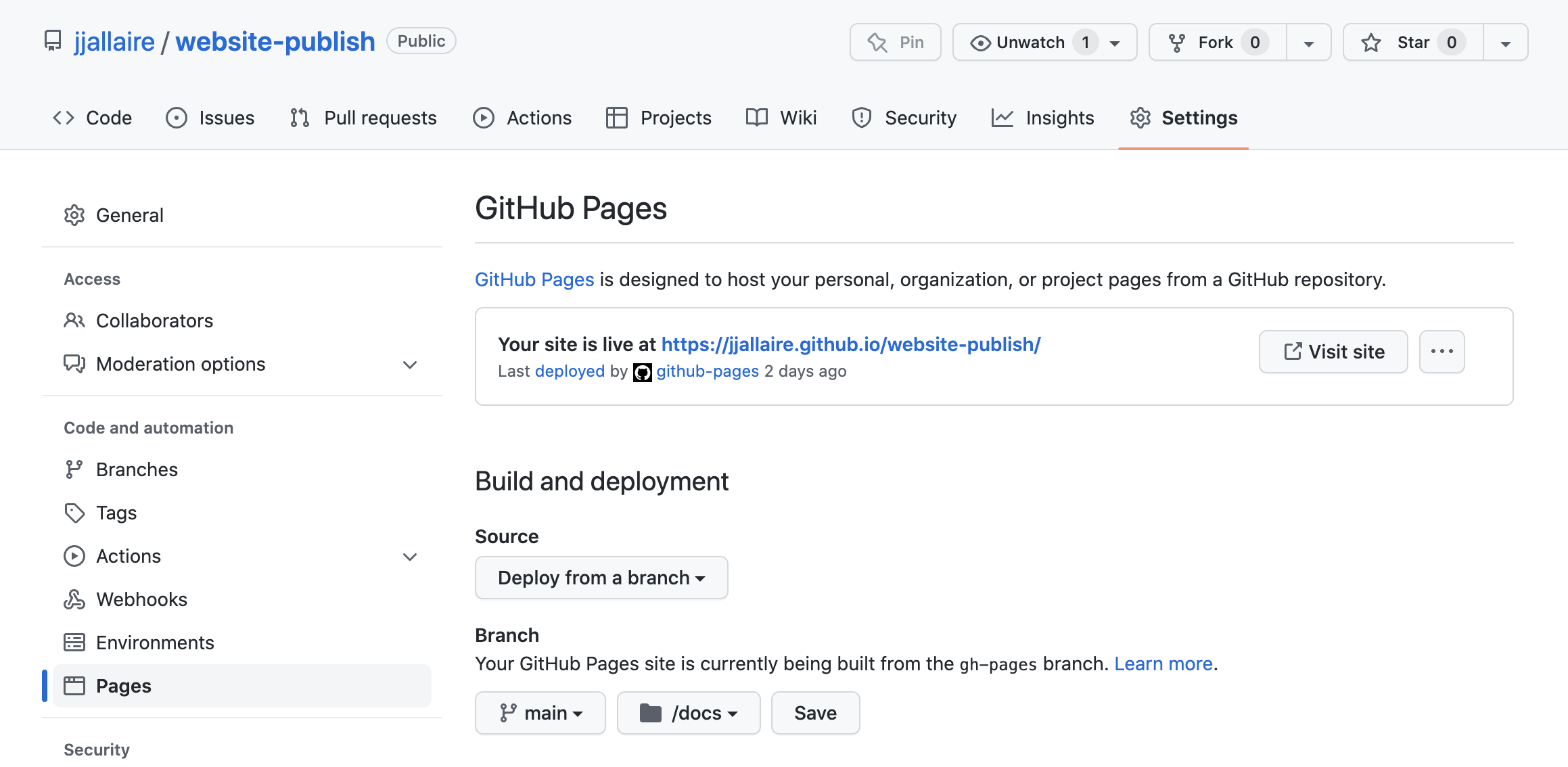
YourGitHubUserName.github.io. - Test to publish your site using GitHub Pages (make sure configuring your GitHub repository to publish from the
docsdirectory, not therootfolder). - Check if your website works or not. If successful, you should see exactly the same website as this one using your own Github Pages url:
https://YourGitHubUserName.github.ioif your repository name isYourGitHubUserName.github.iohttps://YourGitHubUserName.github.io/RepositoryNamefor otherRepositoryName- Errors:
If you achieve this milestone, congratulations! You are now ready to start updating your website:
- Update the
_quarto.ymlfile to configure your site’s basic settings. - Add or edit content in the following files and folders:
/posts/– posts about publications, news, eventsteaching.qmd– teaching informationprojects.yml– research or other projectspeople.qmdand/people/– team or collaborators/files/- profiles, images, pdfs, and includes
- Render and preview your site locally.
Committo publish your updates.- Refine and polish your content and design as needed.
- ✅ Enjoy your new website!
- Link your website on your official pages to let Google and AI bots include in their search results.
- Prepare your publication source file:
- Recommended: maintain
publications.xlsx(already supported by this template, you can convert a bib file to Excel using online tools).
- Recommended: maintain
- Fill
publications.xlsxusing the expected column names:Section,Authors,Year,Date,Title,Paper Link,Journal,Volume,Issue,Pages,DOI- Optional links/metadata:
PDF,Preprint,ShareIt,Supplemental Information,GitHub,Code,Data - Optional flags/info:
Highly Cited,Hot Paper,Awards,Media Coverage,Invited Presentation,Categories
- Install Python dependency (one-time):
pip install openpyxl- Optional validation support:
pip install pyyaml
- Convert Excel to YAML:
python xlsx_to_yml.py- Or with custom files:
python xlsx_to_yml.py input.xlsx output.yml - Force conversion:
python xlsx_to_yml.py --force
- Render your site:
quarto render- The project is already configured with
pre-render: python xlsx_to_yml.pyin_quarto.yml, so conversion will run automatically before rendering if there is any update inpublications.xlsx.
- Check publication page output:
- Main auto-generated page:
pub-listing.qmd - Listing template:
pub-listing.ejs - Styling:
pub-listing.css - Filter: The
remove-stray-divfence.luafilter is added to remove excessive ::: in html after rendering.
- Main auto-generated page:
- Categorize records correctly:
- Use
Sectionas eitherSelected WorkorPeer-reviewed Journal Paperto place entries into corresponding sections. You can add other Section as needed. - Use
Categorieswith separators like,,;, or|for listing filters.
- Use
- Publish changes:
- Enjoy your neat automatically generated publication list. You can customize style and template if you need to add new links and flags.
- Install Quarto
- Learn the basics from the official Quarto documentation