For configuring Certbot with Nginx as quickly and securely as possible.





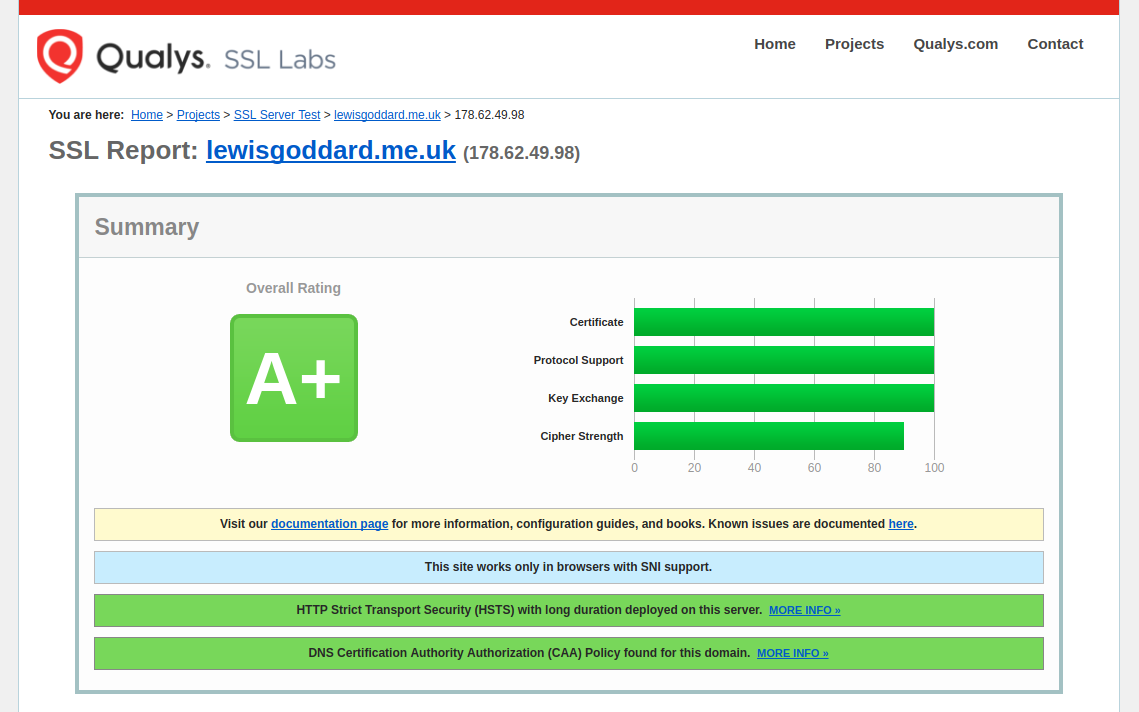
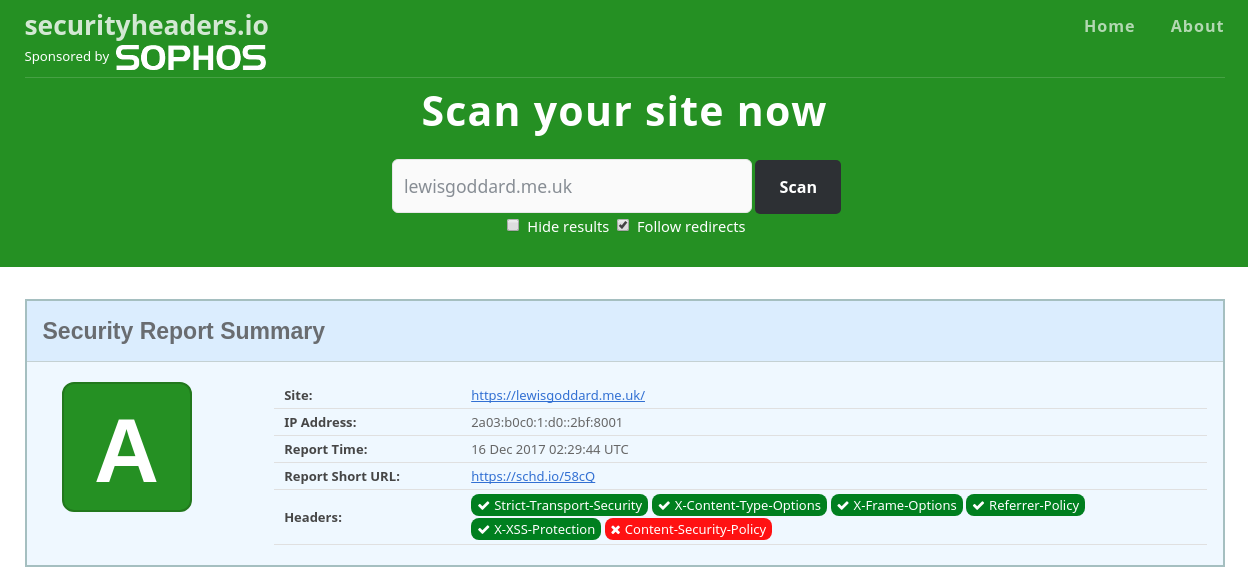
If you want an instant A+ score on Qualys SSL Labs and A score on SecurityHeaders.io, then this is what you'll need to do. You won't need any familiarity with Certbot, Let's Encrypt, the ACME spec, or SSL in general, just basic Nginx configuration.
- Nginx 1.25.1+ for the
http2directive, - OpenSSL 3.5+ for the
X25519MLKEM768post-quantum group.
Check with
nginx -V, which reports the OpenSSL Nginx was built against, not theopensslon your$PATH. Consider deploying on an unsupported releases using Bubbly 2.2.0.
| Platform | Nginx | OpenSSL | Supported |
|---|---|---|---|
| Ubuntu 26.04 LTS | 1.28 | 3.5 | Yes |
| Debian 13 | 1.26 | 3.5 | Yes |
| Ubuntu 25.10 | 1.28 | 3.5 | Meets both, but end of life |
| Ubuntu 24.04 LTS | 1.24 | 3.0 | No |
| Debian 12 | 1.22 | 3.0 | No |
We recommend the use of the distribution's own Nginx, with no third-party repositories.
We'll start off by cloning the project into the home folder with git.
cd &&
sudo apt install git certbot &&
git clone https://github.com/eustasy/BubblyCopy the configuration into place. Run it again whenever you pull a newer Bubbly.
~/Bubbly/bubbly_copy-configs.shThis installs conf.d/bubbly_ssl.conf, which Nginx loads by itself: the shared TLS session cache and the OCSP resolver. Protocols, key exchange groups and ciphers live in directive/bubbly_ssl-profile.conf instead, because Nginx takes those from the default server for the socket whatever a site file asks for — hence the next step.
Once per server, before any site. It answers whatever no site claims: an unknown Host, a connection with no SNI, a probe at your IP address.
sudo rm -f /etc/nginx/sites-enabled/default
sudo ln -s /etc/nginx/sites-available/bubbly_default.conf /etc/nginx/sites-enabled/bubbly_default.conf
sudo nginx -t && sudo service nginx reload
The rm drops the distribution's default site, which also claims default_server; with two, Nginx refuses to start.
This matters more than it looks. The default server sets the TLS protocol list and key exchange groups for every site on the machine, so without one of your own the role falls to whichever sites-enabled/ file sorts first — and a new site sorting earlier would change them underneath you. Site files include the same profile as a safety net.
Copy the verification template and replace example.com with your domain.
sudo cp /etc/nginx/sites-available/bubbly_http.conf /etc/nginx/sites-available/example.com_http.conf
sudo nano /etc/nginx/sites-available/example.com_http.conf
Use Ctrl and \ to initiate a search and replace for example.com with your domain.
sudo ln -s /etc/nginx/sites-available/example.com_http.conf /etc/nginx/sites-enabled/example.com_http.conf
sudo nginx -t && sudo service nginx reload
Or, to keep an existing site running while you migrate, add include location/bubbly_well-known-passthrough.conf; to it instead.
~/Bubbly/bubbly_renew-ssl.sh -d example.com -d www.example.comIt will ask for the root password and an email address, and takes a few seconds.
Certbot installs a systemd timer that runs certbot renew twice a day, and the --deploy-hook recorded in /etc/letsencrypt/renewal/example.com.conf reloads Nginx after each success. No cron job needed.
Renewal being automatic is why this script always passes --force-renew: running it by hand means you want a certificate now. Don't loop it — Let's Encrypt allows 5 certificates per identical set of names every 7 days, refilling one every 34 hours, and that limit cannot be raised. Add --dry-run to rehearse against staging.
Copy the live template alongside the verification one. Review its [OPTION]s more carefully — the certificate paths have to match the domain you requested — and the [OPTION]s and [WARNING]s in the files it includes.
sudo cp /etc/nginx/sites-available/bubbly_https.conf /etc/nginx/sites-available/example.com_https.conf
sudo nano /etc/nginx/sites-available/example.com_https.conf
Use Ctrl and \ to initiate a search and replace for example.com with your domain.
sudo ln -s /etc/nginx/sites-available/example.com_https.conf /etc/nginx/sites-enabled/example.com_https.conf
sudo nginx -t && sudo service nginx reload
Keep example.com_http.conf symlinked permanently. It serves all HTTP traffic, ACME challenges included, so renewals keep working even after a certificate has expired.
Nginx 1.23.2+ generates and rotates ticket keys itself, in the shared session cache. You only need your own if several Nginx instances behind a load balancer have to resume each other's tickets.
~/Bubbly/bubbly_generate-tickets.shThen uncomment ssl_session_ticket_key in /etc/nginx/conf.d/bubbly_ssl.conf and reload. Run it again to rotate: the current key moves to ticket.old.key and a fresh one is written, so issued tickets keep working. Nginx encrypts with the first key listed and decrypts with any of them, so keep the newest on top. Both are written 600, since the key decrypts captured sessions.
Either way, every site shares one session cache — and on 1.23.2+ the automatic keys live in it — so a session begun on one site can be resumed against another. Fine across sites you own, but one site's TLS settings are therefore not a boundary around it; a site needing one declares its own ssl_session_cache zone.
Every knob is marked [OPTION] in the configuration files, with [DEFAULT] on the active choice and [WARNING] where one can bite. Six of the changes below are already sitting commented out at the bottom of your _https.conf, under Optional Includes, so most of this is uncommenting a line and reloading.
| Want | Advice | Change |
|---|---|---|
| Brotli | Recommended | install libnginx-mod-http-brotli-filter, then uncomment in groups/performance-common.conf |
| Per-site log files | Recommended with more than one site | uncomment directive/bubbly_logs.conf, then edit its paths — unedited it restates the defaults |
| A Content Security Policy | Recommended, carefully | Option 2 or 3 in directive/bubbly_security-headers.conf |
| Only expected request methods | Optional hardening | uncomment location/bubbly_methods.conf |
| Uploads over 1 MB | Optional | uncomment directive/bubbly_uploads.conf — 10M |
| Custom 404 and 50x pages | Optional | create the pages in the site root, then uncomment location/bubbly_errors.conf |
| PHP that runs longer than 60s | Only if needed | raise fastcgi_read_timeout in location/bubbly_extensionless-php.conf |
| A per-site connection cap | Only if needed | uncomment directive/bubbly_limits_server.conf |
| TLS 1.3 only | Only if essential | Option 1 in directive/bubbly_ssl-profile.conf — drops pre-2020 clients |
| HSTS across subdomains | Only if essential | Option 2 in directive/bubbly_security-headers.conf |
Nginx caps request bodies at 1 MB, so uploads fail with 413 before reaching PHP until bubbly_uploads.conf is included — and PHP's own upload_max_filesize and post_max_size have to allow them too. Without bubbly_logs.conf, the HTTPS block logs to the distribution's shared log and HTTP traffic is not logged at all; _http.conf marks the bubbly_logs_off.conf line to swap if you want port 80 logged. Error pages come with a trap worth respecting: a missing 404.html 404s, re-enters error_page, and Nginx aborts the loop with a 500. HSTS and TLS 1.3-only are essential-only because neither walks back easily — the first commits subdomains that may not exist yet to HTTPS for two years, the second refuses anything older than roughly 2020.
Essential when Nginx sits behind one; pointless otherwise.
$binary_remote_addr is the proxy, so rate limits count your whole audience as one client and every log line records the proxy. Uncomment directive/bubbly_real-ip.conf — it is listed in both site templates — or include it from a file in conf.d/ to cover every site at once, since one missed site leaves its logs and limits wrong.
Only trust ranges you control. Naming one you do not own lets anyone in it forge their address.
Optional, and deliberately not enabled by default: a safe rate depends on whether you are behind a proxy and whether clients speak HTTP/2, neither of which Bubbly can know.
Uncomment an include inside location ~ \.php$ — see location/bubbly_extensionless-php.conf — so only the requests that cost something are counted, rather than every stylesheet and image alongside them. Zones, rates and sizes live in conf.d/bubbly_limits.conf.
Optional; nothing to do unless you want a version other than the one your release ships.
Ubuntu 26.04 LTS ships PHP 8.5, which conf.d/php_sockets.conf selects by default. Run ls /etc/php/ to list the versions installed and ls /var/run/php/ the sockets that exist.
Multiple PHP versions can be easily installed: php8.5-fpm and php8.4-fpm each get their own /etc/php/ tree, systemd unit and socket. Each release only carries one, though — 26.04 has 8.5, 24.04 has 8.3, Debian 13 has 8.4 — so extra versions come from Ondřej Surý:
- Ubuntu 22.04 and 24.04:
ppa:ondrej/php - Ubuntu 26.04 and Debian: packages.sury.org/php, which the PPA is merging into
Their version strings sort above the distribution's, so apt prefers their builds for every PHP package once enabled. To put a site on a given version, uncomment Option 2 in location/bubbly_extensionless-php.conf and set $bubbly_php in each site file. Give each site its own FPM pool while you are there, so one cannot exhaust the workers or read another's sessions.