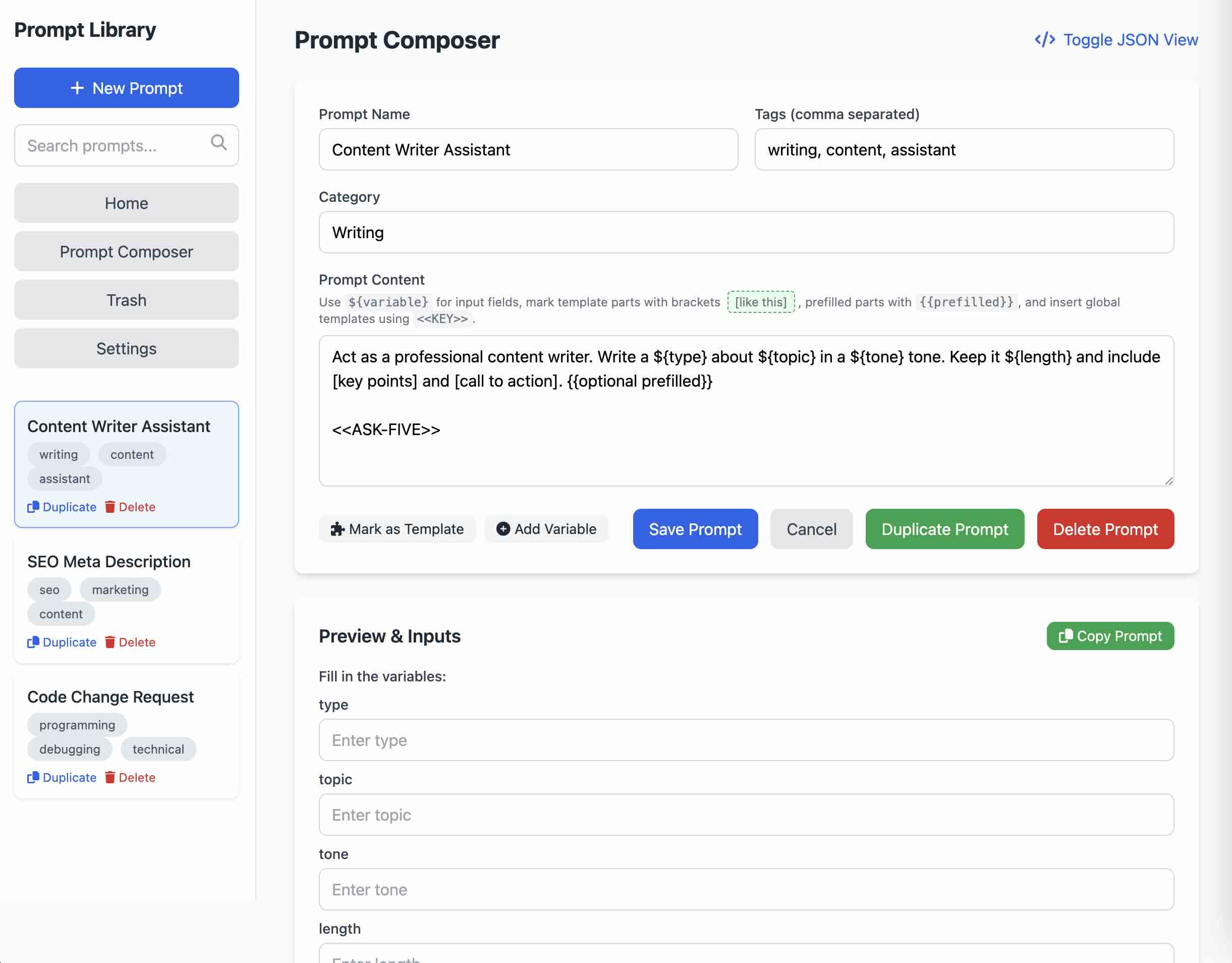
Prompt Library is a single file prompt library and composer web application with local data storage. It was implemented with OpenAI's o3-mini-high model.
When using LLMs daily, keeping track of many prompts and having to identify placeholders to replace can become cumbersome, so I've created this simple web application that serves both as a library and as a composer, which supports variables, placeholders, optional parts to include or not include, and global sentences that can be shared across different prompts.
Just download the .html file and run in a web broswer, and that's it!
-
Create and Edit Prompts: You can add, edit, and delete prompts, give each prompt a category, and tag them for quick searching.
-
Variables & Placeholders: Easily insert "variables" into your prompt text. When you want to actually use the prompt, the app will ask you to fill in those variables and automatically replace them in the final text.
-
Template Parts: Bracketed sections like
[some text]can mark out optional or special pieces of a prompt. You can also define "prefilled" parts with{{like this}}, making them easy to toggle on or off in the preview. -
Global Templates: Got phrases or entire blocks of text you reuse all the time? Store them as global templates and then drop them into any prompt with
<<KEY>>. You can turn those sections on or off whenever you generate a new text. -
Trash & Recovery: Deleted prompts go to a Trash area for a while so you can restore them if you make a mistake (or say goodbye forever if you really meant to delete them). Deleted prompts will be permanently deleted after 30 days.
-
Import/Export: Back up everything or move your library to a new computer with the Export/Import feature. It saves all your prompts and global templates to a single JSON file.
-
Preview & Copy: Whenever you load up a prompt, you'll get a live preview that updates with your chosen variables, templates, etc. Then it's just one click to copy the final text.
-
Local Storage: All data is stored locally in the
localStorageof your web browser. No external database calls are made, and no data is shared with any third party. Your data never leaves your local machine.
- Cross-device sharing: Because the application stores everything in the local web browser, there is no built-in capability to share prompts across multiple devices. This would require a database, a backend API, and multi-user login security, which is beyond the scope of this project. However, if you only need this for yourself, you could easily modify the code using any LLM to store the prompts in a database.