Google Summer of Code (GSoC) 2026 Wayback Machine Client-Side AI Extension project
main
  └── sudipta/extension-setup
       └── feature/right-click-menu          ← Parent branch, base for all features
            ├── feature/streaming-response    ← Adds streaming AI response
            │
            └── feature/resizable-minimize-overlay   ← Refactored UI + resizable/minimize
                 └── feature/faqs-famous-persons     ← FAQs + famous people insights
                       └── feature/translate-faqs-insights    ← Translation for all outputs
                             └── feature/accordion-tab-view    ← Accordion + tab UI
                                   └── feature/loading-ui-refinements   ← Spinner/loading polish
                                         └── feature/ai-session-enhancements  ← System prompts + responseConstraint
                                                └── feature/screenshot-quality-enhancements  ← Screenshot + quality responseConstraint + v1 caching
                                                └── feature/caching-report  ← (current) Caching architecture report
main— Initial project setupsudipta/extension-setup— Development environment setupfeature/right-click-menu— Context menu integration with network timing and quality analysisfeature/streaming-response— Real-time streaming of AI responses via Gemini Nanofeature/resizable-minimize-overlay— Shadow DOM isolation, resizable/minimizable popup, refactored into modular UI filesfeature/faqs-famous-persons— Structured insights (FAQs + famous people) alongside streamed summariesfeature/translate-faqs-insights— Translator API for FAQs, famous people, and summary textfeature/accordion-tab-view— Accordion containers, tab switching, and unified loading statesfeature/loading-ui-refinements— Changed the UI to match the wayback machine colourfeature/ai-session-enhancements— System prompts and responseConstraint for AI sessionsfeature/screenshot-quality-enhancements— Viewport screenshot + multimodal AI for quality analysis, quality responseConstraint schema, instant overlay, clone per session to prevent context leaking, v1 caching for summarize with StorageCleanerfeature/caching-report— Comprehensive caching implementation report atdocs/CACHING.md
- Clone the repository
git clone https://github.com/internetarchive/wbm_client_side_ai_extension.git
cd wbm_client_side_ai_extension-
Open Chrome and go to
chrome://extensions -
Enable Developer mode in the top right
-
Click Load unpacked and select the project folder
-
Visit any archived page on web.archive.org
-
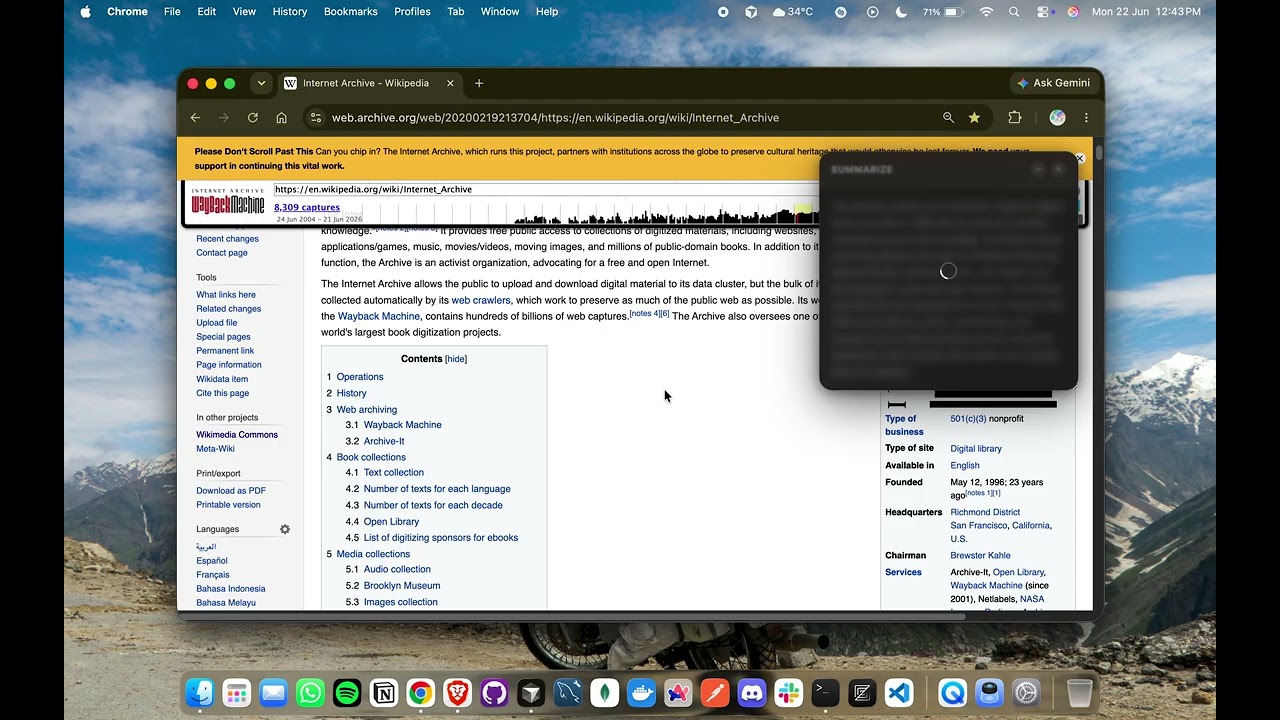
Right-click anywhere on the page to open the context menu.
Detailed technical docs describing the end-to-end flow of each feature (entry points, message routing, AI sessions, caching, and edge cases):
- Summarize — on-device page summarization, structured insights, and translation
- Quality — page quality verdict combining load timings, HTTP status, and screenshot analysis
- Comparison — snapshot diffing, AI change summaries, and the archive-aware chat
- Architecture — MV3 runtime contexts, communication model, overlay pattern, directory layout
- Message Protocol — full reference of every runtime message between contexts
- AI Sessions — how the on-device Gemini Nano sessions, streaming, and translation APIs are used
Weekly progress, meeting notes and development logs are maintained at: Notion Doc
Blog posts documenting the journey: Hashnode Blog