
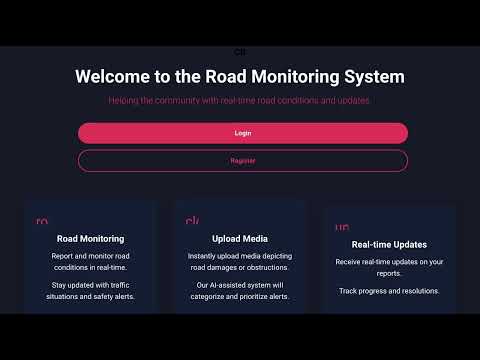
Crowd Quested Intelligent Road Monitoring System is a sophisticated solution for real-time damage reporting and visualization. This system leverages the power of Convolutional Neural Networks (CNN) and YOLOv5 for precise damage detection, offering an innovative approach to road monitoring.


- MERN Stack: MongoDB, Express.js, React, Node.js
- Machine Learning: CNN, YOLOv5
- APIs: Google Maps API
- Backend Framework: FastAPI
- Frontend: React
The easiest way to run the entire application is using Docker Compose:
- Clone the repository
git clone https://github.com/adiabb05-1317/Road-Guardian.git
cd Road-Guardian- Run with Docker Compose
docker-compose up --build- Access the application
- Frontend: http://localhost
- Backend API (Express): http://localhost:3001
- ML API (FastAPI): http://localhost:8000
- MongoDB: localhost:27017
That's it! The application is now running with:
- React frontend on port 80
- Node.js/Express backend on port 3001
- FastAPI (YOLOv5 inference) on port 8000
- MongoDB database on port 27017
If you prefer to run services individually:
cd newBackend
npm install
pip install -r requirements.txt

# Terminal 1: Start Express server
npm start

# Terminal 2: Start FastAPI server
uvicorn main:app --host 0.0.0.0 --port 8000 --reloadcd newfrontend
npm install
npm start# Make sure MongoDB is running locally on port 27017
mongod- Open your browser and navigate to http://localhost (or http://localhost:3000 if running manually)
- Sign up for a new account or log in
- Navigate to the Detection page
- Upload an image of a road
- Click "Detect" to run YOLOv5 inference
- View detected potholes and road damage
- Fill in location details and submit a complaint to the database
Copy .env.example to .env and configure if needed:
cp .env.example .envDefault values work out of the box with Docker Compose.
docker-compose downTo remove all data including the database:
docker-compose down -v