A standalone desktop application for Typst web editor, built with Tauri
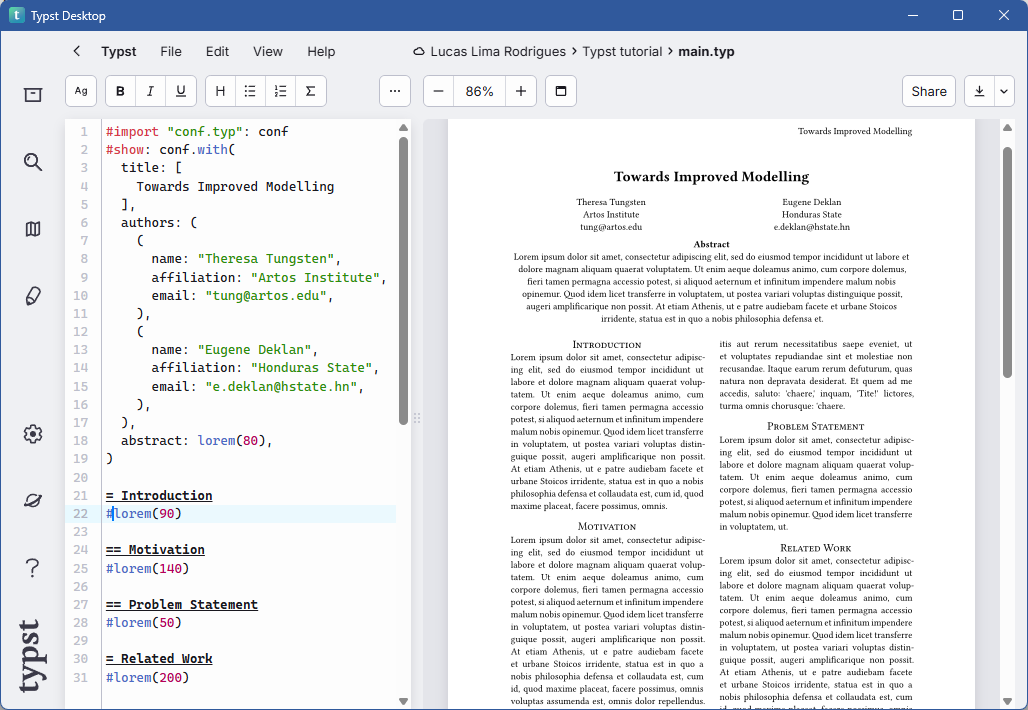
- Native Desktop Experience: Interact with Typst's web editor directly from your desktop without needing open a browser.
- Fast and Lightweight: Built with Tauri, ensuring a minimal footprint and quick startup times.
- Download the latest release from the Releases page.
- Clone this repository:
git clone https://github.com/lucaslrodri/typst-desktop.git- Navigate to the project directory:
cd typst-desktop- Install tauri:
cargo install tauri-cli- Build the application:
cargo tauri build- Launch the application.
- Log in with your Typst account to access your documents.
- Use the Typst editor as you would in a web browser.
The cache folder on Windows is located at %LOCALAPPDATA%\com.lucaslrodri.typst-desktop.app\cache. You can clear it if you encounter any issues with the application.
Contributions are welcome! If you have suggestions for improvements or find bugs, please open an issue or submit a pull request.
For more details on how to install and use Tauri, refer to the Tauri documentation.
This project is licensed under the MIT License. See the LICENSE file for details.