A no internet necessary, 5e compatible, intiative tracker.
A more detailed look:
Adventure Wrench How-To
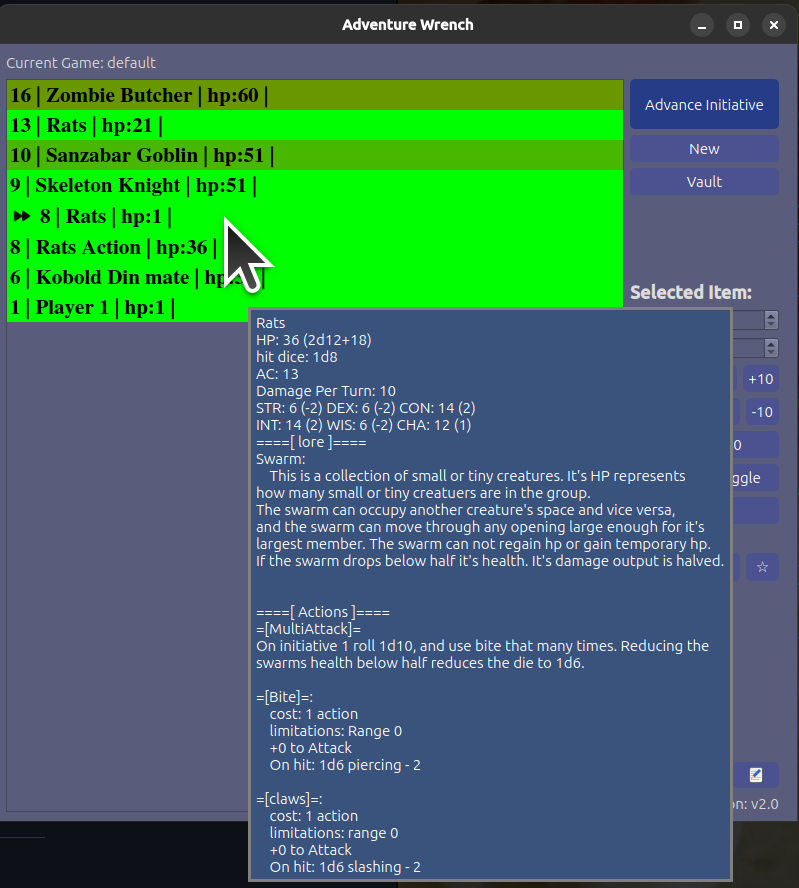
The Main window for this program is the game tracker. It keeps tabs on important information, notes and marks about the current encounter. It's clean and easy to see what is going on at a glance.
Full stat blocks are hidden by default but can be seen on mouse roll-over. You can pull them up in seperate window by double-clicking them.
[
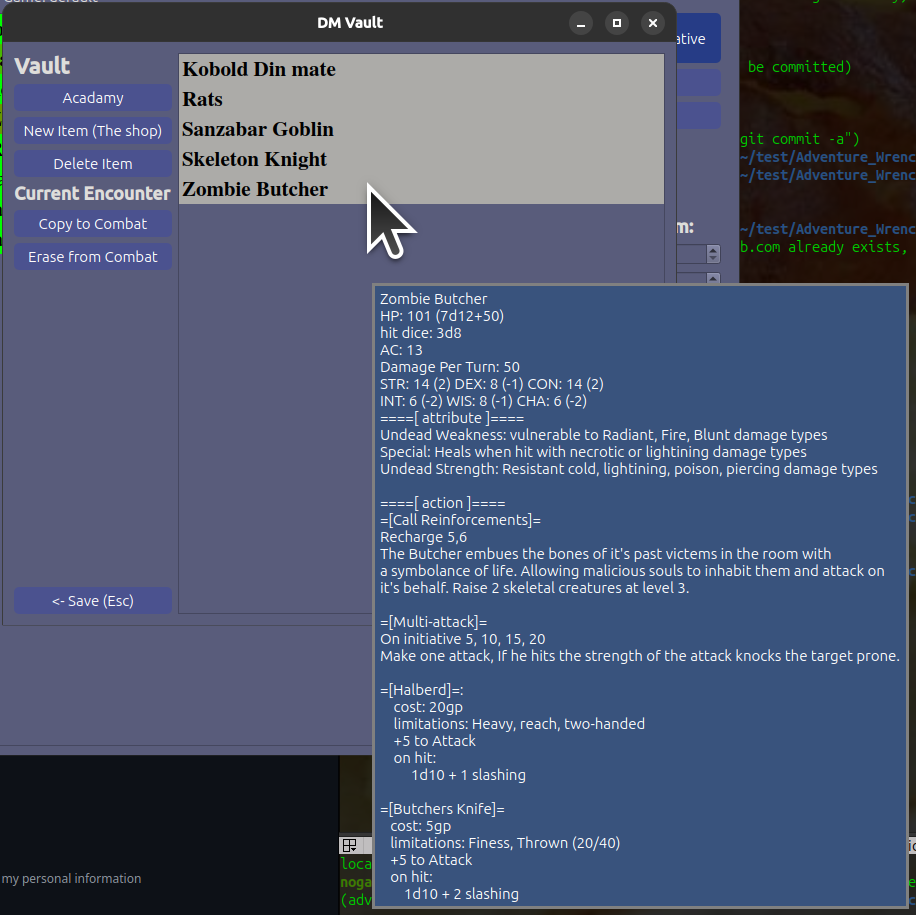
The vault is a repository of all unique things that can be copied into the current game when needed. Think varients of a monster, trap, npc, or boss. Or even pre-generated lists of information like lore, background, or geography.
[
If you are running windows or linux, likely all you need is to look up the latest Release for your platform.
Then you can simply unzip and move the folder to where you want the files to be kept, and if you are so inclined you can make a shortcut at that time.
The application and all of it's dependencies will be in a self-contained folder the executable file is "adventure_wrench".
As of this writing I am working on a Flatpak distrobution for linux which will have much better integration with linux systems.
This application requires at least python 3.10, all versions before that are untested.
On a local command line interface: git clone the project to a local folder.
optionally create a virtual enviornment and make sure it's activated.
cd src/ pip install -r requirements.txt
Then to run the application: python main.py
First you have to build the application as stated in python install instructions. Then you can do the following: pip install cx_Freeze Make sure to read how cx_Freeze works and is used. Might be important info.
cd src/
Then do one of the following or make a new setup.py for your distrobution.
python linux-setup.py build or python windows-setup.py build
The distibution will be in a build/ folder.
If you have any questions please pop them into the Issues tracker on github