
Apple Calendar-inspired application with day, week and month views, drag and drop, optimistic updates, offline support, keyboard shortcuts, light & dark mode and more. Built using Nuxt UI components on top of Nuxt's payload caching, route validation and view transitions.
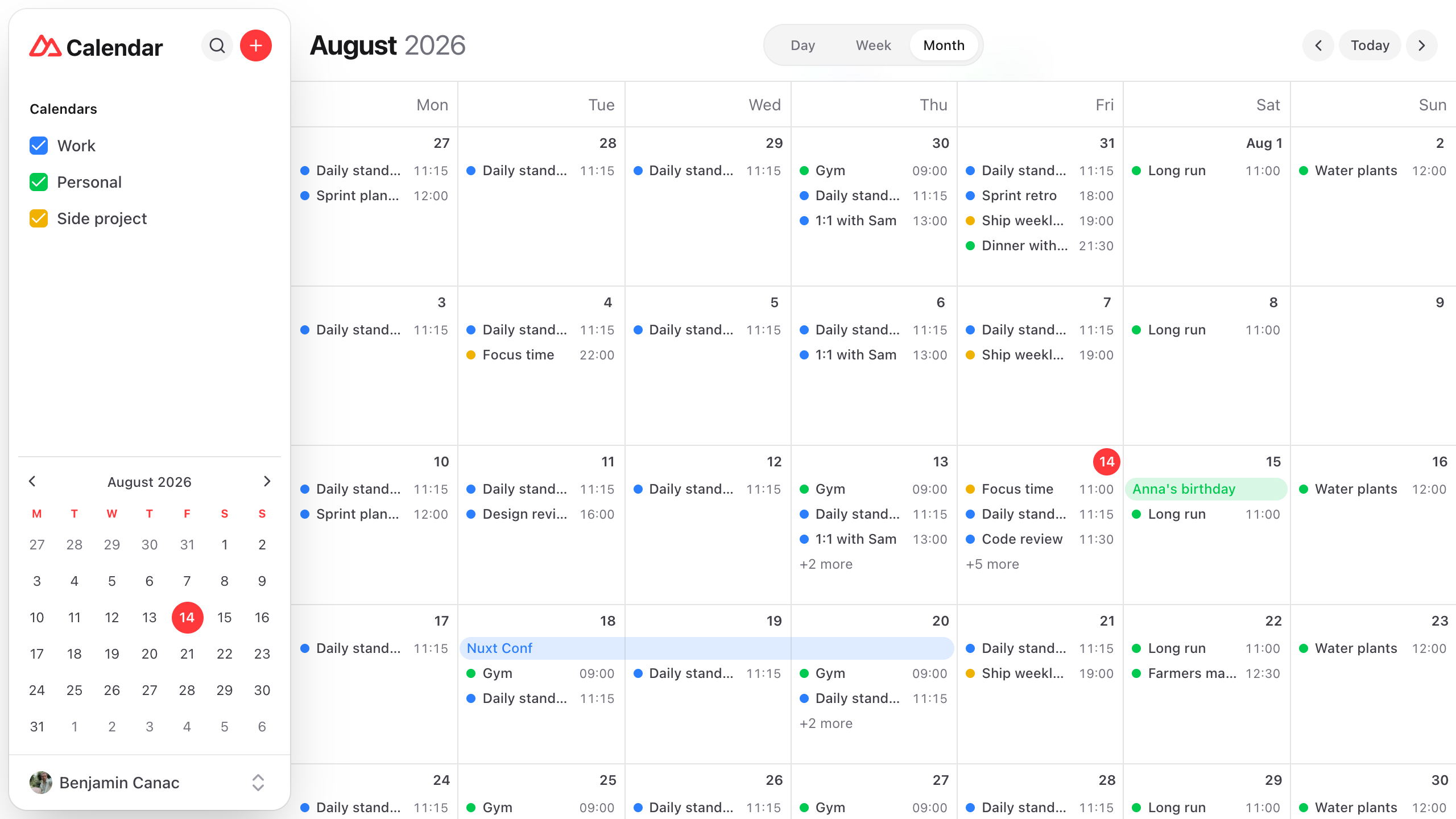
- Day, week and month views - Date-based routing (
/day/2026-08-11,/week/2026-08-11,/month/2026-08-11) withdefinePageMeta({ validate })turning invalid views or dates into a 404 - Infinite month scrolling - Virtualized with the
ScrollAreacomponent, streaming events in aligned 6-week chunks while the URL and title follow as you scroll - Drag and drop - Move events across days, drag the bottom edge to resize, snapped to 15 minutes
- Inline event editing - Double-click or drag the grid to draw an event where you point, across days for an all-day one, then fill it in from a popover anchored to it, the same form an existing event opens into
- Quick event - Type "Movie at 7pm on Friday" into the
+menu and gpu-time reads the time out of it in the browser, the rest becomes the title and the event lands on its day as a draft to check before it saves - Optimistic mutations - Creations, edits and deletions apply instantly to a client overlay re-applied over every server response, with rollback and a toast on failure
- Offline support - Mutations queue while offline and replay on reconnect thanks to upsert and idempotent server semantics, with an indicator in the header
- Payload caching - Each visible range is a keyed
useFetchwithgetCachedData, adjacent ranges are warmed in the background so a prev/next click never waits on the network - View transitions -
experimental.viewTransitionslides the grid left or right on prev/next navigation - Multiple calendars - Color coding with cookie-persisted visibility toggles, plus a mini calendar with hover prefetching
- Shared contract - The event types, the zod schema the Nitro routes validate against and the floating local datetime helper both sides write with all live in
shared/, so client and server never disagree on what a date string means - Keyboard shortcuts -
tfor today,d/w/mto switch views,nfor a new event, arrow keys to navigate - Responsive layout - Small screens show a 3-day window and the sidebar becomes a slideover
npm create nuxt@latest -- -t ui/calendar
Make sure to install the dependencies:
pnpm installNote
The demo API stores events in memory and server/utils/store.ts seeds them relative to the current date, so the demo never goes stale. Swap it for a database and the client overlay keeps working, or can be removed.
Start the development server on http://localhost:3000:
pnpm devBuild the application for production:
pnpm buildLocally preview production build:
pnpm previewCheck out the deployment documentation for more information.
Install Renovate GitHub app on your repository and you are good to go.