Visit airstate.dev to learn more.


The quickest way to cd into a workspace folder inside a JavaScript monorepo. It's simpler than fzf, more predictable than zoxide (zi), and specifically created for JavaScript monorepos.
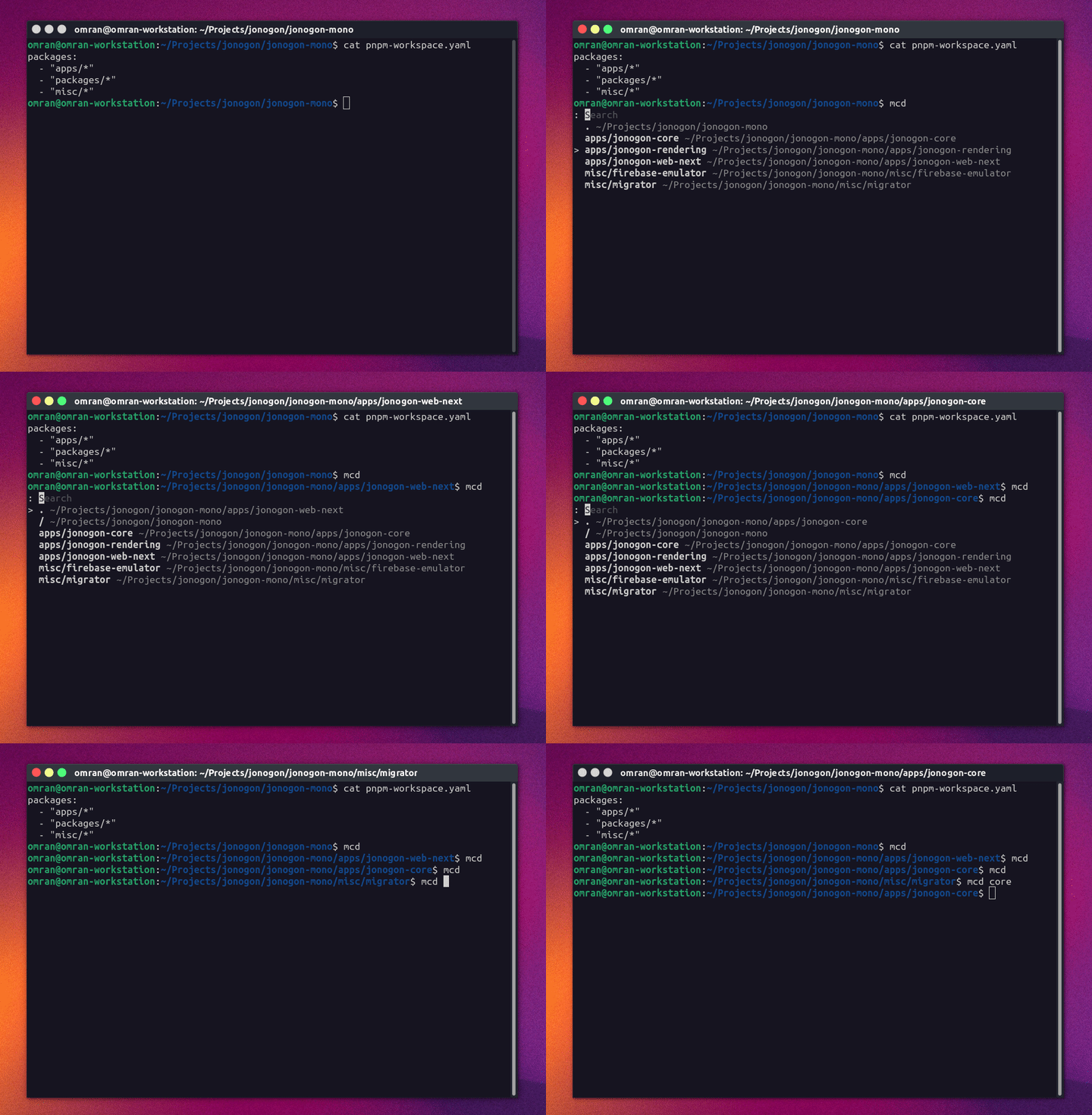
cdinto any of the folders in a JavaScript monorepo- Support for both interactive and non-interactive modes
- Support for
- pnpm workspaces
- npm workspaces
- yarn workspaces
- Custom directories via
.monocdrc.json
- Support for non-javascript monorepos, also via
.monocdrc.json - Works inside Docker containers. (Tested with Alpine and Debian images)
- Tested on Linux & MacOS
curl -L "https://github.com/omranjamal/mono-cd/releases/latest/download/install.sh" | sh -# interactive mode
mcd
# non interactive `cd` if there is only one match
mcd [search]Up/Downto select a directory.- Starting typing to filter list of directories.
- Vim keybindings are also available, i.e.
Ctrl+N/Pis the same asUpandDown
This is a configuration file which you place at the root of your monorepo. You can use to include workspaces or exclude workspaces from being searched for workspaces.
Example
{
   "$schema": "https://raw.githubusercontent.com/omranjamal/mono-cd/refs/heads/main/monocdrc-schema.json",
   "workspaces": [
      "another_folder/*",
      "!another_folder/but_not_this_one"
   ],
   "exclude": [
      "dont_even_try/to_match_in_this_folder"
   ]
}By default mono-cd will take us at most the number of rows available in your terminal, but if you
want to override that to a fixed number of rows, set MONOCD_MAX_HEIGHT to a number such as:
# ~/.bashrc
export MONOCD_MAX_HEIGHT=12Docker installation has been tested with alpine and debian images.
To install in docker, add the following line to your Dockerfile
RUN wget -qO - https://github.com/omranjamal/mono-cd/releases/latest/download/docker-install.sh | sh -mono-cd adds the mcd command to ~/.profile when installing inside Docker.
Make sure to start your shell as a login shell to ensure the ~/.profile
is loaded.
Shells can be started as login shells typically with the -l flag as such:
bash -l   # ideal for debian images
sh -l # works across most images, ideal for alpine images# Create installation directory
mkdir -p ~/.local/share/omranjamal/mono-cd
# Download the binary (check releases page for all available binaries)
wget -O ~/.local/share/omranjamal/mono-cd/mono-cd https://github.com/omranjamal/mono-cd/releases/latest/download/mono_amd64
# Add execution permissions
chmod +x ~/.local/share/omranjamal/mono-cd/mono-cd
# Add to shell (assuming you're using bash)
~/.local/share/omranjamal/mono-cd/mono-cd --install ~/.bashrcYou can either change the function name in your
~/.bashrc / ~/.zshrc / ~/.profile file from mcd to something
else.
OR, you could add the alias in Step 4 from above by passing as the last argument.
~/.local/share/omranjamal/mono-cd/mono-cd --install ~/.bashrc monocdmonocd being the different alias that you want.
git clone [email protected]:omranjamal/mono-cd.git

cd ./mono-cd

go get
go run main.goMIT
mono-cd is actually based on
bookmark-cd
a similar project aimed at cd-ing into bookmarked folders
a breeze.