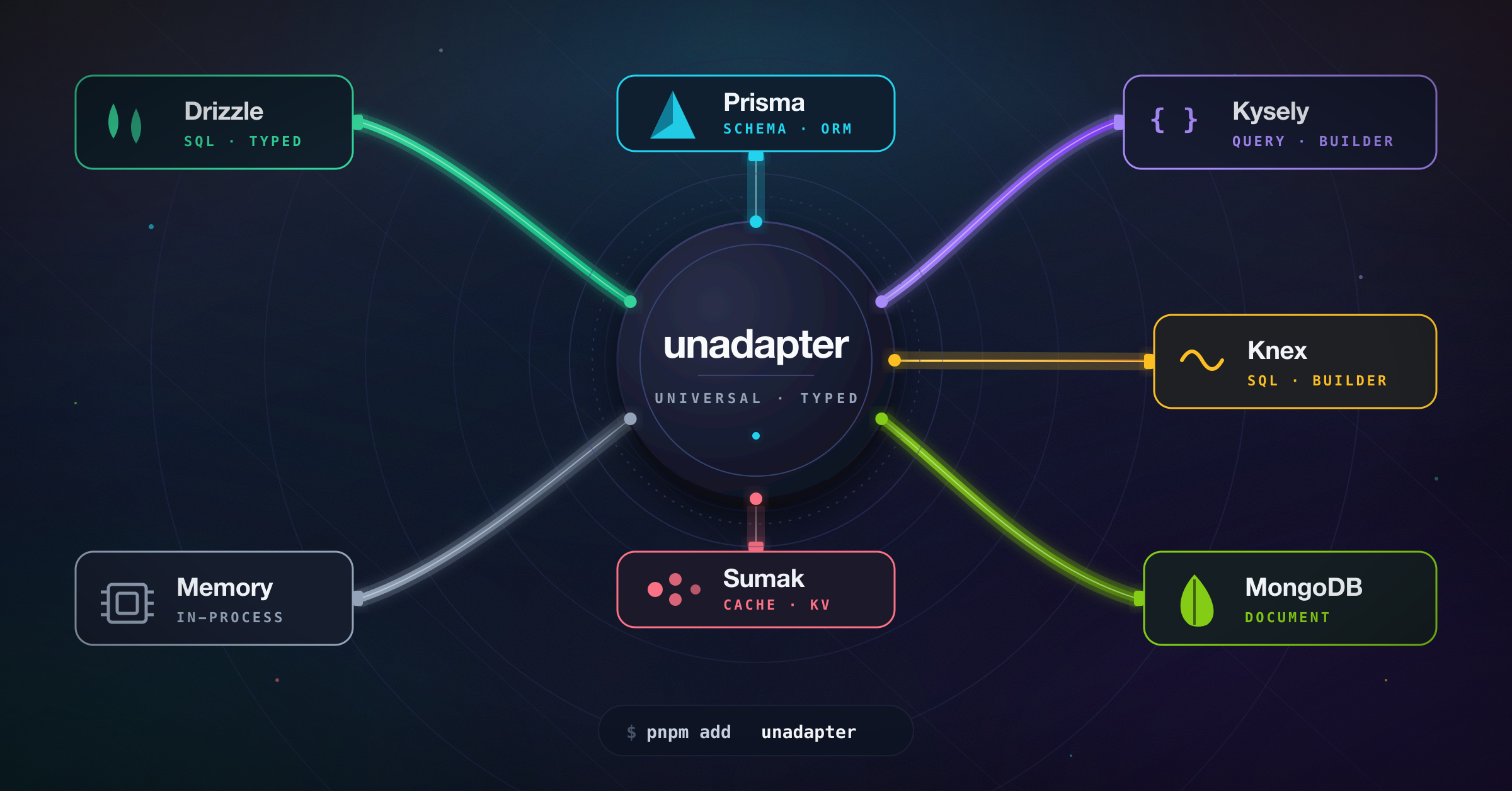
A universal adapter interface for connecting various databases and ORMs with a standardized API.





- 🔄 Standardized interface for common database operations (create, read, update, delete)
- 🛡️ Type-safe operations
- 🔍 Support for complex queries and transformations
- 🌐 Database-agnostic application code
- 🔄 Easy switching between different database providers
- 🗺️ Custom field mapping
- 📊 Support for various data types across different database systems
- 🏗️ Fully customizable schema definition
- Overview
- Installation
- Available Adapters
- Getting Started
- Generate
- Migrations
- API Reference
- Contributing
- License
unadapter provides a consistent interface for database operations, allowing you to switch between different database solutions without changing your application code. This is particularly useful for applications that need database-agnostic operations or might need to switch database providers in the future.
🚧 Development Status
This project is based on the adapter architecture from better-auth and is being developed to provide a standalone, ESM-compatible adapter solution that can be used across various open-source projects.
- Initial adapter architecture
- Basic adapters implementation
- Comprehensive documentation
- Performance optimizations
- Additional adapter types
- Integration examples
- Complete abstraction from better-auth and compatibility with all software systems

# Using pnpm
pnpm add unadapter

# Using npm
npm install unadapter

# Using yarn
yarn add unadapter
You'll also need to install the specific database driver or ORM you plan to use.
| Adapter | Description | Status |
|---|---|---|
| Memory Adapter | In-memory adapter ideal for development and testing | ✅ Ready |
| Prisma Adapter | For Prisma ORM | ✅ Ready |
| MongoDB Adapter | For MongoDB | ✅ Ready |
| Drizzle Adapter | For Drizzle ORM | ✅ Ready |
| Kysely Adapter | For Kysely SQL query builder | ✅ Ready |
| Knex Adapter | For Knex SQL query builder | ✅ Ready |
| Sumak Adapter | For Sumak — type-safe, AST-first SQL query builder | ✅ Ready |
Basic Usage
import type { PluginSchema } from "unadapter/types"
import { createAdapter, createTable, mergePluginSchemas } from "unadapter"
import { memoryAdapter } from "unadapter/memory"

// Create an in-memory database for testing
const db = {
  user: [],
  session: [],
}

// Define a consistent options interface that can be reused
interface CustomOptions {
  appName?: string
  plugins?: {
    schema?: PluginSchema
  }[]
  user?: {
    fields?: {
      name?: string
      email?: string
      emailVerified?: string
      image?: string
      createdAt?: string
    }
  }
}

const tables = createTable<CustomOptions>((options) => {
  const { user, ...pluginTables } = mergePluginSchemas<CustomOptions>(options) || {}

  return {
    user: {
      modelName: "user",
      fields: {
        name: {
          type: "string",
          required: true,
          fieldName: options?.user?.fields?.name || "name",
          sortable: true,
        },
        email: {
          type: "string",
          unique: true,
          required: true,
          fieldName: options?.user?.fields?.email || "email",
          sortable: true,
        },
        emailVerified: {
          type: "boolean",
          defaultValue: () => false,
          required: true,
          fieldName: options?.user?.fields?.emailVerified || "emailVerified",
        },
        createdAt: {
          type: "date",
          defaultValue: () => new Date(),
          required: true,
          fieldName: options?.user?.fields?.createdAt || "createdAt",
        },
        updatedAt: {
          type: "date",
          defaultValue: () => new Date(),
          required: true,
          fieldName: options?.user?.fields?.updatedAt || "updatedAt",
        },
        ...user?.fields,
        ...options?.user?.fields,
      },
    },
  }
})

const adapter = createAdapter(tables, {
  database: memoryAdapter(db, {}),
  plugins: [], // Optional plugins
})

// Now you can use the adapter to perform database operations
const user = await adapter.create({
  model: "user",
  data: {
    name: "John Doe",
    email: "john@example.com",
    emailVerified: true,
    createdAt: new Date(),
    updatedAt: new Date(),
  },
})

// Find the user
const foundUsers = await adapter.findMany({
  model: "user",
  where: [
    {
      field: "email",
      value: "john@example.com",
      operator: "eq",
    },
  ],
})
Using Custom Schema and Plugins
import type { PluginSchema } from "unadapter/types"
import { createAdapter, createTable, mergePluginSchemas } from "unadapter"
import { memoryAdapter } from "unadapter/memory"

// Create an in-memory database for testing
const db = {
  users: [],
  products: [],
}

// Using the same pattern for CustomOptions
interface CustomOptions {
  appName?: string
  plugins?: {
    schema?: PluginSchema
  }[]
  user?: {
    fields?: {
      fullName?: string
      email?: string
      isActive?: string
    }
  }
  product?: {
    fields?: {
      title?: string
      price?: string
      ownerId?: string
    }
  }
}

const tables = createTable<CustomOptions>((options) => {
  const { user, product, ...pluginTables } = mergePluginSchemas<CustomOptions>(options) || {}

  return {
    user: {
      modelName: "users", // The actual table/collection name in your database
      fields: {
        fullName: {
          type: "string",
          required: true,
          fieldName: options?.user?.fields?.fullName || "full_name",
          sortable: true,
        },
        email: {
          type: "string",
          unique: true,
          required: true,
          fieldName: options?.user?.fields?.email || "email_address",
        },
        isActive: {
          type: "boolean",
          fieldName: options?.user?.fields?.isActive || "is_active",
          defaultValue: () => true,
        },
        createdAt: {
          type: "date",
          fieldName: "created_at",
          defaultValue: () => new Date(),
        },
        ...user?.fields,
        ...options?.user?.fields,
      },
    },
    product: {
      modelName: "products",
      fields: {
        title: {
          type: "string",
          required: true,
          fieldName: options?.product?.fields?.title || "title",
        },
        price: {
          type: "number",
          required: true,
          fieldName: options?.product?.fields?.price || "price",
        },
        ownerId: {
          type: "string",
          references: {
            model: "user",
            field: "id",
            onDelete: "cascade",
          },
          required: true,
          fieldName: options?.product?.fields?.ownerId || "owner_id",
        },
        ...product?.fields,
        ...options?.product?.fields,
      },
    },
  }
})

// User profile plugin schema
const userProfilePlugin = {
  schema: {
    user: {
      modelName: "user",
      fields: {
        bio: {
          type: "string",
          required: false,
          fieldName: "bio",
        },
        location: {
          type: "string",
          required: false,
          fieldName: "location",
        },
      },
    },
  },
}

const adapter = createAdapter(tables, {
  database: memoryAdapter(db, {}),
  plugins: [userProfilePlugin],
})

// Now you can use the adapter with your custom schema
const user = await adapter.create({
  model: "user",
  data: {
    fullName: "John Doe",
    email: "john@example.com",
    bio: "Software developer",
    location: "New York",
  },
})

// Create a product linked to the user
const product = await adapter.create({
  model: "product",
  data: {
    title: "Awesome Product",
    price: 99.99,
    ownerId: user.id,
  },
})MongoDB Adapter Example
import type { PluginSchema } from "unadapter/types"
import { createAdapter, createTable, mergePluginSchemas } from "unadapter"
import { MongoClient } from "mongodb"
import { mongodbAdapter } from "unadapter/mongodb"

// Create a database client
const client = new MongoClient("mongodb://localhost:27017")
await client.connect()
const db = client.db("myDatabase")

// Using the same pattern for CustomOptions
interface CustomOptions {
  appName?: string
  plugins?: {
    schema?: PluginSchema
  }[]
  user?: {
    fields?: {
      name?: string
      email?: string
      settings?: string
    }
  }
}

const tables = createTable<CustomOptions>((options) => {
  const { user, ...pluginTables } = mergePluginSchemas<CustomOptions>(options) || {}

  return {
    user: {
      modelName: "users",
      fields: {
        name: {
          type: "string",
          required: true,
          fieldName: options?.user?.fields?.name || "name",
        },
        email: {
          type: "string",
          required: true,
          unique: true,
          fieldName: options?.user?.fields?.email || "email",
        },
        settings: {
          type: "json",
          required: false,
          fieldName: options?.user?.fields?.settings || "settings",
        },
        createdAt: {
          type: "date",
          defaultValue: () => new Date(),
          fieldName: "createdAt",
        },
        ...user?.fields,
        ...options?.user?.fields,
      },
    },
  }
})

// Initialize the adapter
const adapter = createAdapter(tables, {
  database: mongodbAdapter(db, {
    useNumberId: false,
  }),
  plugins: [],
})

// Use the adapter
const user = await adapter.create({
  model: "user",
  data: {
    name: "Jane Doe",
    email: "jane@example.com",
    settings: { theme: "dark", notifications: true },
  },
})
Prisma Adapter Example
import type { PluginSchema } from "unadapter/types"
import { createAdapter, createTable, mergePluginSchemas } from "unadapter"
import { PrismaClient } from "@prisma/client"
import { prismaAdapter } from "unadapter/prisma"

// Initialize Prisma client
const prisma = new PrismaClient()

// Using the same pattern for CustomOptions
interface CustomOptions {
  appName?: string
  plugins?: {
    schema?: PluginSchema
  }[]
  user?: {
    fields?: {
      name?: string
      email?: string
      profile?: string
    }
  }
  post?: {
    fields?: {
      title?: string
      content?: string
      authorId?: string
    }
  }
}

const tables = createTable<CustomOptions>((options) => {
  const { user, post, ...pluginTables } = mergePluginSchemas<CustomOptions>(options) || {}

  return {
    user: {
      modelName: "User", // Match your Prisma model name (case-sensitive)
      fields: {
        name: {
          type: "string",
          required: true,
          fieldName: options?.user?.fields?.name || "name",
        },
        email: {
          type: "string",
          required: true,
          unique: true,
          fieldName: options?.user?.fields?.email || "email",
        },
        profile: {
          type: "json",
          required: false,
          fieldName: options?.user?.fields?.profile || "profile",
        },
        createdAt: {
          type: "date",
          defaultValue: () => new Date(),
          fieldName: "createdAt",
        },
        ...user?.fields,
        ...options?.user?.fields,
      },
    },
    post: {
      modelName: "Post",
      fields: {
        title: {
          type: "string",
          required: true,
          fieldName: options?.post?.fields?.title || "title",
        },
        content: {
          type: "string",
          required: false,
          fieldName: options?.post?.fields?.content || "content",
        },
        published: {
          type: "boolean",
          defaultValue: () => false,
          fieldName: "published",
        },
        authorId: {
          type: "string",
          references: {
            model: "user",
            field: "id",
            onDelete: "cascade",
          },
          required: true,
          fieldName: options?.post?.fields?.authorId || "authorId",
        },
        ...post?.fields,
        ...options?.post?.fields,
      },
    },
  }
})

// Initialize the adapter
const adapter = createAdapter(tables, {
  database: prismaAdapter(prisma, {
    provider: "postgresql",
    debugLogs: true,
    usePlural: false,
  }),
  plugins: [],
})

// Use the adapter
const user = await adapter.create({
  model: "user",
  data: {
    name: "John Smith",
    email: "john.smith@example.com",
    profile: { bio: "Software developer", location: "New York" },
  },
})
Drizzle Adapter Example
import type { PluginSchema } from "unadapter/types"
import { createAdapter, createTable, mergePluginSchemas } from "unadapter"
import { sql } from "drizzle-orm"
import { drizzle } from "drizzle-orm/node-postgres"
import { pgTable, text, timestamp, uuid, varchar } from "drizzle-orm/pg-core"
import { drizzleAdapter } from "unadapter/drizzle"
import "dotenv/config"

// Define your Drizzle schema
export const role = pgTable("role", {
  id: uuid("id")
    .primaryKey()
    .default(sql`gen_random_uuid()`),
  name: varchar("name", { length: 255 }).notNull(),
  key: varchar("key", { length: 255 }).notNull().unique(),
  type: varchar("type", { length: 255 }).notNull().default("user"),
  description: varchar("description", { length: 500 }).notNull(),
  userId: uuid("user_id").notNull(),
  permissions: text("permissions").notNull().default("0"),
  updatedAt: timestamp("updated_at")
    .notNull()
    .default(sql`now()`),
  createdAt: timestamp("created_at")
    .notNull()
    .default(sql`now()`),
})

// Using the same pattern for CustomOptions
interface CustomOptions {
  appName?: string
  plugins?: {
    schema?: PluginSchema
  }[]
  role?: {
    fields?: {
      name?: string
      description?: string
      key?: string
      permissions?: string
      userId?: string
    }
  }
}

const tables = createTable<CustomOptions>((options) => {
  const { user, role, ...pluginTables } = mergePluginSchemas<CustomOptions>(options) || {}

  return {
    role: {
      modelName: "role",
      fields: {
        name: {
          type: "string",
          required: true,
          fieldName: options?.role?.fields?.name || "name",
        },
        description: {
          type: "string",
          required: true,
          fieldName: options?.role?.fields?.description || "description",
        },
        key: {
          type: "string",
          required: true,
          fieldName: options?.role?.fields?.key || "key",
        },
        permissions: {
          type: "string",
          required: true,
          fieldName: options?.role?.fields?.permissions || "permissions",
        },
        userId: {
          type: "string",
          required: true,
          references: {
            model: "user",
            field: "id",
            onDelete: "cascade",
          },
          fieldName: options?.role?.fields?.userId || "user_id",
        },
        createdAt: {
          type: "date",
          required: true,
          defaultValue: new Date(),
        },
        updatedAt: {
          type: "date",
          required: true,
          defaultValue: new Date(),
        },
        ...role?.fields,
        ...options?.role?.fields,
      },
    },
  }
})

// Initialize the adapter with the Drizzle schema
const adapter = createAdapter(tables, {
  database: drizzleAdapter(drizzle(process.env.DATABASE_URL!), {
    provider: "pg",
    debugLogs: true,
    schema: {
      role,
    },
  }),
  plugins: [], // Optional plugins
})

// Use the adapter
const role = await adapter.create({
  model: "role",
  data: {
    name: "Test Role",
    description: "This is a test role",
    key: "test_role",
    permissions: "read,write",
    userId: "8eea9d01-6c73-4933-bb0f-811cb7d4a862",
    createdAt: new Date(),
    updatedAt: new Date(),
  },
})
Kysely Adapter Example
import type { PluginSchema } from "unadapter/types"
import { createAdapter, createTable, mergePluginSchemas } from "unadapter"
import { Kysely, PostgresDialect } from "kysely"
import pg from "pg"
import { kyselyAdapter } from "unadapter/kysely"

// Create PostgreSQL connection pool
const pool = new pg.Pool({
  host: "localhost",
  database: "mydatabase",
  user: "myuser",
  password: "mypassword",
})

// Initialize Kysely with PostgreSQL dialect
const db = new Kysely({
  dialect: new PostgresDialect({ pool }),
})

// Using the same pattern for CustomOptions
interface CustomOptions {
  appName?: string
  plugins?: {
    schema?: PluginSchema
  }[]
  user?: {
    fields?: {
      name?: string
      email?: string
      active?: string
      meta?: string
    }
  }
  article?: {
    fields?: {
      title?: string
      content?: string
      authorId?: string
    }
  }
}

const tables = createTable<CustomOptions>((options) => {
  const { user, article, ...pluginTables } = mergePluginSchemas<CustomOptions>(options) || {}

  return {
    user: {
      modelName: "users",
      fields: {
        name: {
          type: "string",
          required: true,
          fieldName: options?.user?.fields?.name || "name",
        },
        email: {
          type: "string",
          required: true,
          unique: true,
          fieldName: options?.user?.fields?.email || "email",
        },
        active: {
          type: "boolean",
          defaultValue: () => true,
          fieldName: options?.user?.fields?.active || "is_active",
        },
        meta: {
          type: "json",
          required: false,
          fieldName: options?.user?.fields?.meta || "meta_data",
        },
        createdAt: {
          type: "date",
          defaultValue: () => new Date(),
          fieldName: "created_at",
        },
        ...user?.fields,
        ...options?.user?.fields,
      },
    },
    article: {
      modelName: "articles",
      fields: {
        title: {
          type: "string",
          required: true,
          fieldName: options?.article?.fields?.title || "title",
        },
        content: {
          type: "string",
          required: true,
          fieldName: options?.article?.fields?.content || "content",
        },
        authorId: {
          type: "string",
          references: {
            model: "user",
            field: "id",
            onDelete: "cascade",
          },
          required: true,
          fieldName: options?.article?.fields?.authorId || "author_id",
        },
        tags: {
          type: "array",
          required: false,
          fieldName: "tags",
        },
        publishedAt: {
          type: "date",
          required: false,
          fieldName: "published_at",
        },
        ...article?.fields,
        ...options?.article?.fields,
      },
    },
  }
})

// Initialize the adapter
const adapter = createAdapter(tables, {
  database: kyselyAdapter(db, {
    defaultSchema: "public",
  }),
  plugins: [],
})

// Use the adapter
const user = await adapter.create({
  model: "user",
  data: {
    name: "Robert Chen",
    email: "robert@example.com",
    meta: { interests: ["programming", "reading"], location: "San Francisco" },
  },
})
Knex Adapter Example
import type { PluginSchema } from "unadapter/types"
import { createAdapter, createTable, mergePluginSchemas } from "unadapter"
import knex from "knex"
import { knexAdapter } from "unadapter/knex"

// Initialize a Knex instance for your dialect
const db = knex({
  client: "pg",
  connection: {
    host: "localhost",
    database: "mydatabase",
    user: "myuser",
    password: "mypassword",
  },
})

interface CustomOptions {
  appName?: string
  plugins?: {
    schema?: PluginSchema
  }[]
  user?: {
    fields?: {
      name?: string
      email?: string
    }
  }
}

const tables = createTable<CustomOptions>((options) => {
  const { user, ...pluginTables } = mergePluginSchemas<CustomOptions>(options) || {}

  return {
    user: {
      modelName: "user",
      fields: {
        name: {
          type: "string",
          required: true,
          fieldName: options?.user?.fields?.name || "name",
        },
        email: {
          type: "string",
          required: true,
          unique: true,
          fieldName: options?.user?.fields?.email || "email",
        },
        createdAt: {
          type: "date",
          defaultValue: () => new Date(),
          fieldName: "created_at",
        },
        ...user?.fields,
        ...options?.user?.fields,
      },
    },
  }
})

const adapter = createAdapter(tables, {
  database: knexAdapter(db, {
    type: "postgres", // "postgres" | "mysql" | "sqlite" | "mssql"
  }),
  plugins: [],
})

const user = await adapter.create({
  model: "user",
  data: {
    name: "Ada Lovelace",
    email: "ada@example.com",
  },
})
The Knex adapter ships its own migrator (uses knex.schema and dialect-specific
introspection), so you can drive migrations through getMigrations without a
separate Kysely setup:
import { getMigrations } from "unadapter/db"

await (await getMigrations({ database: knexAdapter(db, { type: "postgres" }), ... }, tables))
  .runMigrations()
Sumak Adapter Example
import type { PluginSchema } from "unadapter/types"
import { createAdapter, createTable, mergePluginSchemas } from "unadapter"
import { Pool } from "pg"
import { pgDialect, sumak } from "sumak"
import { pgDriver } from "sumak/drivers/pg"
import { sumakAdapter } from "unadapter/sumak"

// Create a sumak instance with an attached driver. Tables can be
// defined statically here (sumak's typed builders) or left empty when
// schema is purely runtime-driven via unadapter's TablesSchema.
const pool = new Pool({ connectionString: "postgres://user:pass@localhost/app" })
const db = sumak({
  dialect: pgDialect(),
  driver: pgDriver(pool),
  tables: {},
})

interface CustomOptions {
  appName?: string
  plugins?: { schema?: PluginSchema }[]
  user?: {
    fields?: {
      name?: string
      email?: string
    }
  }
}

const tables = createTable<CustomOptions>((options) => {
  const { user, ...pluginTables } = mergePluginSchemas<CustomOptions>(options) || {}
  return {
    user: {
      modelName: "user",
      fields: {
        name: {
          type: "string",
          required: true,
          fieldName: options?.user?.fields?.name || "name",
        },
        email: {
          type: "string",
          required: true,
          unique: true,
          fieldName: options?.user?.fields?.email || "email",
        },
        createdAt: {
          type: "date",
          defaultValue: () => new Date(),
          fieldName: "created_at",
        },
        ...user?.fields,
        ...options?.user?.fields,
      },
    },
  }
})

const adapter = createAdapter(tables, {
  database: sumakAdapter(db, {
    type: "postgres", // "postgres" | "mysql" | "sqlite" | "mssql"
  }),
  plugins: [],
})

const user = await adapter.create({
  model: "user",
  data: {
    name: "Ada Lovelace",
    email: "ada@example.com",
  },
})
The Sumak adapter ships its own migrator (uses db.schema DDL builders
introspect()), so you can drive migrations throughgetMigrations:
import { getMigrations } from "unadapter/db"

await (await getMigrations({ database: sumakAdapter(db, { type: "postgres" }), ... }, tables))
.runMigrations()generate() compiles a TablesSchema into schema output that a library author
can expose from their own CLI, such as npx my-lib generate.
This is different from runMigrations(): generation does not inspect or modify
a live database. It treats the database as empty and emits a full schema string.
Applying that output remains the consumer's responsibility.
Current scope:
| Format | Status | Notes |
|---|---|---|
| SQL | ✅ | Emits SQL DDL through adapters that implement createMigrator |
| Prisma | ❌ | Use Prisma Migrate / prisma db push for now |
| Drizzle | ❌ | Use Drizzle Kit for now |
import { generate } from "unadapter/generate"
import { kyselyAdapter } from "unadapter/kysely"

export async function generateSchema() {
  const sql = await generate(
    getTables,
    {
      database: kyselyAdapter(db, { type: "postgres" }),
      advanced: {
        database: {
          // useNumberId: true,
          // generateId: "uuid",
        },
      },
    },
    { format: "sql" },
  )

  process.stdout.write(`${sql}\n`)
}
The target SQL dialect is taken from the adapter configuration, for example
kyselyAdapter(db, { type: "postgres" }). generate() currently requires an
adapter instance whose adapter implements createMigrator(); Kysely, Knex, and
Sumak support this path. The adapter can be backed by a driverless object if the
underlying query builder can compile SQL without executing it.
Adapters without migrators, such as Prisma, Drizzle, MongoDB, and Memory, return an explicit unsupported error for SQL generation. Their native schema tools remain the right way to apply schema changes.
getMigrations() is adapter-agnostic. Each adapter contributes its own
migrator that knows how to introspect the live database and emit DDL
using its native schema API:
| Adapter | Migrator | Notes |
|---|---|---|
| Kysely | ✅ | Backwards-compatible: also accepts a raw Dialect / pool / DB shape |
| Knex | ✅ | Uses knex.schema + information_schema / SQLite PRAGMA |
| Sumak | ✅ | Uses db.schema (DDL builders) + sumak's introspect() |
| Drizzle | ❌ | Use drizzle-kit for schema management |
| Prisma | ❌ | Use Prisma Migrate / prisma db push |
| MongoDB | n/a | Schemaless |
| Memory | n/a | No persistence layer |
Adapters that don't ship a migrator throw a clear error if you call
runMigrations(); you're expected to handle their schema with their
own native tooling.
import { getMigrations } from "unadapter/db"
import { knexAdapter } from "unadapter/knex"

const { runMigrations, toBeCreated, toBeAdded } = await getMigrations(
  { database: knexAdapter(db, { type: "postgres" }) },
  tables,
)

await runMigrations()Adapter Interface
All adapters implement the following interface:
interface Adapter {
  // Identifies which adapter implementation this is (e.g. "kysely", "knex").
  id: string

  // Create a new record
  create<T>(args: { model: string; data: Omit<T, "id">; select?: string[] }): Promise<T>

  // Find one record
  findOne<T>(args: { model: string; where: Where[]; select?: string[] }): Promise<T | null>

  // Find multiple records
  findMany<T>(args: {
    model: string
    where?: Where[]
    limit?: number
    sortBy?: { field: string; direction: "asc" | "desc" }
    offset?: number
    select?: string[]
  }): Promise<T[]>

  // Update a record
  update<T>(args: { model: string; where: Where[]; update: Partial<T> }): Promise<T | null>

  // Update multiple records — returns affected row count
  updateMany(args: { model: string; where: Where[]; update: Record<string, any> }): Promise<number>

  // Delete a record
  delete(args: { model: string; where: Where[] }): Promise<void>

  // Delete multiple records — returns affected row count
  deleteMany(args: { model: string; where: Where[] }): Promise<number>

  // Count records
  count(args: { model: string; where?: Where[] }): Promise<number>

  // Optional: run a callback inside a database transaction. Adapters
  // that don't support isolation get a no-op fallback that still
  // exposes the same surface.
  transaction?<R>(cb: (tx: Adapter) => Promise<R>): Promise<R>

  // Optional: build an adapter-native migrator (see Migrations).
  createMigrator?(): Promise<AdapterMigrator> | AdapterMigrator
}
Where Clause Interface
The Where interface is used for filtering records:
interface Where {
  field: string
  value?: any
  operator?:
    | "eq"
    | "ne"
    | "gt"
    | "gte"
    | "lt"
    | "lte"
    | "in"
    | "contains"
    | "starts_with"
    | "ends_with"
  connector?: "AND" | "OR"
}
Field Types and Attributes
When defining your schema, you can use the following field types and attributes:
type FieldType =
  | "string"
  | "number"
  | "boolean"
  | "date"
  | "json" // jsonb on Postgres, json on MySQL, text on SQLite
  | "string[]" // jsonb / text array
  | "number[]" // jsonb / text array
  | LiteralString[] // enum-style: e.g. ["pending", "active", "archived"]

interface FieldAttribute {
  type: FieldType

  // Whether this field is required (default: true)
  required?: boolean

  // Whether this field should be unique
  unique?: boolean

  // Whether to emit a database-level index (`<table>_<field>_idx`).
  // Combined with `unique` becomes CREATE UNIQUE INDEX.
  index?: boolean

  // For number fields, store as BIGINT instead of INTEGER.
  bigint?: boolean

  // Whether this field can be sorted (hints VARCHAR sizing on MySQL/MSSQL).
  sortable?: boolean

  // Whether the field should be returned to the client (used by toZodSchema).
  returned?: boolean

  // Whether the client may supply this field on input (used by toZodSchema).
  input?: boolean

  // The actual column/field name in the database.
  fieldName?: string

  // Default value used by the framework on insert. Plain values stay
  // caller-side; for `date` columns a function defaultValue maps to a
  // server-side `CURRENT_TIMESTAMP` default in DDL.
  defaultValue?: Primitive | (() => Primitive)

  // Reference to another model (for foreign keys).
  references?: {
    model: string
    field: string
    onDelete?: "no action" | "restrict" | "cascade" | "set null" | "set default"
  }

  // Custom transformations applied around adapter input/output.
  transform?: {
    input?: (value: any) => any | Promise<any>
    output?: (value: any) => any | Promise<any>
  }

  // Standard Schema-compatible validator (Zod, Valibot, ArkType, …).
  validator?: {
    input?: StandardSchemaLike
    output?: StandardSchemaLike
  }
}
ID Generation Strategies
advanced.database.generateId controls how primary keys are produced:
const adapter = createAdapter(tables, {
  database: kyselyAdapter(db, { type: "postgres" }),
  advanced: {
    database: {
      // Pick one of:
      // generateId: () => crypto.randomUUID(),  // function: caller-supplied
      // generateId: false,                      // let the DB auto-generate
      // generateId: "uuid",                     // PG: gen_random_uuid()
      // generateId: "serial",                   // PG: GENERATED BY DEFAULT AS IDENTITY
      // useNumberId: true,                      // legacy: integer auto-increment
    },
  },
})| Strategy | Type | Default produced by |
|---|---|---|
| (default) | string | crypto.randomUUID() in JS at insert time |
| function | string | The caller's function |
false |
(any) | Database column default |
"uuid" |
uuid / varchar(36) | PG gen_random_uuid() server default |
"serial" |
integer | PG GENERATED BY DEFAULT AS IDENTITY |
useNumberId: true |
integer | Dialect's auto-increment / serial |
Helpers (`unadapter/db`)
import {
  toZodSchema, // Build a Zod schema from a fields record
  convertToDB, // Map { logicalKey: value } → { fieldName: value }
  convertFromDB, // Inverse of convertToDB
  getMigrations, // Run / compile schema migrations
} from "unadapter/db"

// Schema → Zod (drops `returned: false` server-side, `input: false` client-side)
const schema = toZodSchema({ fields: tables.user.fields, isClientSide: true })
schema.parse({ name: "Ada", email: "ada@example.com" })

// fieldName-aware mapping for adapters that bypass createAdapterFactory
const dbRow = convertToDB(tables.user.fields, { name: "Ada", email: "ada@example.com" })
const logical = convertFromDB(tables.user.fields, dbRow)
import { createAdapterFactory } from "unadapter/create"
// Canonical name — `createAdapter` (factory form) is a deprecated alias.
export function myAdapter(db, config) {
return createAdapterFactory({
config: { adapterId: "my-adapter", supportsJSON: true, supportsDates: true },
adapter: ({ getFieldName, schema }) => ({
create: async ({ model, data }) => {
/* ... */
},
findOne: async ({ model, where }) => {
/* ... */
},
// ... rest of CustomAdapter contract
}),
})
}Transactions
Adapters that support isolation expose adapter.transaction(cb). Inside
the callback you receive a transactional adapter with the same surface
as the outer one. Adapters that can't isolate (memory, mongodb without
sessions) get a no-op fallback so you can write the same code path:
await adapter.transaction(async (tx) => {
  const user = await tx.create({ model: "user", data: { name: "Ada" } })
  await tx.create({ model: "audit", data: { userId: user.id, action: "signup" } })
})Contributions are welcome! Feel free to open issues or submit pull requests to help improve unadapter.
Development Setup
-
Clone the repository:
git clone https://github.com/productdevbook/unadapter.git cd unadapter -
Install dependencies:
pnpm install
-
Run tests:
pnpm test -
Build the project:
pnpm build
This project draws inspiration and core concepts from:
- better-auth - The original adapter architecture that inspired this project
See the LICENSE file for details.
unadapter is a work in progress. Stay tuned for updates!