




A polished, claims-aware death-recovery system for Forge 1.20.1. Lose nothing, find everything, suit up in one motion.
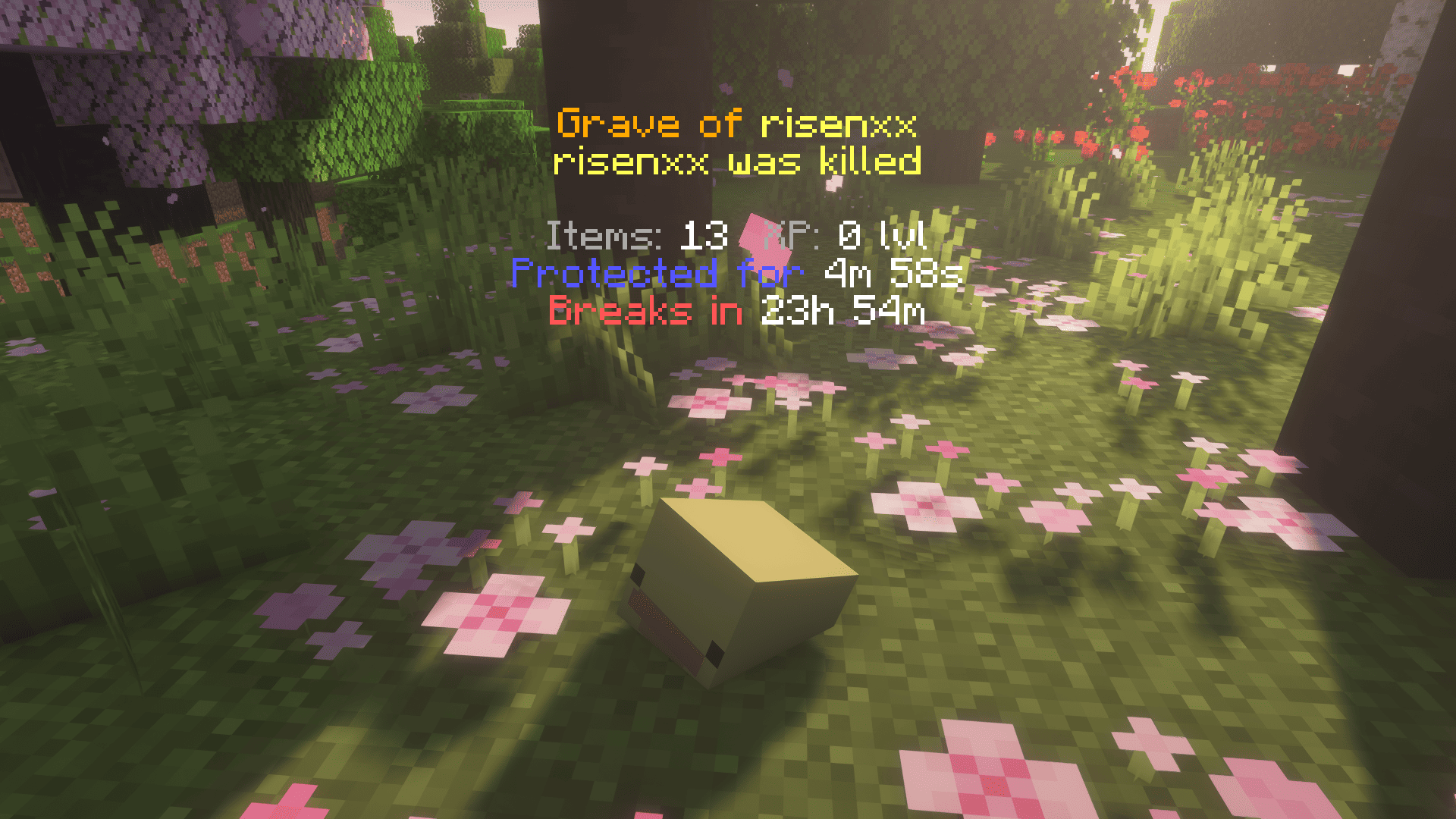
When you die in vanilla Minecraft, your items hit the floor on a five-minute timer and anyone within sprinting distance can sweep the lot. Perfect Graves replaces that scramble with a gravestone that knows where you fell, what you were wearing, and what else is going on with your server. It puts your gear back exactly where it was — armor in armor slots, accessories in accessory slots, sword on the bar — in a single motion.
Right-click your grave (or break it — both work). Armor snaps into the four armor slots. Sword's back on the hotbar where you left it. Curios rings, amulets, charms — all returned to the slots they were in when you died. Anything that won't fit lands in your main inventory. No more thirty seconds of inventory Tetris before the next fight.
XP comes back the same instant — credited straight to your bar the moment you take the grave. No 47-orb chase across the floor, no orb to walk over at all.
A 10-minute protection timer (configurable, paused while you're offline) keeps other players out of your stuff while you find your way back.
If you'd rather cherry-pick — say, leave the iron pickaxe behind and only grab your shulker — shift + right-click opens the grave's container menu. You can take items out individually (or shift-click to move them straight to your inventory); putting things back in is disabled. Close the menu when you're done; the grave stays placed until it's empty (or the self-destruct timer fires), at which point it cleans itself up.
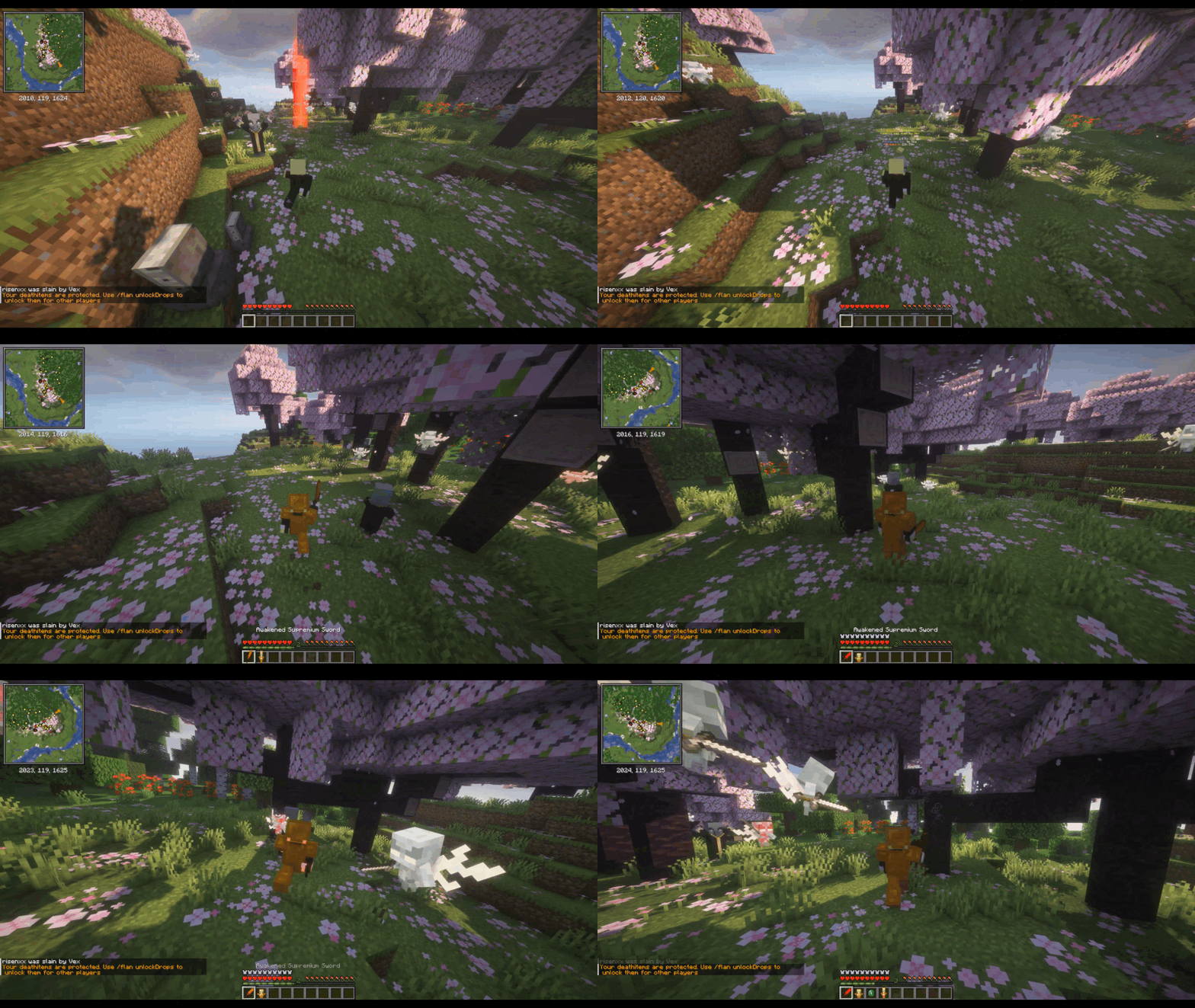
- Lava. Drops you on a 3×3 obsidian platform at the lava surface. No grave inside the magma.
- Void. Builds a platform at your last safe ground (or a sensible default Y) so the grave doesn't fall forever.
- Underwater. The grave is waterloggable — placed on the lake or ocean floor with the water column intact, not a dry pocket inside your reservoir.
- Buried. Suffocated in stone? The grave appears at the nearest air-over-solid spot, scanning both up and down — even when you suffocate just under the Nether bedrock ceiling and the only air is below you.
- Bedrock-locked. When even that fails, your gear lands in a virtual vault you can pull back with
/grave list. Items are never silently lost.
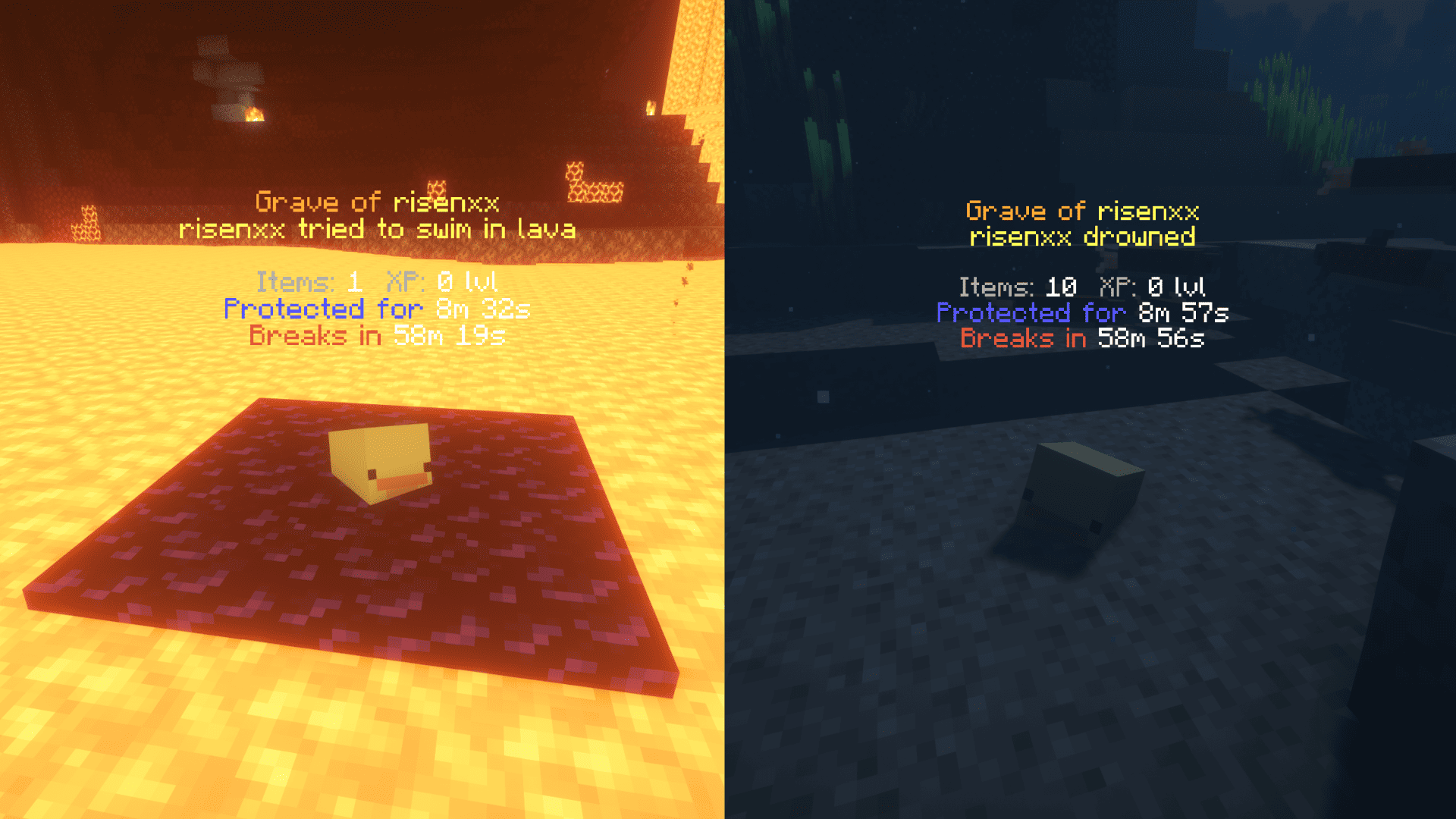
Up close you see the full hologram. Step away and it crossfades into a smaller long-distance marker — ☠ <name> died 12m ago • 187m — so you can pinpoint your grave from across an entire biome, out to 256 blocks by default. Markers are remembered across logouts and chunk unloads.
If items spilled to the ground without a grave block (rare configurations), a gold variant of the marker appears at the drop spot. Walk close once and it disappears for you — but stays visible for a friend who hasn't found it yet, so someone can still come help even if another player already grabbed the items.
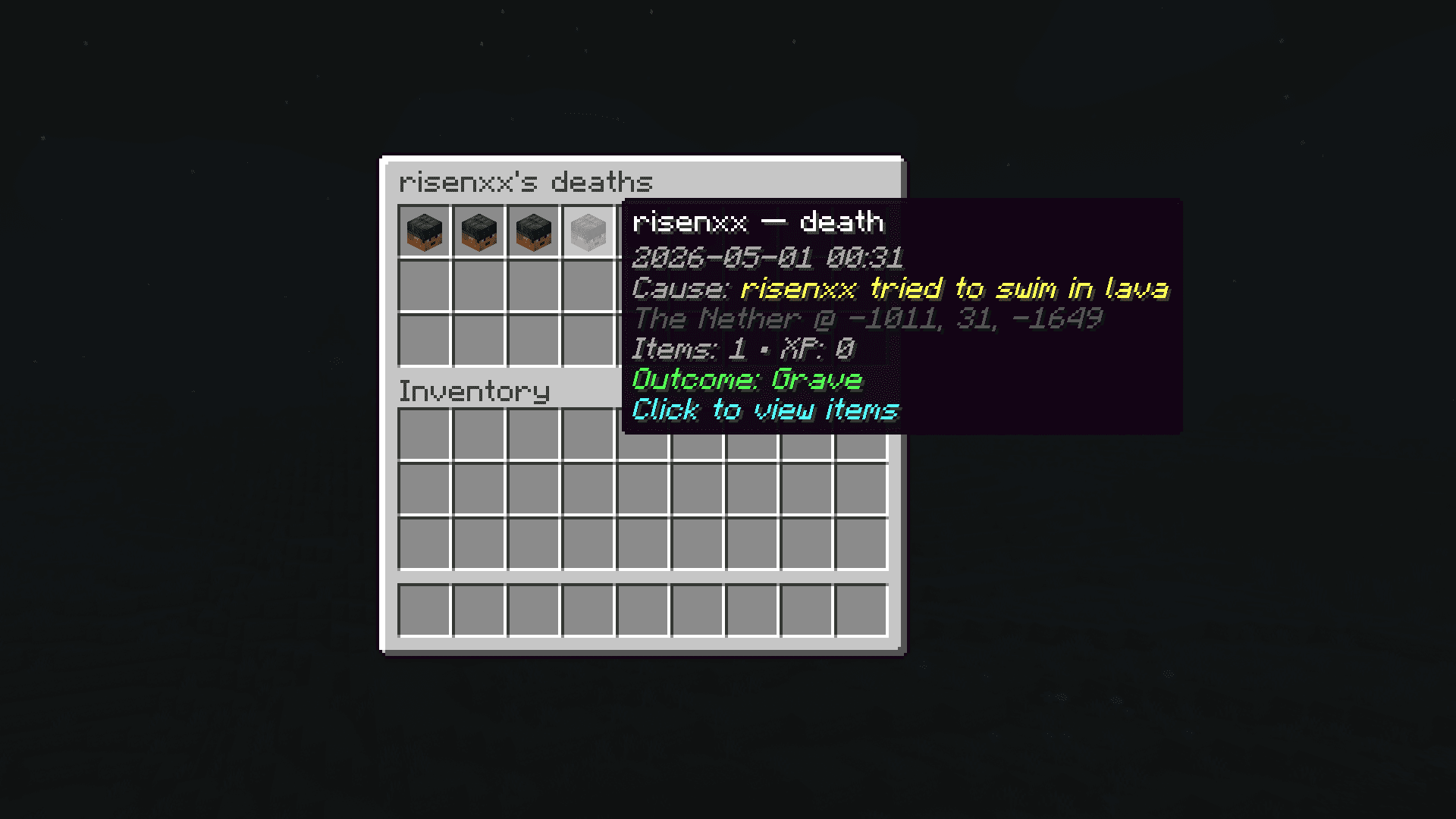
Every death is logged to a per-player history. /grave history opens a scrollable list of past deaths — click any entry for read-only details: items at that moment, cause, dimension, exact coordinates. So you can remember the spider farm three weeks ago.
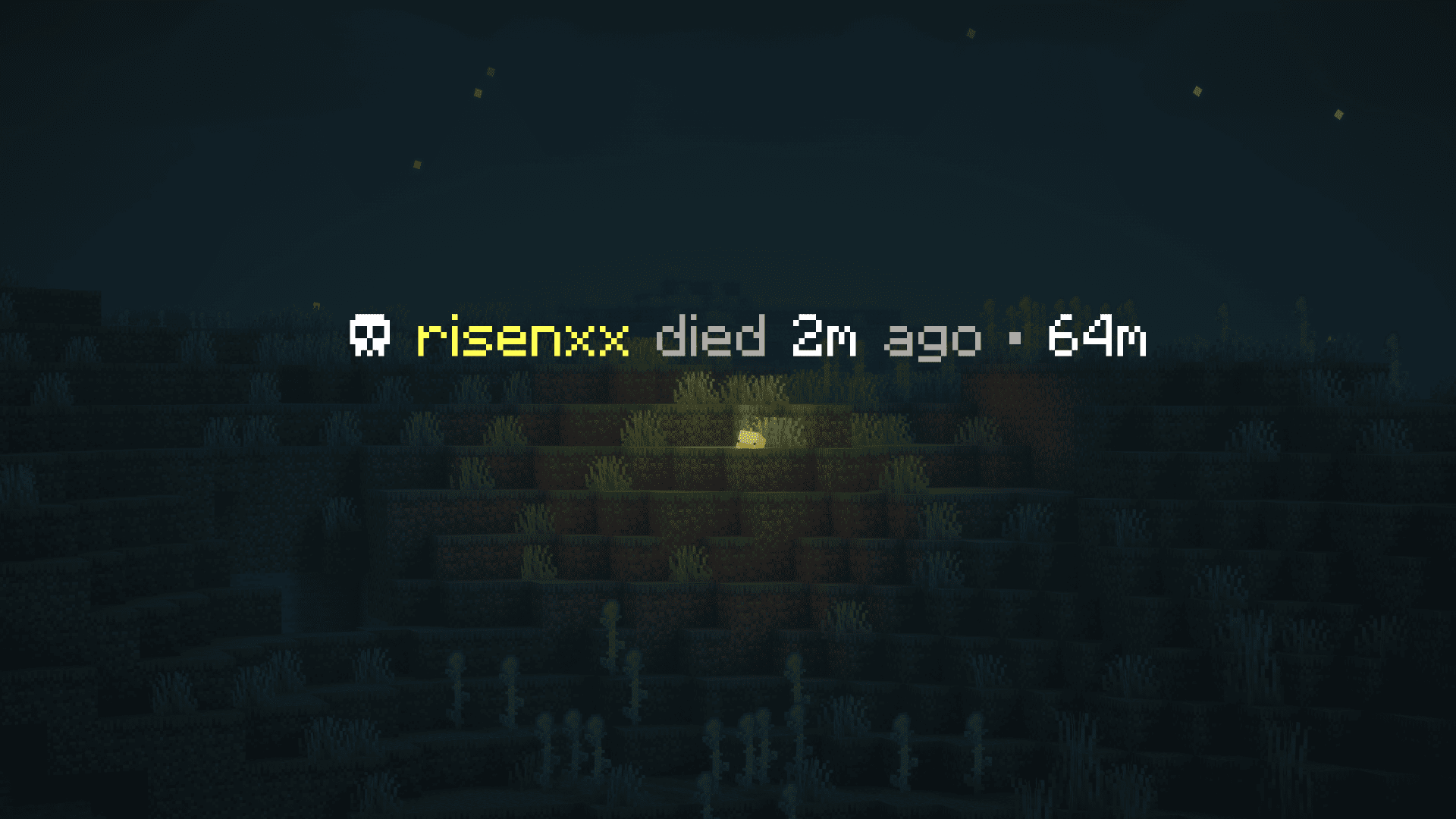
- Claim mods. Graves never spawn inside someone else's claim. FTB Chunks, Open Parties and Claims, and Flan are recognized out of the box.
- Curios. Rings, amulets, charms, all custom slots — re-equipped to the same Curios slot they were in at death.
- Soulbound enchants. Items enchanted by Ender IO or Ars Elemental's soulbound stay with you across death — and if a third-party soulbound mod returns your gear into the inventory grid, Perfect Graves automatically moves armor pieces back into their armor slots.
- Mod-added drops. Apotheosis affixes, Curios accessories, anything else that hooks
LivingDropsEvent— captured in the grave alongside vanilla items, not lost on the floor.
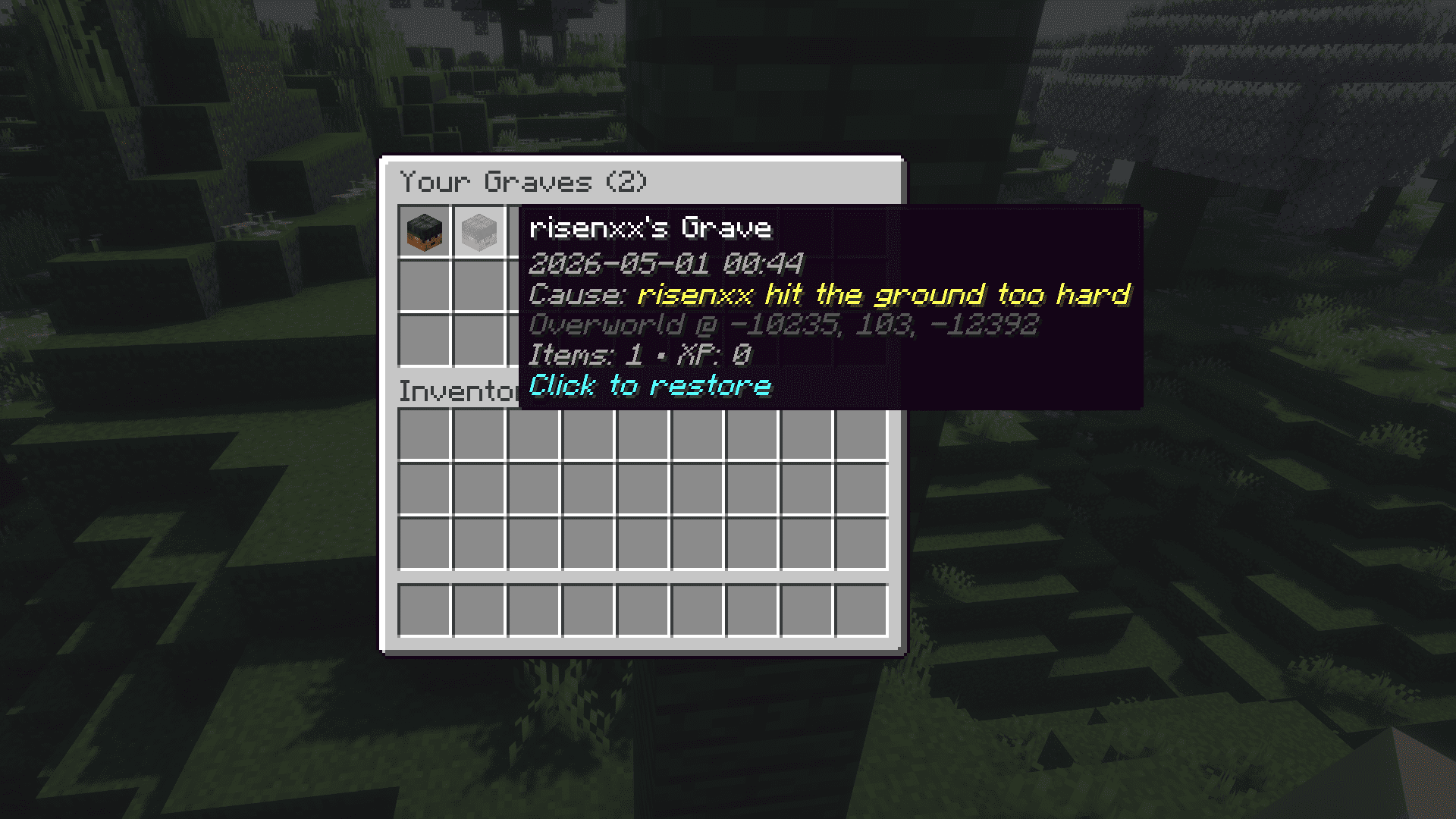
When no placement is possible — claim blocks every option, you died deep inside bedrock, the void won the day — your stuff goes into a virtual vault. The chat message you get has a clickable, gold-bold /grave list link: one click types it for you.
| Command | What it does | Who |
|---|---|---|
/grave list |
Opens a menu of your virtual graves | everyone |
/grave history |
Browse every recorded death — items, cause, position | everyone |
/grave restore <id> |
Pulls a virtual grave straight into your inventory | everyone |
/grave debug <player> |
Lists every virtual grave for the target player — UUID, item count, XP, death position, dimension. For diagnosing virtual-grave issues. | OPs |
/grave marker [...] |
Live-toggle long-distance marker visibility, own-only filter, dismiss radius, max distance | client-side, anyone |
The /grave marker family is client-side and persists immediately to config/perfectgraves-client.toml — no restart needed. Useful for toggling the marker on or off mid-session when comparing it against a minimap mod's death waypoint.
- Claim mods: FTB Chunks, Open Parties and Claims, Flan
- Accessory mods: Curios
- Soulbound enchants: Ender IO, Ars Elemental
Using Perfect Graves' markers instead of your minimap mod's deathpoints
Perfect Graves' marker is designed to be the only death indicator on your screen — it knows when the hologram is showing up close and steps out of the way, while a minimap mod's death waypoint sits there at full opacity all the time. By default the marker auto-hides when it detects Xaero's, JourneyMap, or FTB Chunks running, so you never see two skulls at once.
Markers are matched to the actual outcome of your death: a regular red marker over a real grave block, a gold marker over loose items dropped on the ground, or no marker at all if the items went into a virtual grave (in which case you get a clickable /grave list chat message instead). Minimap mods don't draw this distinction — they pin a generic deathpoint regardless of whether your stuff is even there. This makes Perfect Graves a cleaner replacement even in modpacks with strict claim policies.
If you'd rather use ours and turn theirs off, here's how:
Note for server admins: all of the configs below are client-side — each player edits them on their own machine. The server has no way to enforce these values, unless you ship a custom launcher that pushes config updates centrally. If you're shipping a modpack and want this as the default, ship the pre-configured files in your pack's
overrides/config/(CurseForge) or equivalent so new installs pick them up automatically.
Force Perfect Graves' marker on regardless — either run /grave marker mode always in chat (takes effect immediately, persists to disk), or edit config/perfectgraves-client.toml and set mode = "ALWAYS" under [marker]. Now follow the instructions below for whichever map mod you have to disable its death waypoint:
In-game: press Y for Minimap Settings → Waypoints → Waypoints Options → toggle Deathpoints to OFF. (The World Map shares this setting; toggling it once is enough.)
Or edit config/xaerominimap.txt: set deathpoints:false.
In-game: press J for the fullscreen map → Options (gear icon) → Waypoint Settings → uncheck Create Deathpoints.
Or edit config/journeymap/client/5.9/journeymap.waypoint.config: set "createDeathpoints": false.
In-game: press M for the FTB map → gear icon (bottom-left) → Client Config → Waypoints → set Death Waypoints to false.
Or edit config/ftbchunks-client.snbt: under the waypoints { ... } block, set death_waypoints: false.
In-game: press U for Waypoint Manager → top toggles → set Deathpoints to OFF.
Or edit config/voxelmap.properties: change Deathpoints:true to Deathpoints:false.
In-game: press P for Advanced Compass settings → Waypoints tab → toggle Auto Death Waypoint to OFF.
Or edit config/advancedcompass-client.toml: under [waypoints], set autoDeathWaypoint = false.
Note: none of these mods hot-reload waypoint flags — restart your client (or rejoin the world) after editing a config file directly.
Note: hologram/marker background may not render under some Iris/Oculus shader packs
Some Iris/Oculus shader packs — Bliss, Complementary Reimagined, and most "deferred-pipeline" packs — replace or drop the text_background_see_through render type that Minecraft uses for floating-text backgrounds. The skull and text in the hologram and long-distance marker remain perfectly readable; only the dark rectangle behind them disappears under those shaders.
This is a known shader-pipeline limitation (the same one that affects vanilla text-display entities — see Noxesium issue #141). Perfect Graves doesn't currently ship a workaround. The mod is fully usable without the BG; the markers are still distinct from terrain because the text itself is colored and outlined by Minecraft's font shadow.
If the missing backdrop bothers you, the only reliable fix is to switch to a less aggressively-deferred shader pack. Anything labeled "Vanilla++" or "lite" tier usually preserves vanilla translucent rendering.
Perfect Graves is designed to not wreck your TPS.
- Grave placement is time-boxed (default 10 ms wall-clock per death) and early-exits as soon as it finds enough candidates.
- It never force-loads chunks during placement.
- Failed placements fall through a cascade that ends in either a safe drop or a virtual grave — items are never silently lost unless you explicitly set
[fallback].mode = "VANILLA_DROP". Even the corner case of suffocating just under the Nether bedrock ceiling routes to a virtual grave instead of letting vanilla extrude items above the ceiling. - A loose-drop marker entity is spawned at
SAFE_DROPandVANILLA_DROPpositions so players still get a long-range waypoint to their items. It's invisible, has no collision, and self-discards after a configurable TTL (looseDropMarkerTtlSeconds, default 7 days). Per-viewer dismissal is purely client-side — no extra packets per player walking past. - It intercepts
LivingDropsEventatLOWESTpriority, so mod-added drops from things like Apotheosis land in the grave correctly.
Server-wide config lives at config/perfectgraves-common.toml — all search radii, platform blocks, soulbound enchants, fallback modes, and timers are tunable with per-dimension overrides. The per-client marker preferences live separately at config/perfectgraves-client.toml.
| Section | Key settings |
|---|---|
[search] |
maxSearchRadius, maxSearchTimeMs, replaceableBlocks |
[claims] |
respectClaims, allowOwnClaims |
[platform] |
allowPlatformGeneration, voidPlatformBlock, unreplaceableBlocks |
[fallback] |
mode — SAFE_DROP / VANILLA_DROP / VIRTUAL_GRAVE / RETURN_TO_INVENTORY; looseDropMarkerEnabled, looseDropMarkerTtlSeconds |
[timers] |
protectionTimeSeconds, selfDestructTimeSeconds, pauseProtectionWhileOffline |
[virtualGrave] |
enabled, restoreCommandPermissionLevel, maxGravesPerPlayer |
[soulbound] |
enchantments, nbtTags |
[marker] (client) |
mode — AUTO / ALWAYS / OFF; maxDistance (0 = unlimited); onlyOwnGraves; looseDropDismissRadius |
Target: Minecraft 1.20.1, Forge 47.4.10+, Java 17.
gradle buildJar drops in build/libs/. This repo has no gradlew wrapper — invoke gradle directly.
gradle runClient                       # launch a dev client
gradle runClient -Pusername=Test1      # second client with a distinct identity (multi-player tests)
gradle runServer                       # launch a dev dedicated server (`op <name>` works in console)
gradle runData # run datagenrunClient is great for fast iteration but doesn't load every third-party mod cleanly — mixin-heavy mods (Xaero's family, some performance mods, OptiFine clones) ship SRG-mapped refmaps that crash when the dev jar's Parchment mappings have already been applied. Convention is to keep a separate Forge 1.20.1 instance in Prism Launcher (or MultiMC) for cross-mod testing.
To make the round-trip painless, the deployToPrism task copies the freshly-built jar into your Prism instance's mods/ folder:
cp gradle-local.properties.example gradle-local.properties
# edit gradle-local.properties → set prismDeployPath to your instance's mods folder.
# Multiple targets: comma-separate the paths to update several instances in one shot.
gradle deployToPrism
The task dependsOn 'build', so it always rebuilds first. The jar is always written as perfectgraves-dev.jar (fixed name — no version churn in the target folder, and no duplicate-mod-id risk on version bumps). gradle-local.properties is gitignored — each contributor sets their own path. Don't run deployToPrism while a client/server is using the jar; class loaders lose handles to lazy classes when the jar is overwritten in-place.
All optional integrations are compileOnly. Version pins live in gradle.properties — bump them explicitly when updating:
| Pin | Current | Notes |
|---|---|---|
ftbchunks_version |
2001.3.7 | Requires ftblibrary_version + ftbteams_version transitively |
opac_version |
forge-1.20.1-0.26.1 | Open Parties And Claims via Modrinth maven |
flan_version |
1.20.1-1.11.15-forge | Flan via Modrinth maven |
curios_version |
5.9.1+1.20.1 | Accessories API has no Forge 1.20.1 port, so Curios is the sole provider |
The stable project reference for contributors lives at CLAUDE.md — package layout, the placement-cascade order, critical invariants, and common gotchas. Key points:
LivingDeathEvent @ HIGHESTis prep-only; main logic runs inLivingDropsEvent @ LOWEST receiveCanceled=falseso other mods' drops are captured first.LivingDropsEventis cancelled conditionally — theVANILLA_DROPcascade branch leaves it alone.LivingExperienceDropEventcancellation follows the item cascade result.SafePosTracker,SoulboundTracker, and the pending-death map are in-memory only — no capabilities, no per-player disk I/O.- Virtual graves use
SavedDataatworld/data/perfectgraves_virtual.dat.
MIT — see LICENSE.