This is a simple tool to create Discord timestamps.
Discord timestamps are automatically updating parts in your message. Every user will see these in their timezone. Choose whatever date and time you want, copy the code and paste it in your Discord message. Done!
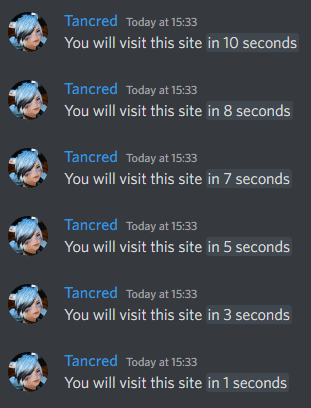
Example of a relative timestamp in action:
- Start dev container
docker compose up -d- Connect to container
docker exec -it discord-timestamps-dev-1 bash- Inside container, run:
npm run dev- Visit
http://localhost:5173
I recommend to use an automatic deployment via GitHub Actions. But if you want, you can manually start the container on Prod:
docker compose -f docker-compose.prod.yml up -dAdd these secrets to your GitHub repository:
DEPLOY_HOST- Server hostname or IPDEPLOY_USER- SSH usernameDEPLOY_SSH_KEY- SSH private keyDEPLOY_PATH- Deployment directory
Also copy the .env.skel file to .env to set a custom port.
cp .env.skel .envMIT