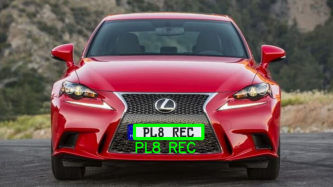
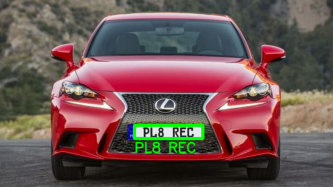
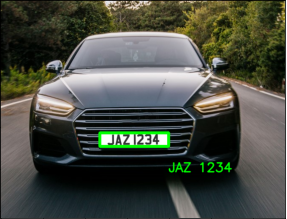
Extracts the registration plate contents from a car image and overlays it highlighting the reg plate location.
| Before | After |
|---|---|
 |
 |
| Before | After |
|---|---|
 |
 |
This is required since the only logical approach in extracting the number from a license plate is to identify the region where it is located in. This will make it easier as approximately 95% of the image will be cropped out making our lives easier. The result of this process can be seen below:
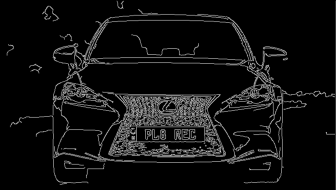
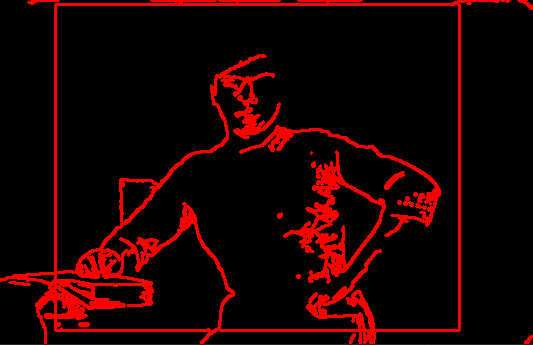
The next step is to identify the contours on the image. This would help identify curves and points where lines meet. The result of identifying contours can be seen on another image (clearer demonstration):
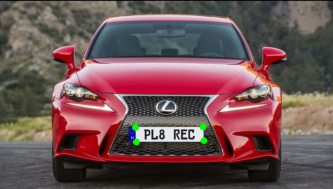
Now that we have our contoured image, it's important to identify polygons so that a particular shape could be identified (a rectangle with 4 points), which is our license plate. Once the contours have been identified (stored in the format of a sorted array), we go through the contours and look for a rectangle of length 4 (since rectangle is 4 sided). We iterate over the contours and grab all the points. As notable from the image below, we have each corner of the license plate with its corresponding coordinate on the image, so now we can crop it and create a mask:
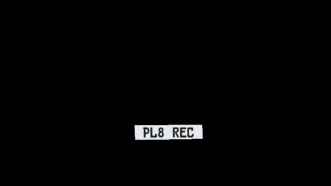
Once the coordinates of the license plate have been identified, we can simply create a contoured mask, turn it into a gray scaled image and use the EasyOCR library to extract the text:
All that's left is to overlay the extracted registration plate contents over our original image. Job done!