
A React test web app for the mulit-agent RAG system.
Visit:
- Marketing: Landing page
- Client app: Production
- Backend: Orchestration framework / multi-agent RAG
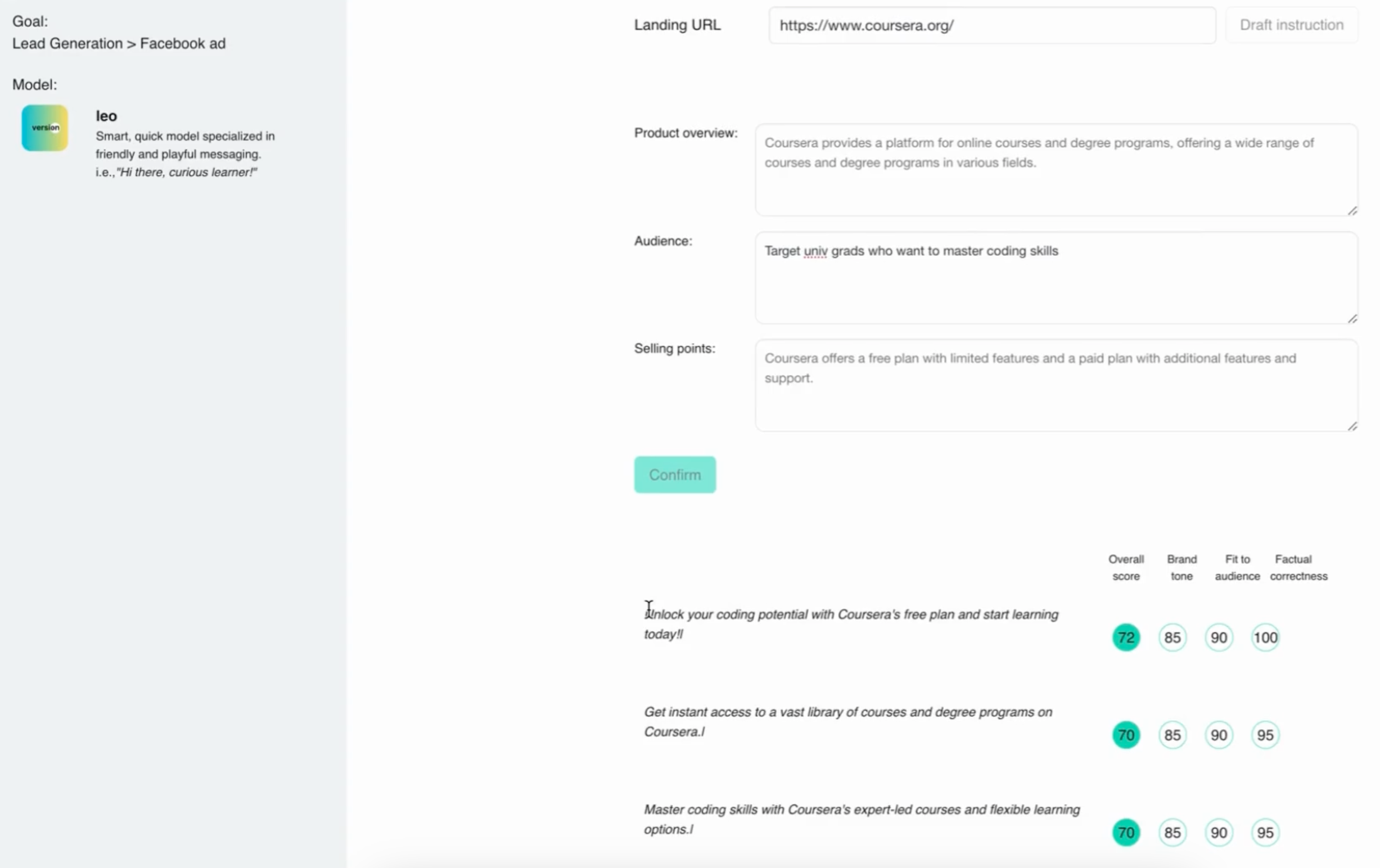
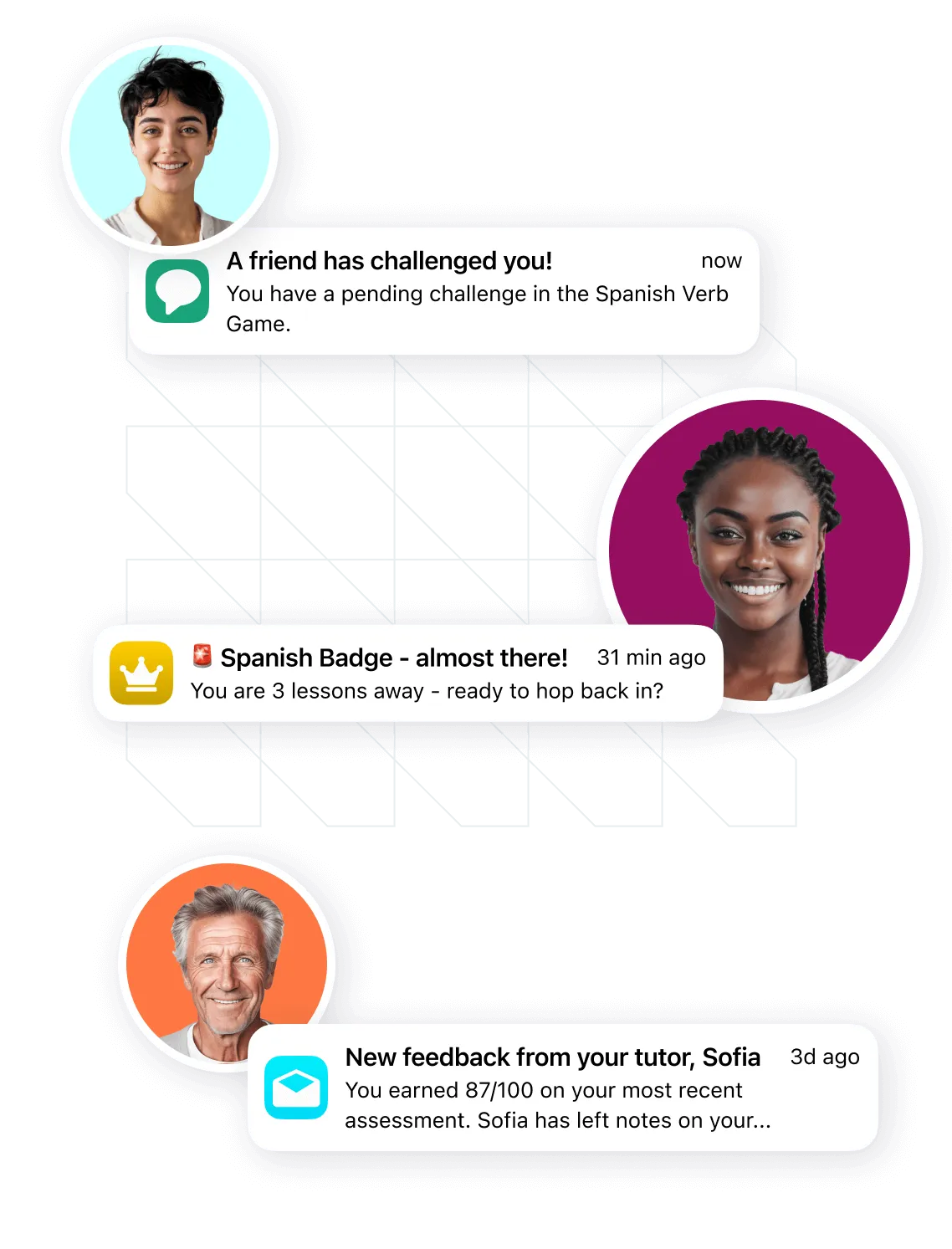
A mulit-agent system that tailors messaging workflow, predicts its performance, and deploys it on third-party tools.
-
Select a type of outbound.
-
Select a LLM for the agent.
-
Submit a landing URL of the product you want to launch the outbound campaign.
-
The agents analyze the URL. Check the analysis and approve/refine them.
-
We call the API, let the agents create outbound campaigns.
-
Approve and deploy them or comment to refine.
- A simple React app
.
public/                  # Orchestration frameworks on Pydantic
│   └── ...
│
src/                     # React app
│   ├── components/
│   ├── App.js
│   ├── index.js
│   └── main.scss
│
└── package.json         # Dependencies
-
Install the
npmpackage manager:brew install npm -
Install dependencies:
npm i- When the upstream dependency conflict happens, try:
npm i --legacy-peer-deps -
Set up environment variables: Create a
.envfile in the project root and add necessary k, v pairs:REACT_APP_YOUR_KEY_NAME=your-key-value
-
Start the React app:
npm startThe app will be available at
http://localhost:3000. -
Add new features.
-
Frontend (production) is available at
https://versi0n.io. Currently we are on beta.
-
Fork the repository
-
Create your feature branch (
git checkout -b feature/your-amazing-feature) -
Pull the latest version of source code from the main branch (
git pull origin main) *Address conflicts if any. -
Commit your changes (
git add ./git commit -m 'Add your-amazing-feature') -
Push to the branch (
git push origin feature/your-amazing-feature) -
Open a pull request
-
Flag with
#! REFINEMEfor any improvements and#! FIXMEfor any errors.
- Add a package:
npm i <package> --saveornpm i <package> --save-dev - Remove a package:
npm uninstall <package>
- To reinstall all the dependencies,
rm -rf package-lock.json node_modules
npm i
Common issues and solutions:
- API key errors: Ensure all API keys in the
.envfile are correct and up to date. Then restart the React app to apply the updated value. - Database connection issues: Check if the Chroma DB is properly initialized and accessible.
- Issues related to dependencies: Add
--legacy-peer-depsto address the dependency conflict. Or, after removing node_modules and package-lock.json, runnpm upgrade.
| Marketing page | Client app (beta) | Test app | Orchestration/agent system | Analyics | |
|---|---|---|---|---|---|
| Github | repo_1 | repo_a | repo_b | repo_c | repo_d |
| Website | home | client app | (localhost) | - | - |