Marknote is a simple and practical Chrome browser extension that helps you quickly record and export important content while reading web pages.
- 📝️ Quick text highlighting
- 📝 Temporary note saving
- 🗑️ Clear annotations anytime
- 💾 Selective content saving
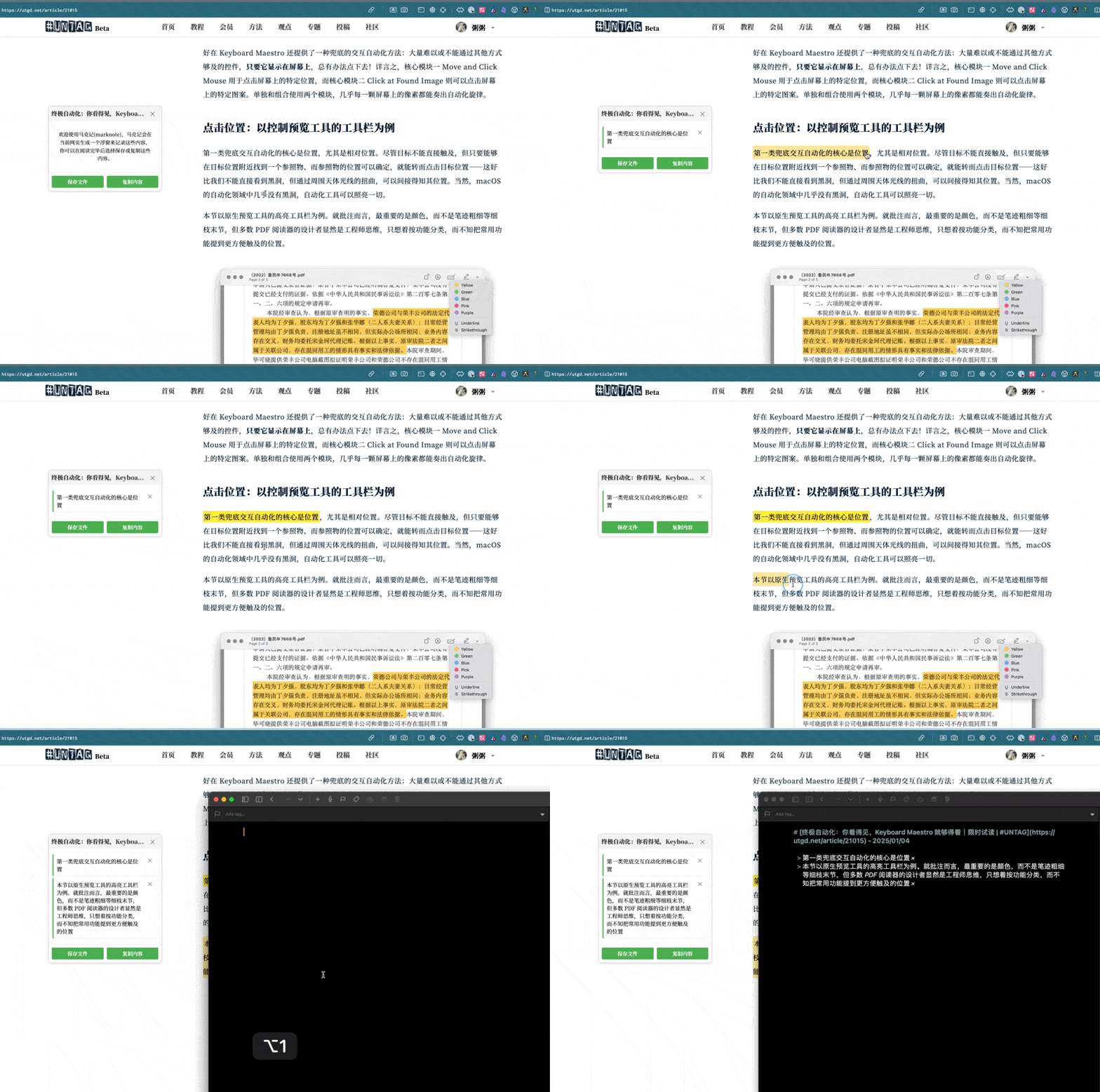
- Click the Marknote icon in the browser toolbar to open the side note panel
- First-time users will see usage instructions
- Select any text on the webpage with your mouse
- Selected text will be automatically highlighted
- Click the highlighted text again to remove the highlight
- All highlighted content will appear in the side panel
- All annotations are displayed in chronological order in the side panel
- Click the '×' button to remove unwanted annotations
- Save important content before closing the page
- Click the highlighted text or the delete button in side panel to remove annotations
- All unsaved annotations will be automatically cleared when the page is closed
- Annotations are temporarily saved and will be cleared after refreshing the page
- Please save important content in time
- Can be used on any webpage without special settings
Marknote runs completely locally and does not collect any user data or upload any content.
For issues or suggestions, please feel free to raise an Issue.
If you find this extension helpful, feel free to buy me a coffee.

- 2025-01-02 Version 1.0.0 released
- Added text highlighting feature
- Added mark clearing feature
- 2025-01-03 Version 1.0.1 released
- Added current page toggle function
- Fixed floating window style issues in dark mode
- 2025-01-04 Version 1.0.2 released
- Fixed bug where 'x' mark was copied with text
- Adjusted markdown image bed reference to reduce extension size