Overview
This project begun when i was in senior high school. I created very simple school bell using Visual Basic.NET and .NET Framework 4 for my School SMA N 1 Metro, Lampung, Indonesia (Senior High School 1). It was pretty useful on that time. I just hardcoded everything in the code. Then, came version 2 with better improvements. I used C# as the replacement of VB.NET and plain text file to store all my data. They were great on their times. But, lack of many flexibilities. They must be opened to match the schedules. They didn't use architected solution so everything was code-behind solution. It was pretty hard to add features and fix bugs. Pretty slow in adding and removing data. And the most vital thing, they didn't use asynchronous programming. Therefore, the GUI sometimes were freezed when loading some data.
After long absence, version 3 is coming up. It evolves better than previous ones. It uses the following technologies:
- C# as the programming language
- .NET Framework 4.5 as default framework
- Windows Prensentation Foundation (WPF) with MVVM-Pattern as the GUI
- Windows Service as service runner to match various schedules in parallel
- MS SQL Server as the back-end database
- Entity Framework as Object Relational Mapper (ORM) using Generic Repository Pattern
This program uses AlphaPlayer (default media player) to play audio files in parallel way. So, what's the difference between previous versions? Allright, here is the explanation.
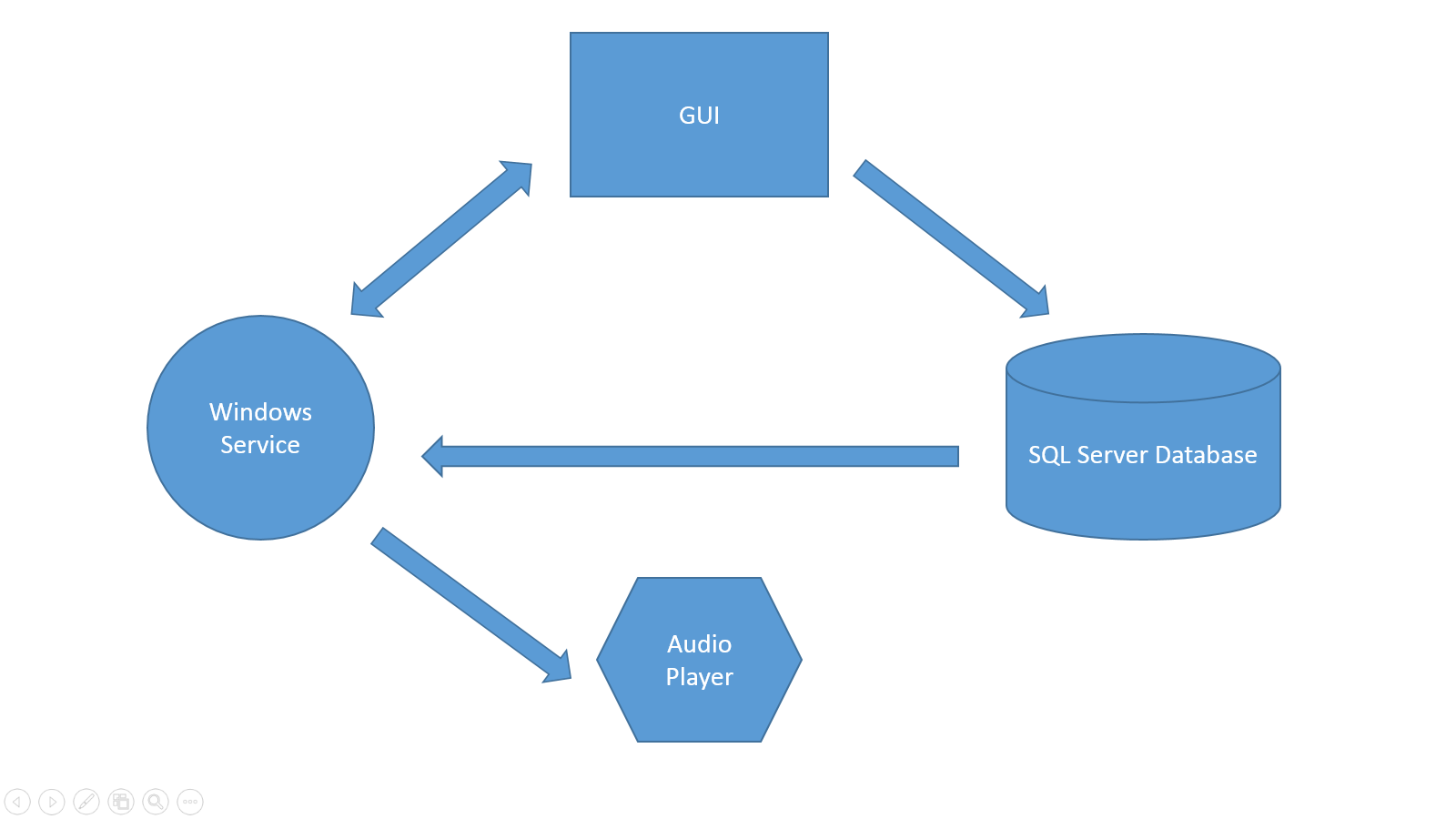
Data entry, object validation, service runner controller, they reside in GUI. So, if you want to add schedules, events, repeated schedules and control service runner lifetime, you can go to GUI. This GUI is also the one that's only accessible to common users. GUI stores data into SQL Server backend. This storage used by GUI and service runner to run their operations. After installation, service runner is automatically run by the setup. This service used to match the schedules on the database and if matches, then it plays the audio file using Audio Player. From the diagram we can see that service grabs the data from the database and it is being synchronized in two-way manner with GUI. The audio player is able to play audio files in parallel. Suppose there are 2 matched schedules, this player can play both audio files directly without queuing up.
Because this program uses windows service, you just need to turn on computer, and let it enter lock mode without opening GUI to start matching the schedules.