3. Software and pre alignment setups
- We will make a directory called RNAseq_tutorial on Desktop. You can create a folder manually, or on Terminal type:
mkdir ~/Desktop/RNAseq_tutorial
We want some of pre-made directories to organize:
mkdir ~/Desktop/RNAseq_tutorial/annotations
mkdir ~/Desktop/RNAseq_tutorial/fastq
mkdir ~/Desktop/RNAseq_tutorial/results
mkdir ~/Desktop/RNAseq_tutorial/tools
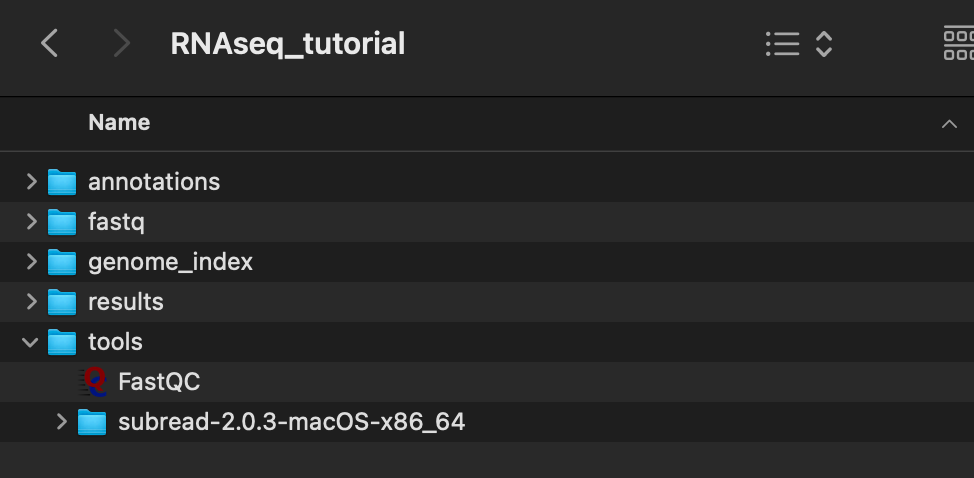
- Move some of the tools installed on the previous part. In particular, we will move FastQC and subread. You can drag the folder and app into /RNAseq_tutorial/tools.
If it looks like this now, you're ready to move on!
- We will make this tutorial easier to follow by creating environmental PATH variables. If your Terminal uses zsh, enter:
What are environmental PATH variables? Environmental variables in Terminal
echo export SEQ_HOME=~/Desktop/RNAseq_tutorial >> ~/.zshrc
source ~/.zshrc
echo $SEQ_HOME
Does it come back with /Users/{USR}/Desktop/RNAseq_tutorial ?
Alignment and transferring alignment to read count require annotation files in forms of fasta and gtf files. For convenience, I have uploaded all of them in the annotations repository in case you can't download from this tutorial.
We will download from Flybase. Copy and paste this on your Google Chrome (this does not work on your Safari.)
ftp://ftp.flybase.net/genomes/Drosophila_melanogaster/dmel_r6.44_FB2022_01
This will prompt you to open your Finder. When asked for user and password, just login as Guest.
(i) Go to Fasta folder and double click dmel-all-chromosome-r6.44.fasta.gz
(ii) Go to gtf folder and double click dmel-all-r6.44.gtf.gz
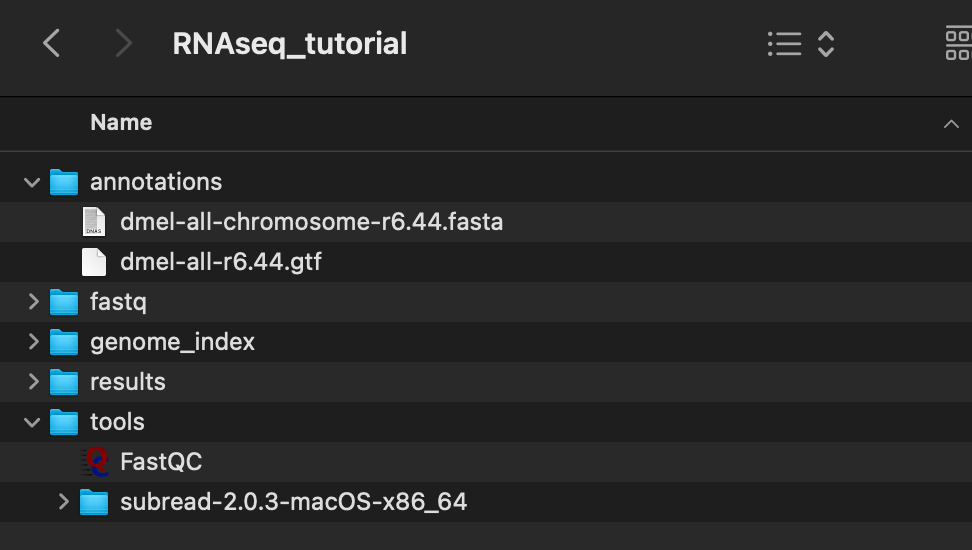
Move the gunzipped file to SEQ_HOME/annotations. It should look like this now:
Edit: The GTF file contains rDNA, unmapped scaffolds, and other chromosomes that might not be needed for a standard alignment. To get rid of these, you could use the 'awk' command on your Terminal. For instance, if the saved (original) GTF file is in Downloads directory,
awk '{ if ($1=="X" || $1=="Y" || $1=="mitochondrion_genome" || $1=="2R" || $1=="2L" || $1=="3R" || $1=="3L" || $1=="4") print $0 }' ~/Downloads/dmel-all-r6.44.gtf > SEQ_HOME/annotations/dmel-all-r6.44.gtf