2. Access Control
Users can log on to Oncogenomics via iTrust. For NIH users, please use PIV card to sign in. Currently we do NOT accept username/password anymore.
When log on to Oncogenomics first time, the users should see a registration form. This will help us know who the users are and if the access permissions should be granted. Please provide the projects/protocol you are interested in. You can skip this step if you are only interested in public datasets.

The access control of Oncogenomics is project-based. The minimum access unit is cases. Only authorized users can access private projects. Public projects are open to all the users.
If you have superadmin privilege, you can add users to projects by following steps:
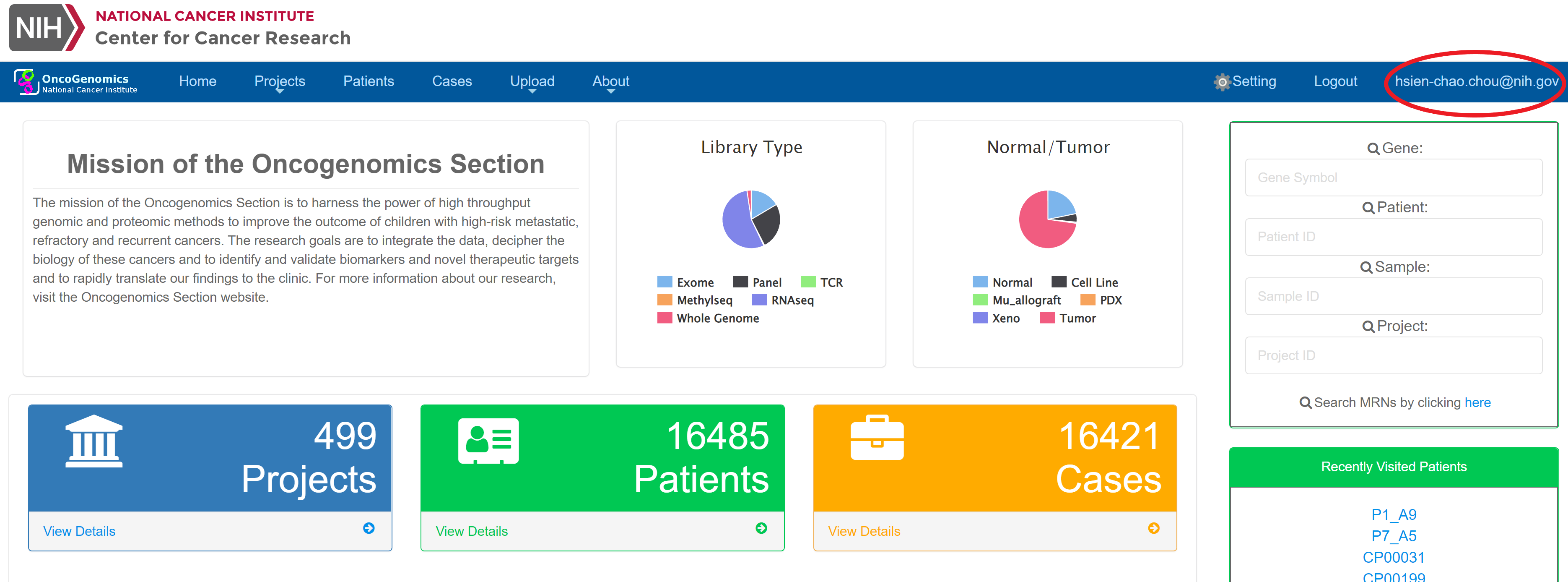
Step 1: Go to administration console by clicking your ID:
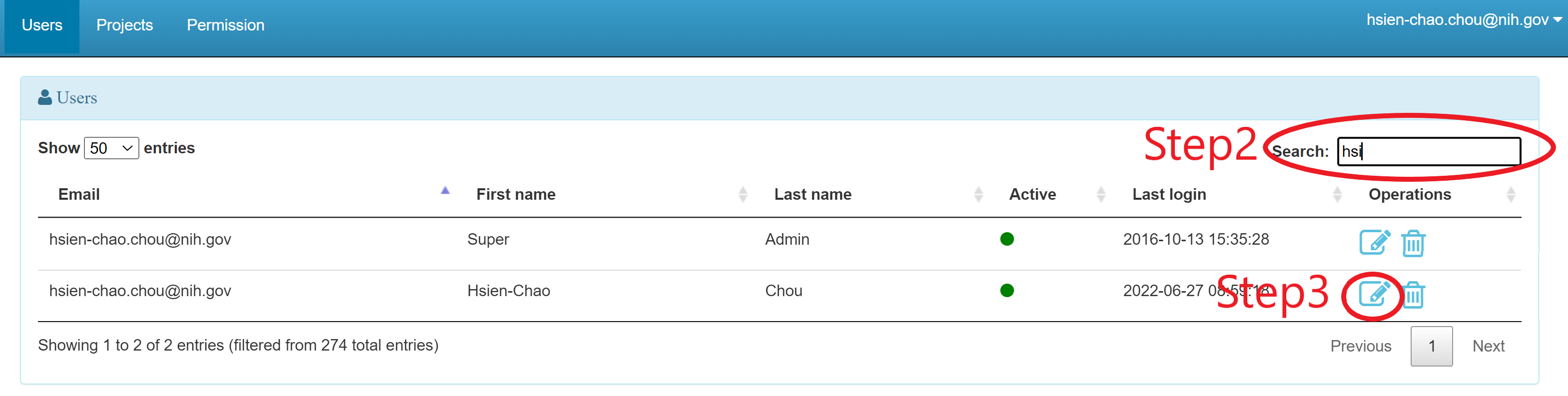
Step 2: In administration console, search the user
Step 3: Click "Edit" icon 
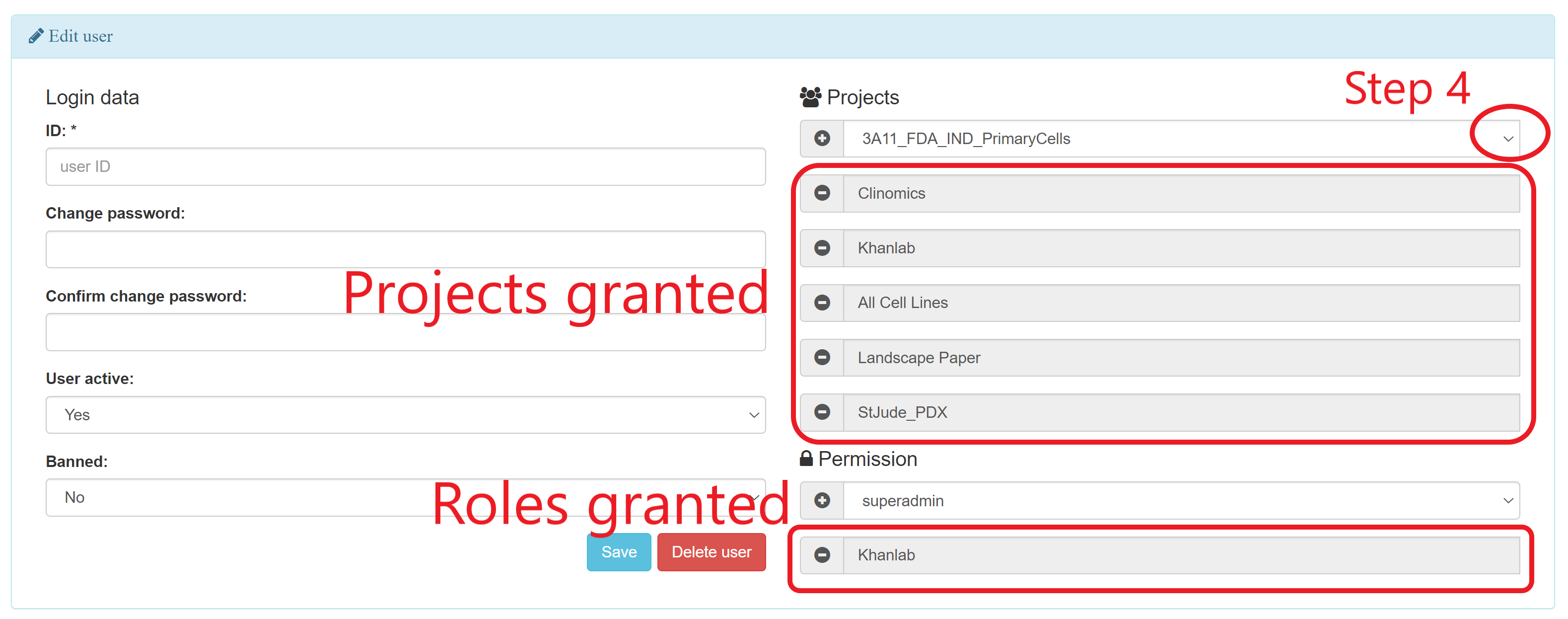
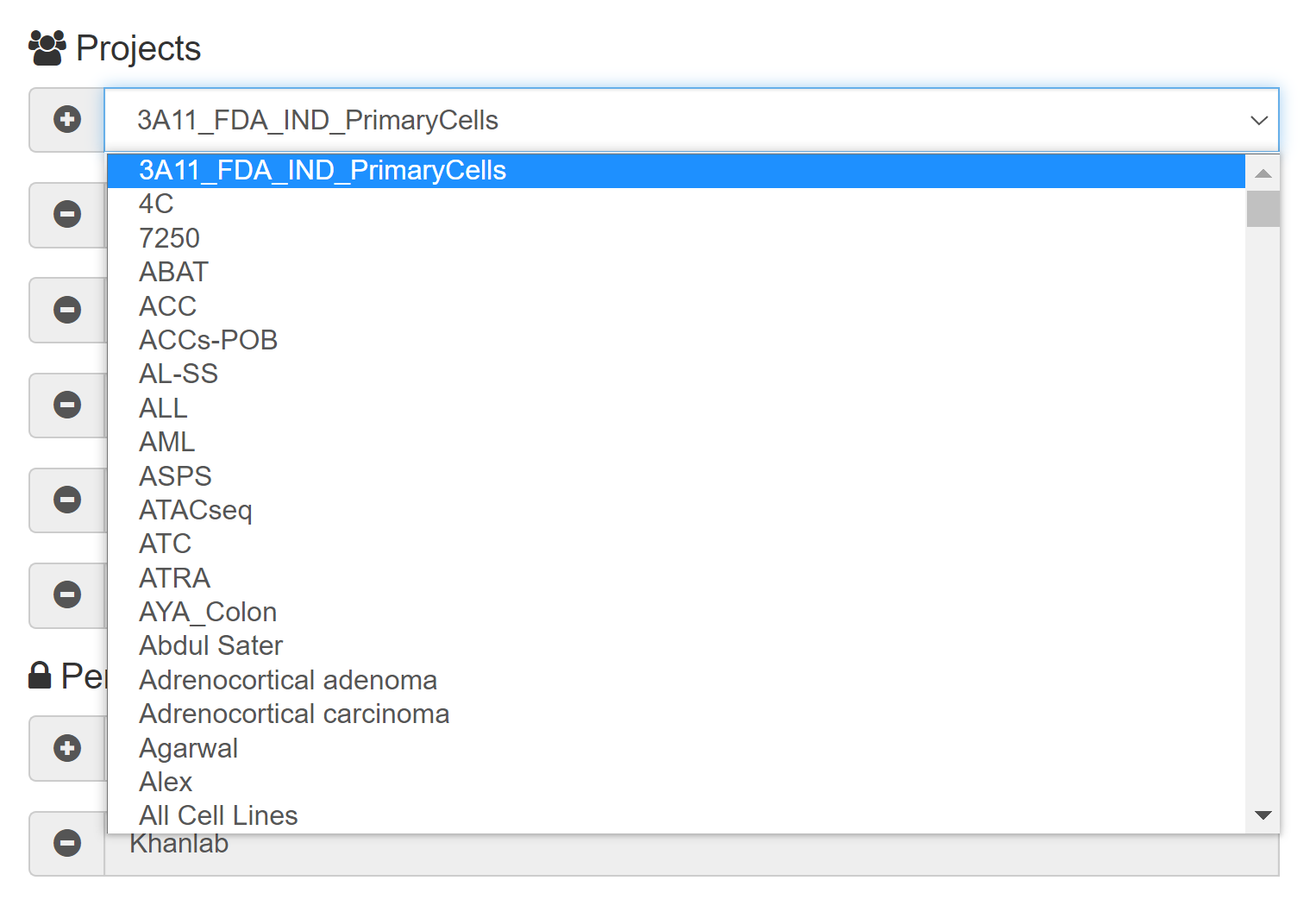
Step 4: In "Edit User" page, the current granted projects and roles will be shown. Click the drop-down menu and Select the project you want to add to the user
Step 5: Click 
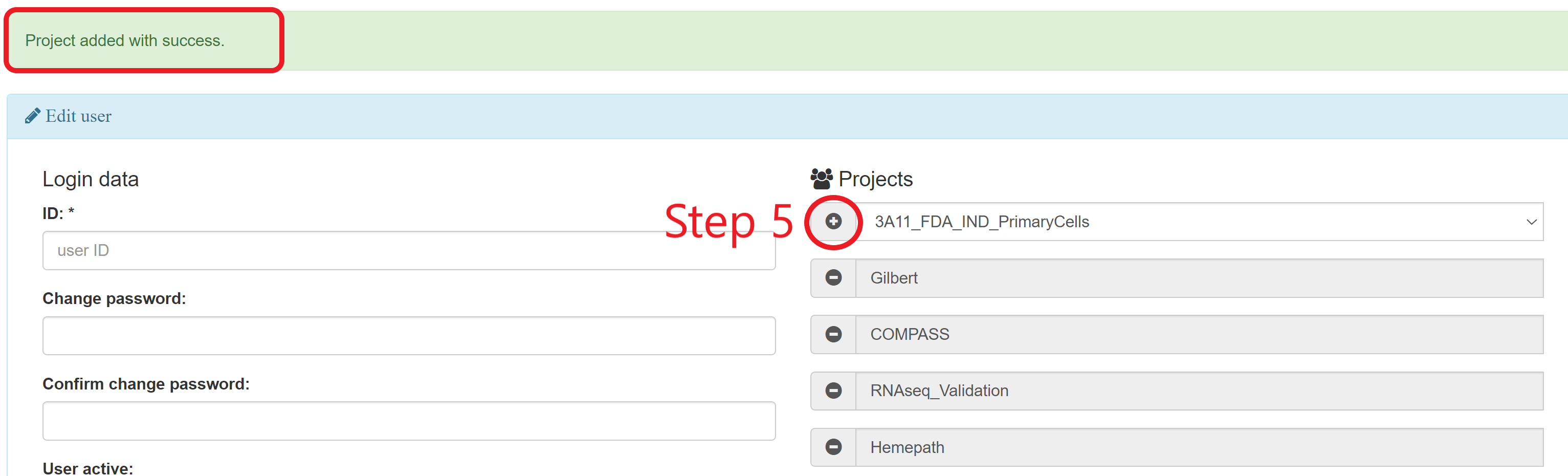
Step 6: Wait for the successful message (This will refresh the internal view and might take up to 20 seconds). You should see the message like:

The user will receive a notification email about this change.