7. Upload
If permission granted, the users can upload cases or clinical meta data through upload pages.
Users can upload meta using a tab separated text file. The file should include a "Patient ID" or "Sample ID" column which can be used to link the current processed data.

- Step 1: Click "Choose File" to select the text file to be uploaded. The text file must be tab-separated. The first line should be the header line.
- Step 2: Use the drop-down menu to select "Patient ID" column. If the data include the survival information, select the corresponding columns.
- Step 3: Check the columns to be included and change the label if needed.
- Step 4: Click "Next"
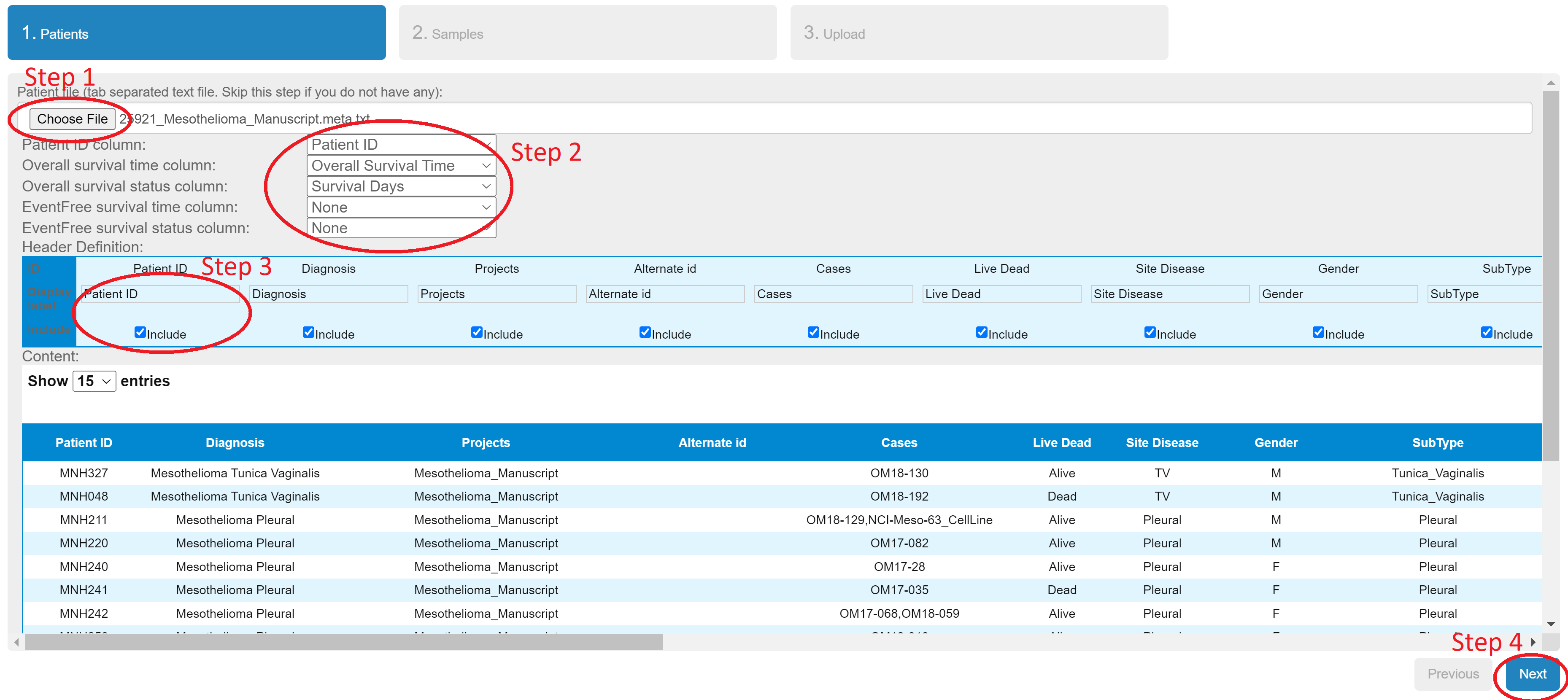
The logic is the same as previous step. Click "Next" to the final step.
Click "Upload" to submit the data.

You should see the successful message when it is done.